





In this article
- What is manufacturing routing?
- A manufacturing routing example: a batch of shafts
- Make the route useful before asking for a delivery date
- Capture the work that occupies capacity or controls readiness
- Record approved choices, not just the usual machine
- Give every time an explicit basis
- Check dependencies and keep the route current
- Turn the route into a live schedule with SkyPlanner
- What this changed for Mamec
- Keep the process knowledge. Stop rebuilding the queues.
The part has an approved route. The work order has a due date. Yet the planner still has to work out which machine will do each operation, what must finish first and whether the order can leave on time.
A manufacturing routing answers the process questions. A production schedule answers the timing questions. Keeping those responsibilities separate makes both more useful: you define how the product can be made, then SkyPlanner places that work into the capacity available alongside your other orders.
That is the step from a route stored in the ERP to a plan your shop can follow. The route gives the scheduler reliable inputs; SkyPlanner handles the competing jobs, dependencies and priorities without making you rebuild every machine queue by hand.
What is manufacturing routing?
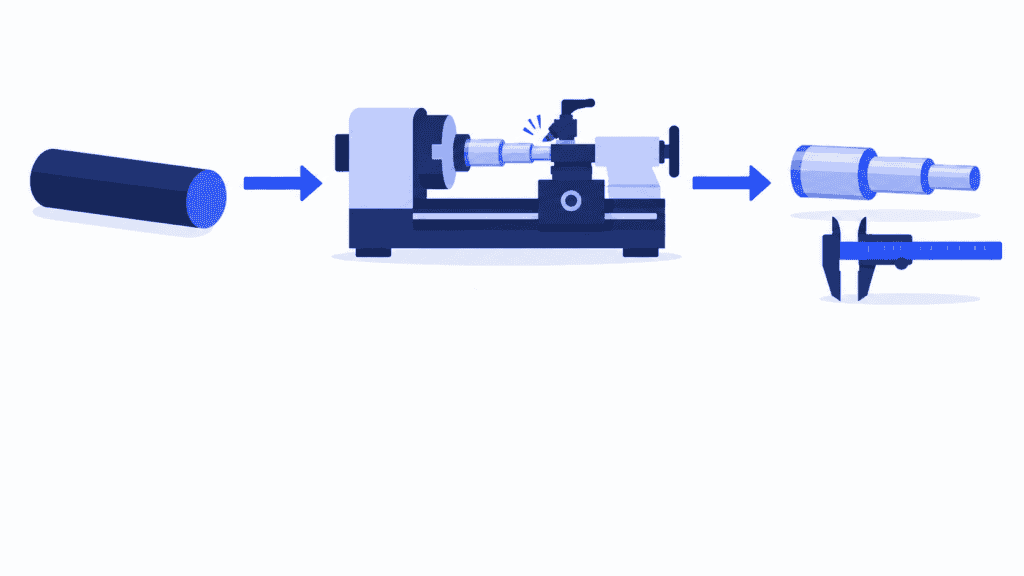
Manufacturing routing is the definition of the operations needed to make a product, their required sequence, the resources that can perform them and their setup and processing times. It describes how the product moves through production, from its starting material to the finished item. Production routing means the same thing in this context.
For a machined shaft, the route might be sawing, turning, grinding and inspection. Each operation needs more than a name: which machines are approved, how its time depends on quantity, and what must be ready before it starts.
A route also supports capacity estimates and job costing. But it does not reserve a place in a machine’s queue. An approved lathe may already be occupied, the required operator may be off shift, or the material may not have arrived. Those conditions belong in the scheduling decision.
Three records work together:
- The bill of materials (BOM) identifies the materials and components needed. For the shaft, that includes the specified bar stock.
- The routing describes the work that transforms those inputs into the finished product.
- The work order requests a quantity of that product for a particular job. Its operations are then scheduled using the applicable route and current production conditions.
A route sheet or job traveler presents the route for the people doing a particular job, often with instructions and completion records. It is not a substitute for scheduling all the jobs that share the same resources. See how production work orders connect the order to the work on the floor.
A manufacturing routing example: a batch of shafts
Imagine an order for 20 machined shafts. The approved route has four operations, and the whole batch completes each operation before moving to the next. Material is ready. These illustrative times assume one setup per operation, sequential processing of individual pieces, and no overlap, transfer time or queue allowance.
| Operation | Must follow | Eligible workstation | Setup per batch | Run time per shaft | Workload for 20 shafts |
|---|---|---|---|---|---|
| Saw blanks | Material ready | Saw 1 | 15 min | 2 min | 55 min |
| Turn shafts | Sawing complete | Lathe 1 or Lathe 2 | 25 min | 6 min | 145 min |
| Grind shafts | Turning complete | Grinder 1 | 20 min | 3 min | 80 min |
| Inspect | Grinding complete | Inspection Bench 1 | 10 min | 1 min | 30 min |
For this example, both lathes have the same approved setup and processing times. A real alternative may need different tooling, preparation or run time.
The turning workload is 25 minutes of setup + 20 shafts × 6 minutes = 145 minutes. Across the route, the batch requires 310 minutes of setup and processing. That is the work to fit into production, not a promise that the order will finish 310 minutes after release. The production schedule template shows the next step: assigning operations to available machine and operator time.
Now imagine Lathe 1 is fully loaded, while Lathe 2 has an opening. Because the route identifies both as eligible, the schedule has another way to place the turning operation. It still needs to find room on the grinder afterward. Moving the shafts through turning sooner is useful only if it helps the whole order progress.
This is where routing and production scheduling meet. The route describes the allowed path; scheduling finds usable time along it, in competition with other orders.
Make the route useful before asking for a delivery date
Start with a product whose actual manufacturing path you can check with the people making it. The goal is not the longest possible routing record. It is a route that explains the work clearly enough to schedule without filling gaps from memory.
Capture the work that occupies capacity or controls readiness
List the operations the product really needs, including required inspection and outside processing. Give an activity its own operation when it uses a separate resource, has a meaningful duration or creates a readiness condition for the next stage.
An omitted inspection makes the plan look as though the order can proceed before quality has cleared it. An omitted subcontract stage hides time outside your own factory. Both can make a delivery date look easier to meet than it is.
Keep detailed operating instructions with the operation rather than burying the route in them. The route shows the sequence and resource requirements; the instruction explains how to perform the work correctly.
Record approved choices, not just the usual machine
Ask which workstations can actually meet the product’s requirements. Include approved alternatives so the scheduler has useful options when the usual machine is busy. Do not mark every machine in a department as eligible merely because it performs a similar process.
The alternative must suit the part’s dimensions, tolerances, tooling and operator requirements. A slower approved machine can sometimes finish an order earlier because it becomes available sooner. A free but unsuitable machine cannot help at all.
Also distinguish a machine choice from a process choice. Two eligible lathes usually mean one turning operation assigned to either machine, not two turning operations. A different manufacturing method may require a different approved route, not just another resource on the same step.
Give every time an explicit basis
Separate preparation per batch from processing per piece. State the units, quantity basis and any fixed-duration stages. In the shaft example, setup happens once, while run time grows with the number of shafts.
Other processes need different models. An oven may treat a batch for a fixed duration; a line may be described by an output rate. Cooling or curing can delay the next operation without requiring an operator throughout the wait.
Keep queue time out of machine processing time. Otherwise, a delay caused by last week’s crowded queue becomes an inflated workload in next week’s schedule. Keep preparation visible too: setup-time reduction addresses a different opportunity from making the cutting cycle faster.
Check dependencies and keep the route current
Record what must be complete before each operation starts. Preserve real technical and quality constraints, but question habits that have been mistaken for dependencies. Two independent subassemblies need not become serial operations simply because one person usually makes both; their shared operator is a capacity constraint.
When partial batches can move forward, define the approved transfer condition. Do not assume that finishing the first piece makes the next stage ready for the entire batch.
Finally, confirm that the route, drawing and BOM refer to the same product revision. Give someone responsibility for reviewing the route when the design, equipment or manufacturing method changes. Agree how a revision affects released work, rather than assuming that changing the product’s default route changes every existing order correctly.
Walk a recent order through the result with an operator and a planner. Missing stages, outdated times and unusable alternatives are easier to spot together than from the planning screen alone.
Turn the route into a live schedule with SkyPlanner
In SkyPlanner, the product’s process steps connect the manufacturing method to scheduling. You define the steps in order, assign their eligible workstations and enter the relevant durations, setup and teardown times. Time calculation can use time per piece, pieces per time or a fixed duration.
For the shaft example, that means sawing, turning, grinding and inspection, with both approved lathes available at the turning step. The order quantity turns the route’s time model into the work that needs scheduling.
Arcturus, SkyPlanner’s scheduling AI, places the operations against configured capacity, dependencies and priorities. The Gantt view shows where and when the work is scheduled. You can see whether the order fits, which resource is holding it up and how a change affects the later operations.
The distinction matters: you approve the manufacturing method and resource eligibility; Arcturus calculates the schedule within them. It does not invent an unapproved process to make a due date fit.
Your priorities lead the calculation. If the shaft order becomes urgent, change its priority and review the recalculated schedule instead of moving its operations independently through several queues. Rules and locks let you protect scheduling decisions that should remain in place. With automatic rescheduling enabled, relevant production changes can trigger replanning while those controls remain in force.
For overlapping operations, SkyPlanner provides a minimum completion degree that determines how far the preceding step must progress before the next can start. This setup requires zero teardown time; use it only where the real process permits overlap. A waiting stage should not disappear just to make the plan look shorter.
Material-aware scheduling can also account for material availability when enabled and supplied with current material data. That prevents the route alone from being treated as proof that a job is ready to run.
The benefit is especially clear in a job shop, where different products take different routes through shared machines. You keep the process knowledge in the route and the priorities under your control. SkyPlanner does the scheduling work across the competing orders. Explore SkyPlanner’s scheduling features.
What this changed for Mamec
Mamec, a Finnish manufacturer of mixing technology and high-tech contract products, had thousands of interdependent work orders. Before SkyPlanner, supervisors and the production manager prioritized work from delivery dates on paper orders. Managing the dependencies by hand was too difficult, and the company lacked a reliable overall view of production load.
Mamec chose SkyPlanner for its adaptability to dynamic production and integrated it with Oscar ERP. SkyPlanner now handles the finite scheduling groundwork, while work queues locked a week at a time help machinists know what comes next and prepare upcoming jobs during long runs.
Mamec’s demanding customer-driven product development can change the manufacturing sequence repeatedly. With SkyPlanner, the effects are easier to work out, helping the team tell customers what it can promise.
In its implementation, Mamec reports a lighter planning workload, improved delivery reliability and less workstation downtime from an optimized work sequence. Its experience shows the value of coordinating the routes together rather than treating each work order as a separate list of steps.
Read Mamec’s experience with SkyPlanner.
Keep the process knowledge. Stop rebuilding the queues.
Your ERP may already hold useful routings. Better scheduling does not have to begin by replacing it. SkyPlanner integrates with any ERP or MES through its open REST API, connecting existing order and production data with AI-powered scheduling.
Start with one representative route, its approved machine alternatives and the resource that most often holds up the order. SkyPlanner can show how those process steps fit alongside the rest of your work, giving you a clearer basis for priorities and delivery commitments.
Book a SkyPlanner demo to discuss that route and a recent scheduling problem. If you prefer to explore the planning experience first, try SkyPlanner with demo data.
Jussi Mäntylä
Production Planning Specialist, SkyPlanner


