





In this article
- What is SMED in manufacturing?
- Start where a shorter changeover would help an order
- Build a SMED method the team can repeat
- 1. Observe the complete changeover
- 2. Separate work that needs a stoppage from work that does not
- 3. Improve the internal work without rushing it
- Shorter changeovers give you a better choice of job sequence
- Use SkyPlanner to balance setups and delivery priorities
- What this looks like at KJH-Comp
- Make the saved time count
The next order is ready, but the machine is not. The operator still needs the right tooling, the settings need checking, and the first parts need approval. While that happens, the queue keeps waiting.
Long changeovers make every scheduling decision more expensive. Switch products to meet a delivery date and you lose production time. Keep the same setup longer and you may make parts that are not needed yet, while a more urgent order waits. In batch production, that trade-off shapes both the run quantity and the sequence.
SMED helps break that tradeoff by shortening the changeover itself. SkyPlanner helps you use the time you recover: its setup-aware scheduling can group compatible jobs while keeping delivery priorities in the calculation. Together, they give you more freedom to run the orders your customers actually need next. Shorter setups also make it easier to repeat smaller batches as part of production leveling.
What is SMED in manufacturing?
SMED stands for Single-Minute Exchange of Die. It is a method for reducing the time required to change production equipment from one job or product to another. The name refers to a target of single-digit minutes—less than ten—not a promise of a one-minute changeover.
Its central distinction is between internal setup, which requires the machine to be stopped, and external setup, which can happen while it runs. The team moves suitable preparation outside the stoppage and simplifies the work that must remain inside it.
The principle is useful beyond die changes. A manufacturer can apply it to other recurring changes between products, such as tooling or format changes.
SMED is the improvement method; setup time is the duration you are trying to reduce. Scheduling is a separate lever: it can reduce how often you change between incompatible jobs. A good plan uses both, rather than expecting job grouping to fix an unnecessarily long changeover.
Start where a shorter changeover would help an order
Choose a workstation where setup losses interfere with delivery, not simply the machine with the longest recorded changeover. Ask which queue regularly forces you to choose between changing tools and finishing urgent work.
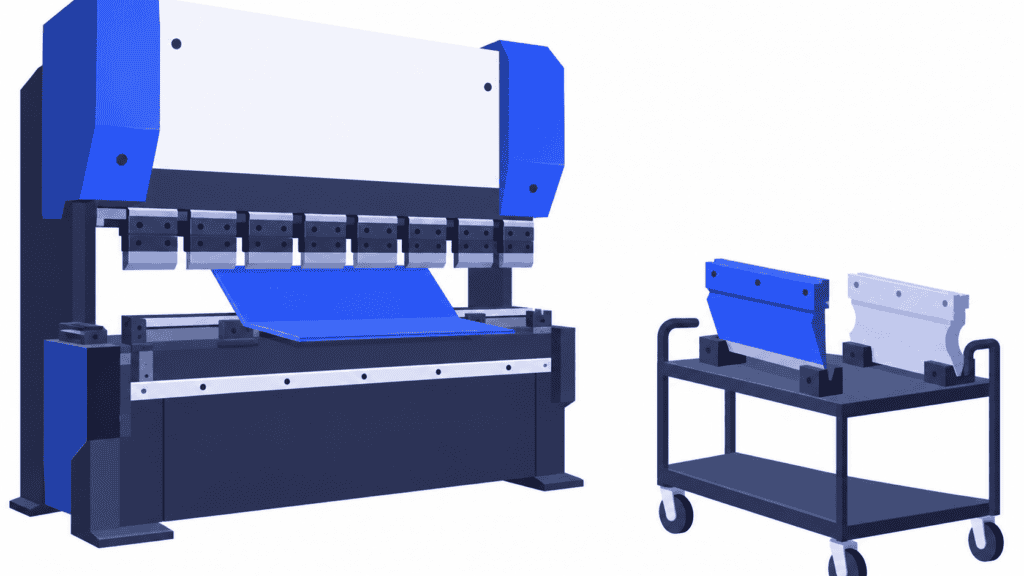
A busy bending machine is a good example. If several orders need it before dispatch, recovering time there can help the work move through. Saving the same minutes on a lightly loaded machine may be less useful this week. Your production routing shows which orders depend on the workstation and where they go afterwards.
Pick one recurring changeover that the operators know well. Review it with the people who do the work, and include maintenance or quality colleagues where their tasks affect readiness. The useful question is not “why are you taking so long?” It is “what has to happen before this machine can make the next acceptable part?”
That question turns the conversation from speed into preparation, sequence and repeatability.
Build a SMED method the team can repeat
1. Observe the complete changeover
Measure consistently from the last good part of the previous run at normal production speed to the first good part of the next run at normal production speed. A machine that has restarted but is still producing trial or rejected parts has not yet returned to usable production.
Record the tasks and waiting between those two points. Note who performs each task, what they need, and whether it truly requires stopped equipment. Observe more than one occurrence where possible: one unusually smooth changeover is a weak basis for the next production promise.
Keep two measures visible: stopped-machine time and the labor required to prepare the next run. Moving preparation earlier releases equipment time; it does not necessarily eliminate the preparation work.
2. Separate work that needs a stoppage from work that does not
A task performed during today’s stoppage is not automatically internal setup. The team may be collecting the next job’s documents after stopping only because no one knew which job was coming next.
Imagine a recurring changeover with this simplified task record. All four tasks currently happen after production stops, one after another:
| Task | Current stopped time | Revised stopped time |
|---|---|---|
| Collect and check the next tooling | 8 minutes | 0 minutes: prepared beforehand |
| Obtain and verify job instructions | 7 minutes | 0 minutes: prepared beforehand |
| Remove and install tooling | 18 minutes | 15 minutes |
| Adjust and approve the first acceptable production | 12 minutes | 10 minutes |
| Total machine stoppage | 45 minutes | 25 minutes |
These are illustrative numbers, not a customer result. The first two changes move fifteen minutes of preparation outside the stoppage. The remaining five minutes come from improving the internal method.
The external work still needs someone to do it. Agree who prepares the next tooling and instructions, and when. A cart marked “ready” is useful only if the next job’s equipment is actually complete and checked.
Also look for internal tasks that could become external with a different arrangement. For example, a spare fixture may let the team prepare and align the next job away from the running machine, leaving only the fixture exchange during the stoppage. Assess the cost, equipment suitability and safe working method before making that change.
3. Improve the internal work without rushing it
For the tasks that remain internal, look for repeatable ways to remove searching, duplicated checks and avoidable adjustment. The people responsible for the equipment should assess any changes to fixtures, fastening or work sequence. Do not turn a time target into permission to bypass safe stopping procedures or quality approval.
In the example, the revised installation and adjustment method takes twenty-five minutes. That is worthwhile even though it has not reached single-digit time. The first objective is a dependable improvement you can reproduce, not an impressive-looking number from one exceptional run.
Document the revised method, make the required items available, and check subsequent changeovers. If the task sequence depends on the next order being known early, the production schedule is now part of making the method work.
Shorter changeovers give you a better choice of job sequence
Consider the same machine after the improvement. Imagine four ready jobs, A1, B1, A2 and B2. Each needs twenty minutes of processing. A jobs use one tooling family; B jobs use another. Switching families takes twenty-five minutes in either direction, while consecutive jobs within a family need no additional family changeover.
For this example, the machine starts at 08:00 with family A already installed. All materials and the operator are available; there are no breaks or additional setup tasks. B1 must finish on this machine by 09:10. The other jobs have later commitments that allow the sequences below.
| Sequence | Family changes | Total family-changeover time | B1 finishes | Last job finishes |
|---|---|---|---|---|
| A1 → B1 → A2 → B2 | 3 | 75 minutes | 09:05 | 10:35 |
| A1 → A2 → B1 → B2 | 1 | 25 minutes | 09:25 | 09:45 |
| A1 → B1 → B2 → A2 | 2 | 50 minutes | 09:05 | 10:10 |
Grouping all A jobs and then all B jobs gives the earliest finish for the whole set, but B1 misses its required completion time. Keeping B1 early and running B2 after it saves one changeover compared with alternating families—and still meets B1’s deadline.
That is the planning opportunity. You do not have to choose between grouping everything and ignoring setups. You need the right amount of grouping for the orders in front of you.
The physical improvement matters too. Before SMED, the alternating sequence needed three forty-five-minute changes: 135 minutes of stoppage. With the same sequence after SMED, that falls to 75 minutes. The deadline-compatible third sequence then reduces it to 50 minutes. The method saves sixty minutes; the revised sequence saves another twenty-five.
Real orders add dependencies, different processing times and other resources. A job finishing this machine may still need welding or inspection before shipment. For make-to-order production, the useful result is capacity released in time for the customer’s order—not merely a tidy machine queue.
Use SkyPlanner to balance setups and delivery priorities
Doing this once for four jobs is straightforward. Keeping the right balance across a changing order book is the difficult part. A new rush order, delayed material or unavailable machine can invalidate the sequence you just arranged.
SkyPlanner APS makes setup-aware sequencing part of production scheduling. Its scheduling AI, Arcturus, calculates the work against configured capacity, operation dependencies and priorities. You decide what matters; the AI schedules within those instructions.
For a workstation where tooling drives the changes, define the relevant tooling property on the products. Jobs that can share a setup should have the appropriate matching value. Enable similarity for that workstation and give similar jobs weight in Dynamic Priorities. SkyPlanner’s similarity rule lets you select the property, enter a setup duration for differing jobs, and set the importance of running similar jobs consecutively.
The practical benefit is that the scheduler can consider the grouping preference while calculating the plan, instead of leaving you to rebuild every queue by hand. A similarity property could represent another meaningful source of changeovers, such as color or material, where that matches the process. Choose the property that reflects what actually causes the change at that workstation.
Then review the resulting Gantt schedule against your delivery priorities. If grouping is taking space from urgent work, adjust the priorities rather than treating similarity as an absolute instruction. Rules and locks let you protect planning decisions that need to remain in place.
Keep the time assumptions current as the shop improves. Process steps have their own setup durations, and the similarity rule has a duration for changes between differing jobs. Check that each represents the intended work rather than entering the same allowance twice. Setup time is included in the job’s total duration in the Gantt view, not shown as a separate colored segment.
SkyPlanner does not replace the team’s physical SMED work. It makes that work useful to the plan: shorter setup assumptions and meaningful similarity properties become inputs to a schedule that accounts for the rest of production. Explore SkyPlanner’s scheduling features to see how capacity, priorities and the Gantt plan work together.
What this looks like at KJH-Comp
KJH-Comp, a Finnish sheet-metal contract manufacturer, used its C9000 ERP and spreadsheets for weekly loading, while supervisors assigned jobs to machines at day level by hand. As the product range grew, that manual scheduling became harder to maintain.
With SkyPlanner, orders still enter the existing ERP, while finite scheduling and machine assignment happen automatically. The company’s story describes a useful result on its bending operations: jobs using the same tooling and material thickness run back to back, shortening setups and reducing idle time.
The same account explains why grouping cannot stand alone. Work needed in two weeks no longer displaces an order shipping tomorrow, and load on the four-metre bending machine becomes visible to the supervisor. Setup efficiency and delivery timing are part of the same production decision.
KJH-Comp’s experience is relevant here because it shows the daily change, not just the scheduling concept: less manual loading, clearer bottlenecks and a sequence that makes better use of the tooling already installed. Read KJH-Comp’s experience with SkyPlanner.
Make the saved time count
After improving a changeover, compare like-for-like work using the same measurement boundary. Check the duration of necessary changes, how many family changes the sequence requires, and whether urgent orders still complete when needed. Keep startup quality and external preparation workload in the review.
A shorter average setup is progress. A shorter setup that gives you room to finish the next important order is the operational payoff.
SkyPlanner integrates with any ERP or MES through its open REST API, so you can keep the systems that hold your orders and bring their production data into setup-aware scheduling. You do not need to begin by replacing an ERP that already works for your business.
To explore that payoff in your production, book a SkyPlanner demo. Bring a busy workstation, the property that drives its changeovers, a measured setup duration and a few orders with different deadlines. Those are the ingredients for a useful discussion about where grouping helps—and where delivery must take precedence.
If you prefer to explore the planning view first, try SkyPlanner with demo data.
Jussi Mäntylä
Production Planning Specialist, SkyPlanner


