





In this article
- What is batch production in manufacturing?
- Batch production vs. job, mass and continuous production
- The advantages and disadvantages come from the same decision
- How to choose a practical batch size
- A batch scheduling example: the cheapest sequence can ship late
- Build a batch production schedule the floor can follow
- Define the operations and their real time requirements
- Check material and resource readiness
- Set priorities before grouping similar work
- Review the connected schedule when conditions change
- How SkyPlanner helps coordinate batch production
- What better visibility changed at Eskomatic
- Make your next batch decision with the whole schedule in view
Home » Resources » Batch Production: Make Efficient Runs Deliver on Time
Estimated reading time: 10 minutes
Batch production means making a defined quantity of a product before switching to another product or variant. A bakery mixes a batch of dough; a machine shop makes a run of identical components before changing tools. Both gain efficiency by repeating work under the same production conditions.
For a manufacturer with several products sharing equipment, the harder question is what happens between those runs. Which batch should go first? Is its material ready? Will the next process have room when the batch arrives?
A long, uninterrupted run can look efficient on one machine while an urgent order waits behind it. Good batch production planning balances setup efficiency with the flow of customer orders. SkyPlanner APS helps you make that balance workable: its scheduling AI, Arcturus, calculates the production schedule around your configured resources and priorities, so you can see how the batches fit together before committing to delivery dates.
What is batch production in manufacturing?
Batch production is a manufacturing method in which a specified quantity of the same product is made as a group, with a changeover between different products or variants. Batches may repeat regularly or be launched against individual customer orders.
The method appears in both process and discrete manufacturing:
- Process manufacturing: a mixer produces a quantity of paint, a food manufacturer prepares a recipe, or a cosmetics producer makes a formulation before filling and packing it.
- Discrete manufacturing: a machine shop produces a lot of brackets, or a manufacturer runs a particular component variant before changing tooling or settings.
The production batch is the quantity made in a run. The transfer batch is the quantity passed to the next operation at a time. These do not always have to be identical: where the process allows, some parts can move to the next operation before the entire production run is finished. A mixing vessel, by contrast, may require the whole batch to complete before it can be emptied.
That distinction matters for lead time. A batch can spend much longer waiting between operations than being processed. Moving a suitable quantity onward earlier can help, but only if the next resource is ready and the product’s process and quality requirements permit it.
Batch production vs. job, mass and continuous production
Batch production is useful when demand calls for repeated quantities and product variety, rather than a single unchanging output.
Job production centers on an individual, often customized job. Batch production repeats the same work across a quantity. A job shop can still make parts in batches, so the terms are not opposing descriptions of an entire factory.
Mass production makes standardized products in high volumes, often on dedicated lines. Batch production more readily shares equipment between variants. The distinction is not a fixed number of units: the product mix, equipment and changeover pattern matter too.
Continuous production maintains an ongoing flow, as in some bulk chemical processes. A batch process makes a bounded quantity, finishes that run and prepares for the next. Downstream packaging may still operate in separate runs even when an upstream process is continuous.
Choose batch production when the ability to switch between products is valuable and repeated demand justifies making several units together. If every order needs a unique route, job-oriented planning becomes more important. If demand is very high and stable for one standardized product, a dedicated flow may be a better fit.
The advantages and disadvantages come from the same decision
Making more of one product before changing over spreads the setup effort across more output. It can make shared equipment economical without dedicating a separate line to every variant. Teams can also organize material preparation and process checks around a defined run.
That flexibility supports seasonal products, different sizes and finishes, and recurring customer orders. You can return to a product when it is needed instead of manufacturing it continuously.
But the same grouping creates a queue for everything else. Larger batches can mean:
- Longer waits for other products. A small urgent order may sit behind a large run even when its own processing time is short.
- More work in progress. Upstream equipment produces faster than downstream operations can clear the batch.
- More stock and less flexibility. Finished products occupy space, and a demand change can leave unwanted inventory.
- More output exposed to a process problem. If a defect goes unnoticed during a run, more units may need checking or rework.
Smaller batches reduce some of those risks, but require more frequent setups. The aim is not simply to make batches as large or as small as possible. It is to choose quantities and a sequence that use capacity well while keeping the right orders moving.
How to choose a practical batch size
Start with the quantity customers need within the relevant delivery or replenishment window. Then check what the process permits and what the shared resources can handle.
A vessel’s usable volume, a furnace load or a minimum processing quantity may set a physical limit. Tooling and cleaning time affect the cost of switching. Shelf life, storage space, quality checks and demand uncertainty affect how much it makes sense to produce ahead.
For discrete parts, distinguish a convenient production run from the quantity that must travel together. You may be able to machine a larger run while transferring smaller lots to finishing. That can shorten the wait for the first finished parts without requiring a tooling change after every transfer.
Test the proposed quantity against the whole route. A larger machining batch is not a gain if it overwhelms finishing and blocks the order needed next. Reducing setup time can make smaller runs practical; scheduling shows whether those runs fit the delivery commitments.
Treat batch size as a production decision informed by these trade-offs. SkyPlanner coordinates the operations you need to schedule; it does not replace your process rules or decide the economic batch quantity for you.
A batch scheduling example: the cheapest sequence can ship late
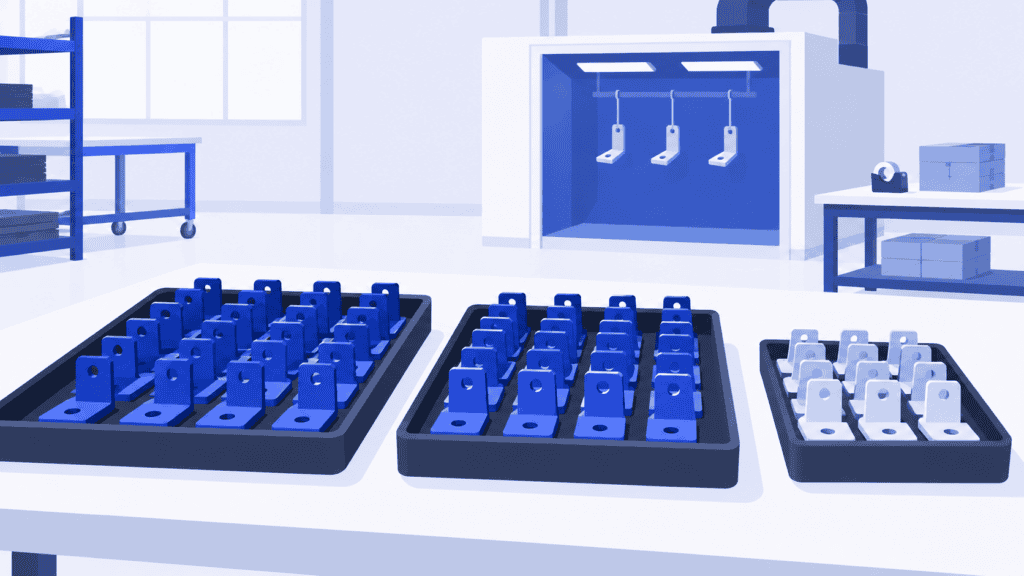
Imagine a metalworking company producing painted brackets. Several batches need the same color, while a smaller batch in another color is due to ship first. Machining, painting and packing are shared resources.
Grouping all the same-color batches together would reduce paint changeovers. But if the urgent batch runs last, it misses the available packing window. Painting looks efficient while the customer order becomes late.
Putting the urgent batch first might protect dispatch, at the cost of another changeover. There is also a material question: if its blanks have not arrived, reserving the first machining slot for it creates a plan the floor cannot follow.
The planner needs to see the connected choices: material readiness, the paint sequence, changeover time and the packing capacity before dispatch. Looking only at the painting queue cannot settle the decision.
With SkyPlanner, you can give similar jobs a grouping preference while also setting delivery and job priorities. Arcturus calculates the schedule within the configured rules, and the Gantt view lets you review the resulting timing across resources. You can judge whether the setup saving is worth the effect on other orders instead of rearranging each queue separately.
Build a batch production schedule the floor can follow
A useful batch schedule connects the quantity decision to the resources that will actually perform the work.
Define the operations and their real time requirements
Record each batch’s route, eligible workstations, processing durations and setup requirements. Include necessary waiting or release stages in your planning assumptions. For processes with curing, cooling or quality-release requirements, make sure the schedule reflects when the next operation may actually start.
Check material and resource readiness
A machine slot is not enough. The batch needs its materials, the right operator availability and the capacity of the equipment it can use. Check downstream resources as well as the first machine. This is especially important when several upstream batches feed one shared bottleneck.
Set priorities before grouping similar work
Decide which deliveries need protection and where setup savings matter most. Grouping by material, color or tooling can be valuable, but it should serve the delivery plan rather than replace it. A lower-priority batch should not automatically jump ahead just because it avoids a changeover.
Review the connected schedule when conditions change
A delayed material delivery or an extended run can move several later batches. Update the relevant information, recalculate and review the effect on completion dates. If the available capacity cannot meet every commitment, decide whether another shift, an eligible alternative resource or a revised delivery promise is appropriate.
This is where an APS is more useful than a manually maintained batch list: it handles the scheduling calculation across the resources, rather than leaving you to reconcile separate queues after each change.
How SkyPlanner helps coordinate batch production
SkyPlanner brings workstations, shifts, operators, materials and priorities into one production schedule. Arcturus schedules operations against the configured capacity and dependencies; the Gantt timeline shows where the work is assigned and when it is expected to finish.
For batch manufacturers, three capabilities are particularly useful:
- Group similar jobs where it helps. Product properties and workstation similarity rules can favor successive jobs with the same color, material or tool. You define the grouping property, the setup time for differing jobs and the importance of grouping in the scheduling priorities.
- Make material availability part of the plan. With material-aware scheduling enabled, shortages affect the scheduling calculation. That helps avoid filling the plan with work that cannot yet start.
- Recalculate without surrendering control. You set priorities and use locks to protect decisions. Arcturus handles the calculation within those instructions. Autopilot can trigger replanning from configured events or a timer, keeping the schedule aligned with recorded changes.
SkyPlanner integrates with any ERP or MES through its open REST API, so better scheduling can build on your existing order and production data. Keep recipe control, lot traceability and quality-release records in the appropriate production systems; use SkyPlanner to coordinate when the work should happen.
What better visibility changed at Eskomatic
Eskomatic, a Finnish contract machining company, serves a wide product mix with varying batch sizes. Before SkyPlanner, its work queues were largely organized by hand, and limited material visibility made shortages harder to anticipate.
With SkyPlanner connected to its existing ERP, the team gained a clearer Gantt work queue and automated load scheduling. Eskomatic reports more accurate delivery-date setting and fewer production stoppages caused by missing materials. Its production planning manager highlights the value of a tool that works reliably in daily use, especially when setting delivery dates.
That experience illustrates the practical goal of batch scheduling: not simply running each machine for longer, but seeing what can be made, when it can move and what you can promise the customer.
Make your next batch decision with the whole schedule in view
Batch production works best when efficient runs also support timely deliveries. That takes a view of materials, changeovers and shared capacity across the whole route, not just the machine currently running.
Choose SkyPlanner when coordinating those connections has become the planner’s daily burden. Arcturus handles the scheduling calculation while you steer the priorities and assess the result in the Gantt view.
Book a SkyPlanner demo with a typical product family, its shared bottleneck and a recent batch that disrupted the schedule. See how those competing requirements can be brought into one workable plan. If you prefer to explore first, try SkyPlanner with demo data.
SkyPlanner
Production Planning Specialist, SkyPlanner


