





In this article
- FAI, FAIR and first-off inspection: what is the difference?
- Is FAI the same as AS9102 or PPAP?
- When should you plan a first article inspection?
- How to carry out FAI without leaving the evidence until last
- Establish the exact part and requirement baseline
- Map characteristics to evidence and inspection points
- Manufacture representative parts and record the results
- Resolve nonconformances before claiming completion
- Review the complete package and release the right work
- Put inspection capacity in the delivery plan
- Schedule first-article work with SkyPlanner APS
- Keep instructions close to the scheduled work
- Work through your own AI assistant
- See the delivery impact before committing
Home » Resources » First Article Inspection: From Requirements to Release
Estimated reading time: 11 minutes
The first production parts are ready. The delivery date is approaching. Then quality discovers that a feature should have been measured before assembly, the inspection resource is booked with other work, and a required process certificate has not arrived. Finishing the part did not finish the first article inspection.
First article inspection (FAI) is a planned, documented verification that parts or assemblies from an initial production run meet the applicable engineering and design requirements. It checks the production result against those requirements and provides evidence that the manufacturing process has understood and incorporated them.
The practical challenge is to produce that evidence on time. Manufacturing, in-process checks, measurement, documentation and any corrective work all need a place in the plan. SkyPlanner APS helps you schedule the modeled manufacturing and inspection work alongside other orders, so you can see what it means for delivery before making the next promise.
FAI, FAIR and first-off inspection: what is the difference?
FAI is the verification process. A first article inspection report (FAIR) is the record of its results and supporting evidence. Completing a report is not a substitute for doing the verification; passing a measurement is not a substitute for assembling the required evidence.
A routine first-off inspection usually checks selected characteristics after a setup or at the start of a batch. It helps confirm that production can proceed under that setup. A formal FAI has a defined scope of design requirements, traceability and documentation. A first-off check may contribute to that work, but calling a check “first-off” does not establish that the customer’s FAI requirements have been met.
The first article is also not necessarily the first piece ever made. The inspected part or parts should represent the intended production process. A hand-finished prototype made by a different route does not, by itself, demonstrate what the production route will produce. Agree the required quantity and selection with the applicable inspection requirements rather than assuming that FAI always means inspecting exactly one piece.
Is FAI the same as AS9102 or PPAP?
No. AS9102 defines a standardized FAI process and documentation requirements for aerospace applications. FAI is the activity; AS9102 is a particular standard that may govern how it is performed. Whether it applies to your work depends on the requirements you have accepted, including the purchase order and customer flow-downs.
PPAP, the Production Part Approval Process, is a different product and production-process approval framework. A dimensional inspection report can contribute to an approval package, but an FAI or FAIR is not automatically a complete PPAP submission.
Start with the customer’s required process, document format and acceptance conditions. Do not choose a familiar template first and assume it covers the order. For work governed by AS9102, use the applicable revision and any customer additions, not an old spreadsheet simply because its title contains “FAI.”
When should you plan a first article inspection?
Plan FAI before the first production run, so the necessary verification can happen at the right operations. New parts are an obvious starting point. Changes to an existing product or manufacturing process can also invalidate earlier evidence and require a review of whether FAI must be repeated.
That review may be needed after changes to design, manufacturing source, tooling, material, process or location. A production interruption can also matter under the applicable requirements. The important question is not merely whether something changed, but whether the previous evidence still represents the product and process now being used.
A full FAI addresses the complete applicable scope. A partial FAI, sometimes called a delta FAI, addresses the affected scope and references the established baseline. It is not permission to measure only the convenient features. Record why the selected scope is sufficient and obtain the approvals your process requires.
There is no single FAI obligation that applies identically to every manufacturer. Contract, customer and sector requirements determine when it is needed and what must be submitted. Likewise, agree whether acceptance is required before subsequent production, shipment or another defined release point. Those are different decisions with different scheduling consequences.
How to carry out FAI without leaving the evidence until last
A useful FAI plan connects each requirement to evidence, each activity to an owner, and the whole sequence to the release decision. That is more valuable than a report with empty boxes and a delivery date at the top.
Establish the exact part and requirement baseline
Confirm the part or assembly number, drawing or model revision, specifications, purchase-order requirements and intended manufacturing route. Check that manufacturing and inspection are working from the same released information.
Identify who will perform the inspection, who reviews the package and who can authorize release. If customer review is required, arrange the submission route and expected review time early. Internal inspection completion and customer acceptance should not be treated as the same milestone.
Map characteristics to evidence and inspection points
Account for the applicable design characteristics, not just the dimensions that are easiest to measure. Depending on the product, the evidence can include dimensional results, material certificates, special-process records, functional tests, finish requirements and marking verification.
A ballooned drawing assigns identifiers to characteristics so the requirement and its recorded result can be matched. It is a traceability aid, not the inspection itself. Requirements defined in a digital model, specifications or drawing notes still need to be accounted for even when they are not obvious dimensions on a printed sheet.
Choose a suitable verification method and the point in the route where it can be performed. A feature that becomes inaccessible after assembly needs evidence before assembly. A process requirement may need evidence from the operation or supplier that performs it. Discovering either need during final report preparation creates avoidable delays or repeat work.
Manufacture representative parts and record the results
Use the intended production route and the required materials, equipment, tooling and sources. Maintain the traceability needed to connect the inspected parts with the production and supporting records.
Record the results against the requirements as the work is performed. A general “OK” is not a replacement for actual measurement values where values are required. Missing certificates, unverified notes and unexplained discrepancies remain open work even if the finished part looks correct.
For an AS9102-style FAIR, the familiar three-form structure separates part-number accountability, materials/processes/testing accountability, and characteristic accountability with verification results. The package also needs the supporting evidence required by the applicable standard and customer. Other customers may specify a different submission format.
Resolve nonconformances before claiming completion
If a result does not meet a requirement, identify the nonconformance and follow the authorized disposition process. That may lead to approved rework, replacement production, corrective action or a customer decision. Do not turn an out-of-tolerance result into a pass by changing the report or assuming that delivery urgency authorizes an exception.
Plan the resulting work explicitly. Rework can require another setup, an already busy machine and repeat inspection. After the approved action, complete the necessary verification and update the evidence. Whether a full or partial repeat FAI is needed depends on what has been affected and the applicable requirements.
Review the complete package and release the right work
Check that the requirements are accounted for, results and certificates are traceable, nonconformances have the required disposition, and the necessary reviews are complete. Then make the release decision through the agreed quality and customer process.
Successful FAI provides evidence about the production result and process represented by that inspection. It does not replace ongoing process control, prove statistical capability by itself or guarantee that every later part will conform.
Put inspection capacity in the delivery plan
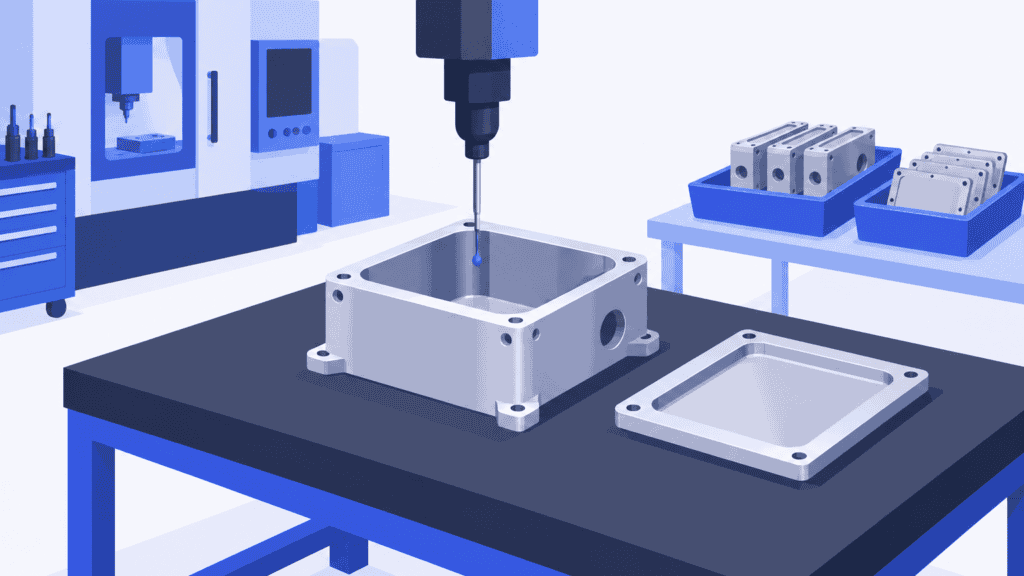
Imagine a new machined housing. An internal feature must be verified before it becomes inaccessible during assembly, and the completed housing needs further inspection after finishing. The factory’s inspection resource also serves ordinary customer orders.
A plan that contains machining, finishing and assembly but leaves inspection on a separate FAI list is incomplete. The early check may stop the part from moving forward, while the final check may be waiting behind work with an earlier delivery commitment. Moving the machining job to the front does not automatically solve either problem.
The better sequence is to plan the agreed manufacturing and verification operations together. Include their durations, suitable resources and dependencies. Allow for external processing and the agreed review window where they affect the delivery commitment. If a nonconformance leads to approved additional work, add that work and reassess the dates rather than absorbing it into an unchanged promise.
This is where FAI becomes a production-planning issue as well as a quality task. The report tells you what evidence is needed. The shared factory schedule tells you when the work behind that evidence can actually be done.
Schedule first-article work with SkyPlanner APS
SkyPlanner APS turns defined production operations into a schedule across your factory’s capacity. Its scheduling engine, Arcturus, places process steps on eligible workstations according to the configured shifts, capacity, dependencies, priorities and scheduling rules. The Gantt timeline shows the resulting sequence and completion dates.
For first-article work, define the manufacturing and inspection operations that consume capacity, including their setup and processing time. Assign inspection to suitable configured workstations rather than treating it as an unlimited activity after production. Keep the sequence aligned with the approved inspection plan, including checks that must happen before a later operation.
Arcturus then schedules that work alongside the other orders using the same resources. You can see whether the planned inspection finishes in time, where it competes with existing commitments and what a changed priority does to the wider schedule. That reduces the manual work of reconciling a separate FAI action list with machine and inspection queues.
Your team retains the decisions about priorities and protected work. When an inspection finding leads to approved rework, the planner can add the defined operations and recalculate the schedule. Quality retains the acceptance decision: a completed scheduling operation is not, by itself, proof that a characteristic passed or a customer approved the FAIR.
Keep instructions close to the scheduled work
Production notes and attachments can be added to orders, order items and process steps. That lets you put the agreed inspection instructions and relevant files close to the work people are scheduled to perform, instead of leaving the planner to explain a separate list to each department.
The roles remain clear: use the required quality records and submission process for measurement evidence and FAIR approval; use SkyPlanner to give the work a realistic place in production. SkyPlanner integrates with any ERP or MES through its open REST API, so better scheduling does not require replacing the system that already carries your production data.
Work through your own AI assistant
You can also use your own MCP-connected AI assistant to work with SkyPlanner. Claude, ChatGPT and Microsoft Copilot are examples of the customer’s own AI assistant. MCP is the connection between the assistant and SkyPlanner; with the appropriate connection and permissions, the assistant can use product knowledge and SkyPlanner functions to help you read production data and make authorized changes.
For this job, a useful starting request is to review the inspection workstation’s queue and the production steps for the first-article order. You describe what you need instead of navigating several views to assemble the picture. The quality engineer still defines the required verification, and the planner decides which scheduling changes to authorize.
See the delivery impact before committing
Contract machining company Eskomatic faced largely manual work queues and difficulty building a clear picture of upcoming production. With SkyPlanner, its visual work queue and automatic load scheduling made daily planning clearer and helped the team set more realistic delivery dates. Production Planning Manager Tommi Männistö identifies delivery-date setting as a particularly useful part of the system.
Eskomatic’s SkyPlanner review illustrates the benefit of clearer delivery-date setting in a busy machine shop. For first-article work, the same planning question matters: knowing that a part can be manufactured is not enough if the remaining operations do not fit before delivery.
For your next first-article order, bring the actual manufacturing route, inspection requirements, available inspection capacity and competing orders to a SkyPlanner demo. The useful question is concrete: when can this required work finish, and what does that do to our other commitments? Include the customer-review window in the discussion if it governs release.
Book a SkyPlanner demo to see how the agreed route fits into a shared production schedule. If you prefer to explore the scheduling approach first, try SkyPlanner with demo data or use AI-assisted Getting Started in SkyPlanner Assistant. That is a way to learn the scheduling workflow, not a ready-made FAI implementation.
Jussi Mäntylä
Production Planning Specialist, SkyPlanner


