





In this article
- When is PPAP needed?
- PPAP, APQP and first article inspection are not interchangeable
- What are the 18 elements of PPAP?
- The five PPAP submission levels describe scope, not stages
- How to prepare a PPAP submission that is ready for review
- 1. Set the scope and assign the evidence owners
- 2. Agree the production run and prepare to measure it
- 3. Schedule the work that produces the evidence
- 4. Check the package before submitting the warrant
- 5. Act on the customer’s disposition
- A PPAP deadline needs inspection capacity, not just a machine slot
- Use SkyPlanner to put PPAP preparation into the production schedule
- Ask your own AI assistant to help with the planning work
- What shared capacity visibility changed at Mamec
- Bring an approval run into your next planning discussion
Home » Resources » Production Part Approval Process: From Run to Approval
Estimated reading time: 11 minutes
The production part approval process (PPAP) is a structured way for a supplier to demonstrate that it understands a customer’s product requirements and that its intended production process can consistently meet them at the agreed production rate. The supplier prepares the required evidence and samples; the customer reviews the submission and makes the approval decision.
A good prototype answers whether you can make the part. PPAP asks a harder question: can the process intended for regular production make it consistently, under the conditions that will actually be used?
That makes PPAP more than a documentation deadline. The evidence depends on production, measurement and testing work that must fit around existing orders. SkyPlanner APS helps you plan that work against real factory capacity, so preparing for approval does not mean losing sight of the deliveries already promised.
When is PPAP needed?
PPAP is closely associated with automotive supply chains, but customers in other manufacturing sectors also use production-part approval requirements. Your applicable customer agreement determines what is required for the part and process in question.
A new production part is an obvious point to raise PPAP with the customer. Changes to design, materials, tooling, manufacturing location, suppliers or the production process may also require customer notification, approval or a new submission. Check the applicable change rules before implementing the change, rather than waiting until the next shipment.
Start by establishing the part number and revision, the reason for submission, the required evidence, the submission level and the authorised customer contact. Agree any production-run conditions, sampling and study requirements, submission timing and permission-to-ship rules. These decisions define the work you need to prepare.
PPAP, APQP and first article inspection are not interchangeable
Advanced Product Quality Planning (APQP) is the broader planning approach for developing and introducing a product and its production process. PPAP provides the production-part approval evidence within that wider effort.
First article inspection (FAI) focuses on documented verification of an initial production article against applicable requirements. Its results can contribute to an approval package, but an inspection report alone does not establish all the process, measurement, risk and customer-specific evidence needed for PPAP.
Likewise, a process capability study is one piece of evidence, not the approval decision itself. Keep those tasks connected without treating their names as synonyms.
What are the 18 elements of PPAP?
The familiar AIAG-style PPAP framework contains 18 elements. Use this list to understand the evidence categories, then confirm their applicability and submission or retention requirements with your customer:
- 1. Design records: the applicable product definition and specifications.
- 2. Authorised engineering change documents: changes not yet incorporated into the design records, where applicable.
- 3. Customer engineering approval: evidence where the customer requires it.
- 4. Design FMEA: design failure mode and effects analysis, where applicable to your responsibility.
- 5. Process flow diagram: how the part moves through the production process.
- 6. Process FMEA: analysis of potential manufacturing-process failures.
- 7. Control plan: the controls used to manage product and process characteristics.
- 8. Measurement system analysis studies: evidence that the measurement system is suitable for its task.
- 9. Dimensional results: results against the specified dimensional requirements.
- 10. Material and performance test results: the required material and functional evidence.
- 11. Initial process studies: evidence of process performance or capability as required.
- 12. Qualified laboratory documentation: evidence supporting the laboratories used.
- 13. Appearance Approval Report: where appearance approval applies.
- 14. Sample production parts: the required parts from the production run.
- 15. Master sample: the reference sample retained as required.
- 16. Checking aids: the relevant inspection fixtures, gauges or other checking equipment.
- 17. Customer-specific requirements: records showing the additional requirements have been met.
- 18. Part Submission Warrant (PSW): the summary and supplier declaration for the submission.
The value is in how these items support one another. The process flow describes the manufacturing route. The process FMEA examines what could go wrong along that route. The control plan translates the risks and requirements into controls, checks and responses. They should describe the same production process, not three versions of it.
Results must also be meaningful. A measured dimension is only useful evidence if the measurement method is suitable. A capability result needs an appropriate study and valid interpretation, not simply a favourable number copied onto a cover sheet. Resolve gaps in the evidence before presenting the package as ready.
A submission checklist helps you track completion. It cannot, by itself, demonstrate that the process works.
The five PPAP submission levels describe scope, not stages
A submission level determines what the customer receives or reviews. It is not a sequence of five steps that every part must pass through, and a smaller submission does not automatically mean less evidence must be prepared or retained.
The usual level descriptions are:
- Level 1: the Part Submission Warrant only, with an appearance report where applicable.
- Level 2: the warrant, sample parts and limited supporting data.
- Level 3: the warrant, sample parts and complete supporting data.
- Level 4: the warrant and the other requirements defined by the customer.
- Level 5: the warrant, sample parts and complete supporting data available for review at the supplier’s manufacturing location.
Confirm the required level and the detailed submission and retention rules for your customer. Level 4 is customer-defined, not simply the next larger document bundle after Level 3. Level 5 changes the review arrangement; it is not a fifth approval milestone.
Do not choose the level by guessing what a similar customer required last time. A clear agreement early in the job prevents both unnecessary preparation and a submission returned for missing evidence.
How to prepare a PPAP submission that is ready for review
1. Set the scope and assign the evidence owners
Bring quality, manufacturing engineering, production planning and the relevant design or purchasing people into the preparation. Assign responsibility for each required item, its revision, its due date and any customer clarification still needed.
Keep part and process identity consistent across the package. A drawing revision, material specification or manufacturing location that differs between documents can leave the customer unable to tell what is being approved.
Distinguish an unresolved requirement from a task that is merely unfinished. If the customer must confirm a test method, that clarification belongs before the test booking, not at the end of the submission checklist.
2. Agree the production run and prepare to measure it
The run must provide evidence about the process intended for production. Confirm the required tooling, equipment, materials, people, operating conditions, quantity and rate with the applicable requirements. A carefully made prototype from a different route is not a substitute for the agreed production evidence.
Prepare the inspection and testing arrangements before the run. Check measurement-system readiness, required laboratory work, sample identification and the link between parts, results and the production conditions used. Include external testing lead times where relevant.
The practical goal is to avoid reaching the end of a successful run only to discover that the samples cannot support the required study.
3. Schedule the work that produces the evidence
Put the run’s setup and processing time into the production plan. Include the inspection and testing work that consumes your own resources, and account for the timing of external results. Identify which activities depend on completed parts and which preparation can happen earlier.
Do not treat the PPAP submission date as though it were the end of machining. Measurements, study review, missing-document resolution and internal checking still take time. Customer review is another part of the timeline, not machine capacity your factory can create by working faster.
If follow-up work becomes necessary, establish the authorised response first. Then schedule the additional production, inspection or testing and review its effect on the rest of the order book.
4. Check the package before submitting the warrant
Review the results against the agreed requirements and resolve inconsistencies between the design records, process documents, samples and studies. Record any deviations through the customer’s required process rather than concealing them in a completed checklist.
The PSW summarises the submission and carries the supplier’s declaration. Completing or signing it does not, by itself, mean that the customer has approved the part. Submit the required package through the agreed route and keep the decision traceable to the relevant part, revision and process.
5. Act on the customer’s disposition
The customer may approve the submission, allow a limited interim or conditional arrangement, or reject it pending further work. Use the exact meaning and conditions given in the customer’s decision.
An interim approval is not an unlimited release. Establish what it permits, any quantity or time limit, the remaining actions and who must approve closure. If the submission is rejected, agree the required correction and resubmission work before treating the part as ready for normal delivery.
Keep permission to ship explicit in your release process. A finished production run, a submitted PSW or a scheduled dispatch date is not a replacement for the required customer authorisation.
A PPAP deadline needs inspection capacity, not just a machine slot
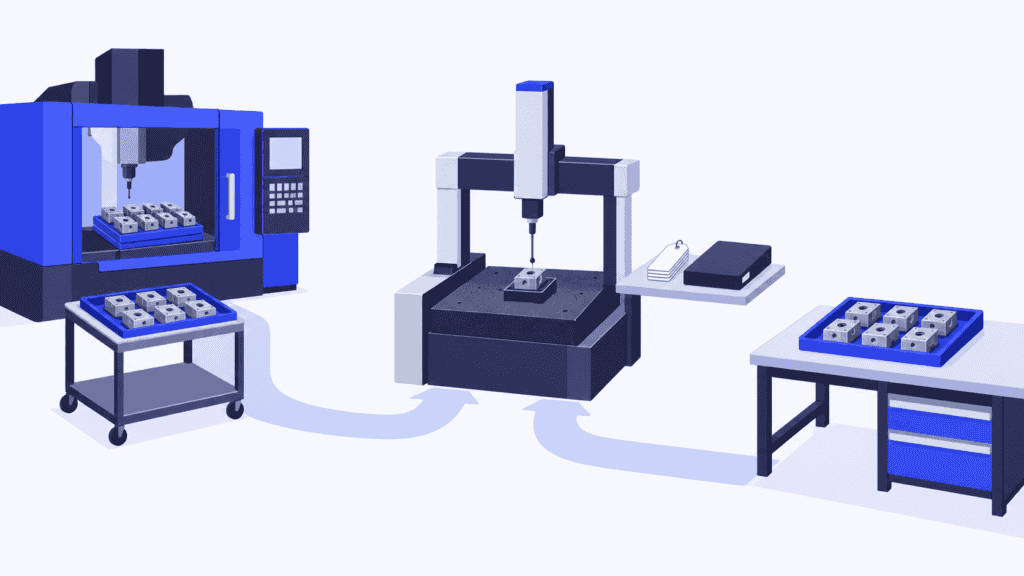
Imagine a machined component whose approval run must use the intended production route. The machining centre has a suitable opening, so the team promises a submission date based on when the parts will finish.
But those parts also need dimensional inspection on a measuring resource already loaded with customer orders. The quality engineer needs the resulting data before completing the required studies. Machining finishes on time while the evidence waits in another queue.
Expediting the inspection may rescue the submission, but it can delay the orders that were using that capacity. A repeat run, if needed, adds another round of competition for the same resources.
The answer is to plan the evidence-producing work in the same capacity picture as ordinary production. You can then see the constraint while there is still time to change a priority, arrange additional capacity or discuss a credible date with the customer.
Use SkyPlanner to put PPAP preparation into the production schedule
SkyPlanner APS is advanced planning and scheduling software for manufacturing. Its scheduling AI, Arcturus, places modelled production operations onto eligible workstations using their capacity, shifts, operation durations and dependencies. Material-aware scheduling also brings maintained material availability into the calculation.
For PPAP preparation, define the agreed production route and model the inspection work that uses constrained internal resources. A measuring station or inspection work centre needs its own realistic availability and duration, just as a machine does. This gives the approval work a place in the same schedule as the orders competing with it.
The Gantt view shows when the work is planned and how it fits through the resources. When an authorised repeat run or additional inspection changes the load, update the work and let Arcturus recalculate the schedule. You set the priorities; SkyPlanner handles the scheduling calculation. Instead of manually reconciling a separate PPAP timeline with every machine queue, you can focus on the decision and its delivery consequences.
Production notes and attachments can also accompany orders, order items and process steps, helping the people doing the work find the relevant instructions. The scheduling plan supports execution; evidence acceptance and customer release remain decisions in your agreed quality process.
SkyPlanner integrates with any ERP or MES through its open REST API. You can connect existing production data with finite scheduling rather than replace the systems that already handle your orders and quality records.
Ask your own AI assistant to help with the planning work
You can work through your own AI assistant, such as Claude, ChatGPT or Microsoft Copilot, connected to SkyPlanner through MCP. MCP is the connection that lets the assistant use SkyPlanner’s product knowledge and permitted functions alongside your company’s production data.
For example, ask it to help you review the work planned for an approval run and the load on the inspection resource. With authorised write access, it can help update the relevant planning data and use SkyPlanner’s scheduling functions. You explain the planning need instead of navigating every setting yourself; Arcturus still performs the scheduling calculation.
The customer approval decision remains with the authorised people. The benefit is an easier way to prepare and adjust the plan that gets the evidence-producing work done.
What shared capacity visibility changed at Mamec
Mamec, a Finnish mixing-technology and high-tech contract manufacturer, previously prioritised work from paper orders and delivery dates. Thousands of interdependent jobs made an overall production picture difficult to maintain.
After integrating SkyPlanner with its Oscar ERP, the company gained shared visibility of work and production load. Mamec reports a lighter planning workload and easier handling of changes to manufacturing sequences, making it easier to explain what can be promised to customers.
That experience illustrates the scheduling benefit relevant here: when preparation or follow-up changes the manufacturing work, the team needs to understand the effect on capacity and commitments. It is that shared view, rather than another isolated deadline list, that makes the plan useful.
Bring an approval run into your next planning discussion
To see how SkyPlanner could help, book a demo with one real production-part approval route: the intended machines, inspection capacity, material needs and orders competing for those resources. Use it to explore when the work can finish and what a change would mean for other deliveries.
If you prefer to explore first, try SkyPlanner with demo data or use the AI-assisted Getting Started in SkyPlanner Assistant. The starting point is simple: make the production and inspection work behind the approval date visible in one schedule.
Jussi Mäntylä
Production Planning Specialist, SkyPlanner


