





In this article
- How to calculate Cp and Cpk
- Cp: compare tolerance width with process spread
- Cpk: check the distance to the nearer limit
- What if there is only one specification limit?
- A worked example: good Cp, weaker Cpk
- What is a good Cpk value?
- Check the study before trusting the number
- Use a measurement system suited to the task
- Sample the conditions the decision will cover
- Establish stability before making a prediction
- Check the distribution and the uncertainty
- Cp/Cpk, Pp/Ppk and Cm/Cmk are not interchangeable
- Put the approved process into the production plan
- Let SkyPlanner schedule the work on eligible resources
- What better resource assignment looks like in practice
- Test the plan with an approved route
Home » Resources » Process Capability: Calculate Cp and Cpk, Then Act
Estimated reading time: 11 minutes
Process capability describes how well a stable manufacturing process can meet a specified requirement, such as a bore diameter or a fill weight. It compares the process’s natural variation with the specification limits. Cp measures how the spread fits inside the tolerance; Cpk also accounts for where the process mean sits.
That difference matters. A process can produce closely grouped measurements and still run too near a tolerance limit. Equally, a machine can have spare hours tomorrow without being an approved way to make a demanding feature.
A useful capability study therefore ends with two decisions: what must change in the process, and which manufacturing route can be used for the work. SkyPlanner APS helps with the second task. Once the approved route and eligible workstations are maintained, it schedules orders on those resources and shows what their limited capacity means for delivery.
How to calculate Cp and Cpk
Start with one measured characteristic and its applicable specification. Do not combine unrelated dimensions into one index. For the conventional normal-distribution calculation, you need:
- USL: the upper specification limit, or largest permitted value.
- LSL: the lower specification limit, or smallest permitted value.
- Mean: the average measured value for the process being studied.
- Sigma: the estimated process standard deviation, describing the spread of individual results.
Use the same units throughout. The limits come from the applicable product requirements, not from the highest and lowest measurements in your sample. They are also different from control-chart limits, which describe process behaviour.
Cp: compare tolerance width with process spread
Cp = (USL − LSL) / (6 × sigma)
The numerator is the tolerance width. The denominator is the conventional process spread, extending three standard deviations either side of the mean under a normal model.
Cp answers: could this spread fit within the tolerance if the process were centred between the limits? It does not tell you whether the process is actually centred there.
Cpk: check the distance to the nearer limit
Cpk = min[(USL − mean) / (3 × sigma), (mean − LSL) / (3 × sigma)]
Calculate both sides and take the smaller result. This is the side with the least margin. Cpk therefore reflects both the spread and the location of the process.
With the same data and sigma estimate, Cpk cannot exceed Cp. They are equal when the mean is at the midpoint of the specification limits. A gap between them signals off-centre operation, not proof that the process is stable.
In practice these are estimates calculated from samples, not perfectly known population values. State how sigma was estimated. In the common within/overall reporting convention, Cp and Cpk use an estimate of within-process variation; Pp and Ppk use overall variation. Changing the estimate can change the answer even when the specification has not changed.
What if there is only one specification limit?
Use the relevant one-sided index: Cpu = (USL − mean) / (3 × sigma) for an upper limit, or Cpl = (mean − LSL) / (3 × sigma) for a lower limit. A two-sided Cp needs two specification limits. Do not invent a second requirement to make the formula work.
A natural boundary is not automatically a specification limit. A characteristic that cannot be negative may also need a non-normal analysis rather than the normal-model calculation above.
A worked example: good Cp, weaker Cpk
Imagine a machined bore with specification limits of 19.90 mm and 20.10 mm. A suitable study gives a mean of 20.04 mm and an estimated within-process standard deviation of 0.020 mm. These are illustrative inputs, not customer measurements.
The tolerance width is 0.20 mm and the six-sigma spread is 0.120 mm:
Cp = (20.10 − 19.90) / (6 × 0.020) = 1.67, rounded.
Now check each side of the mean:
- Upper-side index: (20.10 − 20.04) / (3 × 0.020) = 1.00.
- Lower-side index: (20.04 − 19.90) / (3 × 0.020) = 2.33, rounded.
- Cpk is the smaller value: 1.00.
The spread is relatively narrow, but the process sits too close to the upper limit to make full use of the tolerance. Reporting Cp alone would hide that issue.
If the mean moved to 20.00 mm while the standard deviation stayed unchanged, Cp would remain 1.67 and Cpk would rise to 1.67, rounded. That makes centring a useful improvement to investigate. It is not a promise that changing an offset will leave the variation unchanged; verify the adjusted process with new evidence.
If Cp itself is too low for the agreed requirement, centring alone will not solve the problem. The spread must also be reduced, for example by addressing an identified source of tooling, material, setup or environmental variation. Investigate the cause before changing the process.
What is a good Cpk value?
A Cpk of 1.00 places the nearer specification limit three estimated standard deviations from the mean. A value of 1.33 is a common benchmark, but it is not a universal approval rule. The required value depends on the customer, characteristic, risk and applicable quality requirements.
Read the result against that agreed criterion, not just a software colour:
- Cpk below the required value: the demonstrated margin is insufficient. Check the validity of the study, then address location, variation or both.
- Cpk at or above the required value: review the study conditions and statistical uncertainty before accepting the result as evidence for production.
- Cpk equal to zero: the mean is on a specification limit.
- Negative Cpk: the mean is outside a specification limit; the nearer-side calculation is negative.
Do not read Cpk as the percentage of good parts or as a guaranteed reject rate. Converting an index into a predicted defect rate requires distribution and stability assumptions, as well as the position of both limits. A single Cpk value does not supply the whole picture.
Cpk also does not directly measure closeness to a separately specified design target. Its maximum, for a fixed spread and two limits, occurs at the tolerance midpoint. If the engineering target differs from that midpoint, assess target performance as well rather than shifting the process just to maximise Cpk.
Check the study before trusting the number
The arithmetic is usually the easy part. The harder question is whether the measurements describe the process you intend to run.
Use a measurement system suited to the task
Check that the measurement method can resolve the characteristic and has acceptable measurement error for the decision. Calibration matters, but so do bias, repeatability and differences between operators or methods. A measurement-system analysis helps separate measurement variation from manufacturing variation.
Use actual measured values for a variable-data Cp/Cpk study. A count of good and faulty units is not a substitute for the distribution of bore diameters, weights or other measured characteristics.
Sample the conditions the decision will cover
Define the product revision, characteristic, route, equipment, setup and relevant production conditions. Record when and where the measurements were taken. A short run with one tool, one operator and one material lot does not automatically demonstrate capability across other conditions.
Collect data in time order. Where rational subgroups are used, group measurements so that within-subgroup variation represents the intended short-term process variation, while the study can reveal changes between subgroups. Do not regroup data to improve the index or silently discard inconvenient measurements.
Avoid pooling distinct machines, cavities or setups without checking whether they represent one process. A combined histogram can conceal a shift or a mixture that needs separate investigation.
Establish stability before making a prediction
Use an appropriate control chart and process knowledge to investigate changes, trends and special causes. A histogram shows the distribution of results but loses their time sequence. It cannot establish stability on its own.
A stable process can still be incapable of meeting the tolerance. Conversely, an attractive capability estimate from an unstable process is not a dependable prediction of future output. Stabilise the process and reassess rather than treating the index as permission to continue unchanged.
Check the distribution and the uncertainty
The conventional formulas use a normal model. Examine the data and distribution fit; for a genuinely non-normal characteristic, use a justified transformation or an appropriate non-normal capability method. Removing observations until a normality test passes is not a solution.
Plan the sample size and duration around the study’s purpose and the applicable requirements. Enough observations from one unusually favourable run may still miss the variation that matters. Small samples also make the estimated index uncertain, so review a confidence interval or lower confidence bound when the acceptance decision calls for it.
Keep the report interpretable: specification revision, study conditions, sampling plan, sigma method, stability evidence, distribution method, index estimates and the agreed acceptance criterion. Those details let the next person understand what the number actually supports.
Cp/Cpk, Pp/Ppk and Cm/Cmk are not interchangeable
In the common within/overall convention, Cp and Cpk describe capability using estimated within-process variation. Pp and Ppk use the overall standard deviation of the study data. Both pairs compare spread with specifications; Cpk and Ppk also account for the mean’s position.
A noticeably lower Ppk than Cpk can point to variation between subgroups that the within estimate does not capture. Investigate the time sequence and sources of variation. Neither label turns unstable data into a reliable forecast, and an overall index is only representative of the conditions actually sampled.
Cm and Cmk belong to a machine-capability study, usually conducted under controlled conditions intended to isolate the machine’s contribution. That scope is different from a production process exposed to its normal mix of influences.
Names and calculation conventions can differ between standards, industries and analysis packages. When comparing reports, check the study purpose, data, variation estimate and method, not just whether the formulas look alike. A machine-study result cannot simply be relabelled as evidence for the full production process.
Put the approved process into the production plan
Once quality has evaluated the study, the practical output should be clear: which manufacturing method is acceptable, under which conditions, and what monitoring or corrective action is required. Record the approval and its scope in your quality process.
Then give production planning the route and resources that decision permits. The approved method may depend on more than the machine: tooling, program, material, setup and operating conditions can matter. Workstation eligibility is one part of implementing that decision, not a replacement for all the associated production controls.
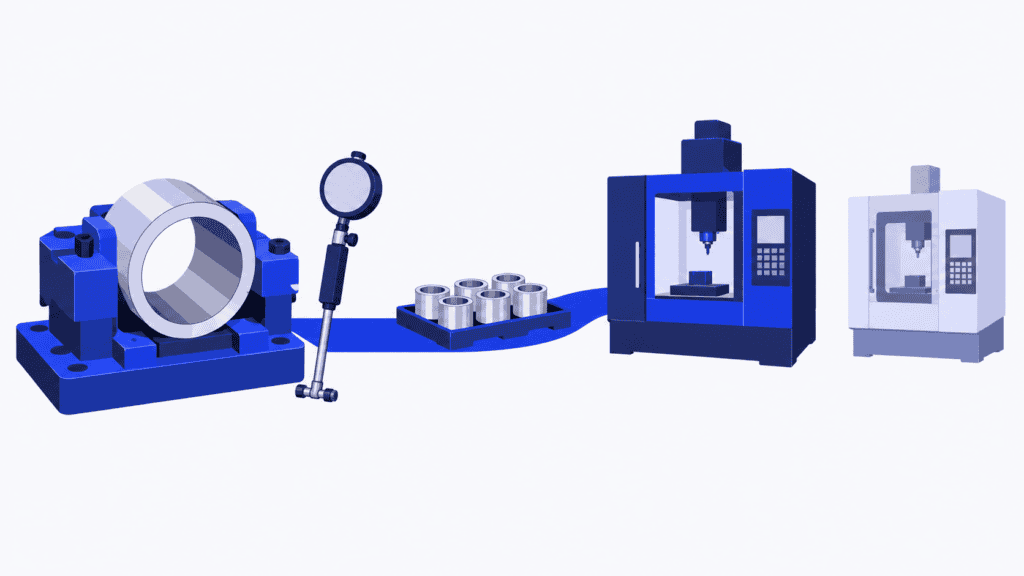
Imagine the bore is approved for production on one machining centre. A second centre has free time, but it has not been qualified for this operation. Moving the order there would not solve the capacity problem on an approved basis. Planning needs to see whether the work fits on the eligible centre, alongside the other jobs already promised.
Let SkyPlanner schedule the work on eligible resources
SkyPlanner APS turns that maintained route into a finite production schedule. Define the process steps, their durations and eligible workstations, together with shifts, capacity, dependencies and priorities. Its scheduling AI, Arcturus, places the operations on the configured resources. The Gantt timeline shows when the work is scheduled and how it fits with other orders.
For the planner, the benefit is less time remembering route restrictions and repairing machine queues by hand. If an approved resource is heavily loaded, its delivery impact becomes visible in the schedule. You can assess a priority change or additional working time on an eligible resource instead of assuming that any free machine can take the job.
Keep the statistical assessment in the quality workflow. SkyPlanner’s role here is to schedule using the approved routing information you maintain, not to infer qualification from a Cpk value or automatically update that approval. When quality approves another resource, update the eligible route and let the schedule reflect the additional capacity.
You can also work through your own AI assistant, such as Claude, ChatGPT or Microsoft Copilot, connected through MCP, the link between the assistant and SkyPlanner. Tell it what you need to understand, such as which orders are competing for a particular approved workstation this week. It can combine SkyPlanner data and product knowledge to help you inspect the queue and use permitted scheduling functions. That reduces the effort of finding the right information while you retain control over production priorities.
SkyPlanner integrates with any ERP or MES through its open REST API. You can keep those systems in place and connect the order and production data needed for scheduling.
What better resource assignment looks like in practice
At sheet-metal contract manufacturer KJH-Comp, the ERP and spreadsheets showed coarse weekly loading, but assigning work to machines at day level remained manual. The company introduced SkyPlanner for finite scheduling while keeping its C9000 ERP. Its customer story describes automatic machine assignment and earlier visibility when work exceeds the capacity of a particular bending machine.
That experience illustrates the scheduling benefit: the relevant resource and delivery window become visible, rather than disappearing into a weekly total. It is not a claim about KJH-Comp’s Cp/Cpk results. For a capability-constrained route, the same planning question matters: when can the work finish on the resources you are allowed to use?
Test the plan with an approved route
Use Cp and Cpk to understand the relationship between tolerance, spread and location. Use a properly designed study to decide what that evidence means for production. Then make the approved route a real constraint in the schedule, not a note the planner must remember.
Book a SkyPlanner demo with one approved route, its eligible workstations and your current order load. See how the work fits and which delivery commitments need attention. If you prefer to explore first, try SkyPlanner with demo data or use the AI-assisted Getting Started experience in SkyPlanner Assistant.
Jussi Mäntylä
Production Planning Specialist, SkyPlanner


