





In this article
- What should a nonconformance report contain?
- Write the finding as requirement versus observation
- First control the affected and suspect output
- What does disposition mean in an NCR?
- Who can approve a disposition?
- Carry out the decision, verify it and close the record
- Example: a machining NCR with a split disposition
- Is an NCR the same as an 8D report or corrective action?
- Put approved NCR work into the production schedule with SkyPlanner
- Keep your existing systems and make the handoff useful
- What better material and delivery visibility looks like
- Bring one real nonconformance to the planning discussion
Home » Resources » Nonconformance Report: From Finding to Disposition
Estimated reading time: 12 minutes
A nonconformance report (NCR) records a failure to meet a requirement and tracks how the affected product or work is controlled, assessed and resolved. In manufacturing, it connects the evidence of a problem with an authorised decision about what happens next, then retains the evidence that the decision was carried out.
That matters when a rejected part is still counted as available stock, a batch is waiting for an engineering decision, or approved rework needs time on a machine already promised to another order. Recording the defect is only the beginning.
A useful NCR makes the quality decision traceable. SkyPlanner APS helps you turn the approved follow-up work into a production plan that accounts for materials, capacity and the other deliveries competing for the same resources.
What should a nonconformance report contain?
The report should let someone who was not present understand the requirement, the observed failure and exactly which output needs attention. Use your organisation’s approved form or system, including any customer-required format. For a manufacturing NCR, make these details easy to find:
- Identity: a unique NCR reference, date, reporter and responsible owner.
- Affected output: part or product number, revision, work order, batch or serial identifiers, quantity and current location.
- Requirement and evidence: the applicable drawing, specification or instruction, the actual observation or measurement, and supporting records or photographs.
- Containment and scope: what is confirmed nonconforming, what remains suspect, what has been isolated and who is checking for further affected output.
- Disposition: the proposed and approved treatment, the affected quantities, the decision-maker and any customer authorisation or concession reference.
- Execution and verification: the work instructions, responsible people, results of the follow-up work and evidence of acceptance or other final treatment.
- Closure and linked actions: who closed the record and when, the final quantity status, and references to any separate root cause investigation or corrective action.
These are practical information needs, not a universal mandatory form. Capture the decision and the approvals required by your process and customer, not just a description of the defect.
Write the finding as requirement versus observation
“Bad dimensions” leaves the next person searching for the actual problem. A clear statement identifies the characteristic, its requirement and the evidence of the deviation.
For example: “Drawing revision C specifies a bore diameter of 20.00–20.05 mm. At operation 30, parts S041–S046 measured 19.92–19.96 mm using the recorded inspection method. The inspection results are attached.”
Keep the observation separate from an unverified explanation. “Tool wear caused the defect” is a conclusion to investigate, not a fact established by the dimension check alone. Recording the evidence accurately gives engineering and quality a better basis for deciding what can safely happen to the parts.
First control the affected and suspect output
Containment prevents suspect output from being used or delivered while the situation is assessed. Identify it clearly, segregate it or apply the appropriate controls, and make its status visible to the people who could move, consume or ship it.
The six parts you measured may not be the whole affected population. Check the production history: which parts passed through the same setup, material lot, tool condition or process window? Record the basis for the boundary, and distinguish the confirmed failures from the pieces still awaiting inspection. Update the scope as evidence improves.
Include work in progress, finished stock and relevant assemblies, not just the container beside the machine. If potentially affected product has already been delivered, follow the applicable customer notification and escalation process. A warehouse hold alone does not address product at the customer’s site.
Production planning needs the same status distinction. A pallet can be physically present but unavailable for the next order. Keep the quantity available to planning aligned with what is actually permitted for use; do not let a pending decision become assumed good stock.
What does disposition mean in an NCR?
Disposition is the authorised decision about how to deal with the nonconforming output. It is not simply the person assigned to investigate the cause or a due date for closing the report.
Common routes include:
- Rework: perform work intended to bring the output back into conformity with the original requirements, then verify the result.
- Repair: carry out an approved treatment that makes the item acceptable for its intended use, although it may not meet the original requirement in every respect.
- Use as is: accept the identified deviation without further work, under the required authorisation.
- Scrap: remove the output from its intended use and control it so that it cannot accidentally return to usable stock.
- Return to supplier: route affected purchased material back through the agreed supplier process. Record what happens to the returned quantity and whether replacement material is needed.
Rework and repair are not interchangeable labels. Re-machining an undersized bore to the specified size is different from accepting a repair that leaves a departure from the drawing. The distinction affects both the acceptance criteria and who can approve the treatment.
A concession is permission to use or release specified nonconforming output under agreed conditions. It does not make the failed characteristic conforming or grant unlimited permission for future batches. Keep its scope and conditions connected to the actual items covered.
Who can approve a disposition?
Use the decision authority defined by your quality process, contract and customer requirements. Some organisations use a material review board (MRB), bringing the relevant quality, engineering and other decision-makers together. The title of the group does not by itself grant permission to accept a customer’s drawing deviation.
Customer requirements can distinguish between treatments you may approve internally and those needing customer agreement. JPL’s published Nonconformance Processing and Material Review clause, for example, separates delegated rework authority from repair and use-as-is decisions requiring JPL concurrence. That is a concrete example of why the applicable contract matters, not a rule to copy into every factory.
Record the approved route, the items and quantities covered, any conditions, and who authorised it before implementing work that needs that approval. A proposed repair on an NCR is not an approved repair instruction.
Carry out the decision, verify it and close the record
Once a disposition is approved, give the work a responsible owner and a clear acceptance basis. Rework may need a controlled instruction, another machining operation and repeat inspection. Replacement production needs material and capacity. Scrap needs a recorded quantity adjustment and appropriate physical control.
Before closing the NCR, check that the record tells a complete story:
- The affected population has been accounted for, including any expansion of the original scope.
- The approved treatment was carried out for the correct items and quantities.
- Verification results support the final acceptance decision, or the scrap, return or other treatment is evidenced.
- Product identification, stock status and related production records reflect the final outcome.
- Required approvals, customer communications and linked follow-up actions are traceable.
Finishing the rework operation is not the same as accepting its result. Keep the verification and release decision visible rather than treating a production completion timestamp as proof of quality acceptance.
Likewise, closure of the affected batch does not prove that the underlying cause has been eliminated. Your process may keep the NCR open through corrective action or close the product disposition while a linked investigation continues. Either way, make the remaining owner, action and verification visible.
Example: a machining NCR with a split disposition
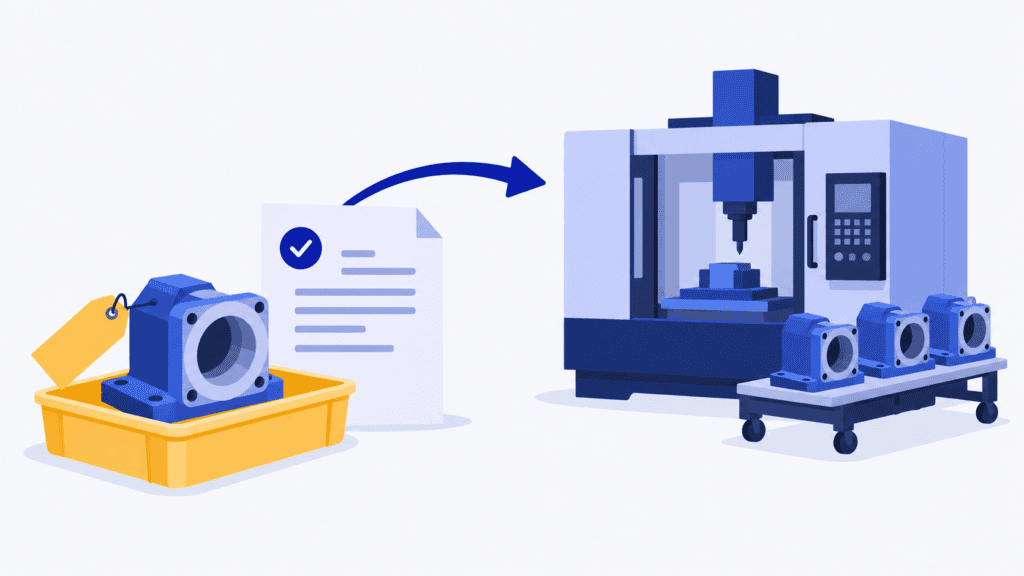
Imagine a work order for 60 machined housings. Six bores fail an in-process diameter check, and the team contains all 60 housings while it establishes the scope. Further inspection confirms that six require rework and the other 54 meet the applicable acceptance criteria.
A concise record could show:
- Finding: six identified serial numbers have undersized bores against drawing revision C; the measurement results are attached.
- Containment: all 60 housings were identified and held pending inspection; the hold locations and responsible owner are recorded.
- Scope result: inspection accounts for all 60 serial numbers. The 54 conforming housings are released by the authorised person; the six others remain controlled.
- Approved disposition: rework the six bores using the approved instruction, followed by the specified verification. The decision and approval reference are recorded.
- Production consequence: the six housings need another machining operation and inspection capacity. Planning cannot count them as available finished housings yet.
- Closure evidence: attach the rework and verification results, record the final status of each affected housing, and link any required recurrence-prevention action.
The report does not predict that all six will pass reinspection. It establishes what is approved and what evidence is needed next. If a part fails again or a different treatment becomes necessary, update the decision through the appropriate authority rather than silently changing the final quantity.
This is also where a well-managed NCR can still leave production struggling. The rework list says what needs doing, but it does not say where the extra machining and inspection fit among the jobs already due.
Is an NCR the same as an 8D report or corrective action?
No. An NCR records and controls the particular nonconformity and its resolution. 8D is a structured problem-solving approach for investigating causes, implementing lasting corrective action and verifying effectiveness. An NCR can trigger or link to an 8D, but the two records serve different tasks.
The distinction between correction and corrective action is equally useful. Correcting the affected housings addresses this occurrence. Changing the process to remove a verified cause and prevent recurrence is corrective action. Neither a scrap transaction nor successful rework, by itself, demonstrates that recurrence has been prevented.
Decide the necessary investigation and escalation according to risk, recurrence and applicable requirements. Do not assume every NCR needs the same full 8D exercise, or that a minor-looking deviation can skip a required customer approval.
Put approved NCR work into the production schedule with SkyPlanner
The quality decision defines what may happen to the output. The next planning question is how the approved work can be completed alongside everything else the factory has promised.
SkyPlanner APS brings that work into the same production schedule as your customer orders. Model the approved inspection, rework or replacement route with its process steps, durations, eligible workstations and dependencies. With material-aware scheduling enabled and available quantities maintained, SkyPlanner also accounts for the material needed to perform the work.
Its scheduling AI, Arcturus, places the work against the configured shifts, workstation capacity, materials and priorities. You review the sequence in the Gantt schedule instead of reconciling a separate NCR action list with every machine queue by hand. That saves planning work and gives you a clearer view of the delivery consequences.
In the housing example, the extra machining competes with other machining orders, and verification competes with the inspection workload. Seeing those operations in the common plan lets you assess whether a different priority or available resource would help, and which other commitments are affected. You can discuss a revised delivery date with the remaining work in view, rather than assuming that approval of the rework means it can happen immediately.
Keep the authorised quality decision and release evidence in your agreed quality process. Bring its approved work and the correct usable quantities into scheduling. A recorded faulty quantity is not a disposition approval or an instruction to create replacement production automatically.
Keep your existing systems and make the handoff useful
SkyPlanner integrates with any ERP or MES through its open REST API. You can keep the systems that own orders and quality records while giving production a finite schedule based on the maintained order, work and material data.
Agree which system maintains the usable quantity and how a quality status change reaches planning. This is what stops a quarantined batch from appearing available simply because it still exists in stock. The value is one consistent planning picture, not another list for the planner to update independently.
You can also work through your own AI assistant, such as Claude, ChatGPT or Microsoft Copilot, connected to SkyPlanner through MCP. MCP is the connection that lets the assistant use SkyPlanner’s product knowledge and permitted functions. Describe the approved follow-up work and ask for help reviewing the relevant workload; with authorised write access, the assistant can help update production data and run scheduling functions. You steer the priorities and decisions while Arcturus calculates the production sequence.
What better material and delivery visibility looks like
Contract machining company Eskomatic previously built work queues largely by hand and struggled to see material shortages early enough. In its SkyPlanner review, the company describes a clearer visual work queue, more accurate delivery-date setting and fewer production stops caused by material shortages.
That experience illustrates the planning benefit relevant here: connect material availability with the work that needs it, and it becomes easier to understand what can happen next. When an NCR changes the quantity available or adds another operation, that same shared view is far more useful than a disconnected follow-up list.
Bring one real nonconformance to the planning discussion
A strong NCR tells you what failed, which output is affected, who may decide its treatment and how the result will be verified. A useful production plan shows how the approved work fits into the factory’s actual commitments. You need both to move from documenting the problem to completing the response.
Book a SkyPlanner demo with one recent manufacturing nonconformance, its approved disposition route, the changed usable quantity and the other jobs competing for the same resource. See how the follow-up work can fit into a common schedule and what it means for your delivery plan.
If you prefer to explore first, try SkyPlanner with demo data or use the AI-assisted Getting Started in SkyPlanner Assistant. Start with the scheduling problem behind the NCR: approved work that needs a realistic place in the production day.
Jussi Mäntylä
Production Planning Specialist, SkyPlanner


