





In this article
- ECR, ECO and ECN: what is the difference?
- What should an engineering change order contain?
- Define the affected work before choosing the changeover
- Make effectivity unambiguous
- Decide what happens to work already in progress
- Work that has not started
- Work that has already started
- Finished stock and delivered products
- Put the approved change into the live production work
- Use SkyPlanner to see what the change means for delivery
- Ask your own AI assistant about the affected work
- Mamec: making repeated manufacturing changes easier to assess
- Confirm implementation, then make the next delivery promise
Home » Resources » Engineering Change Order: From Approval to Production
Estimated reading time: 11 minutes
Engineering has approved the new revision. Purchasing has the updated component specification. But an older drawing is still attached to an open work order, and another batch has already passed the operation that must change. What exactly should production do now?
An engineering change order (ECO) is a controlled record used to define, review, authorize and implement a change to a product or its manufacturing information. It identifies what changes, which items and documents are affected, who approves the change and how it will be introduced. Once approved, it gives the organization an agreed basis for implementation.
Approval is not the same as implementation. The right change must reach the right physical work, and that work must still fit through the factory. SkyPlanner APS helps with the scheduling part: once the approved changes are applied to the affected production jobs, it calculates their place alongside other orders and makes the completion consequences visible.
ECR, ECO and ECN: what is the difference?
A useful distinction is between requesting a change, defining and authorizing its implementation, and communicating the release:
- Engineering change request (ECR): raises a proposed change and its reason so the team can assess whether to proceed.
- Engineering change order (ECO): defines the change, brings together the affected information and implementation decisions, and passes through the required review and approval.
- Engineering change notice (ECN): communicates the approved change and the information people need to act on it.
Names and workflow boundaries vary. Some manufacturers use ECO and ECN differently or combine their functions. Follow your company’s controlled process rather than assuming the acronym alone tells you whether work is authorized.
An ECO may address a design correction, a replacement component, a manufacturing improvement or a customer requirement. The amount of review should reflect the consequences. A changed hole location and a clarified drawing note do not necessarily need the same implementation effort.
What should an engineering change order contain?
Make the record detailed enough for each responsible team to act without interpreting the change for itself. Include:
- A unique change identifier, reason, owner and current status.
- The affected part numbers, assemblies, documents and current and proposed revisions.
- A clear description of the difference, including drawings, bills of materials, manufacturing routes, instructions and inspection requirements where relevant.
- The impact on purchased material, stock, open production work and completed products.
- The effectivity rule: exactly where the new requirement starts to apply.
- The decision for existing material and work, including exceptions and the authority approving them.
- Required approvals, implementation responsibilities, timing and evidence of completion.
Product data management helps keep the product definition and its revisions controlled. The ECO connects that definition to a particular change. Production also needs to know which orders and operations must now be different.
Define the affected work before choosing the changeover
Start with the changed item and trace where it is used. A component may appear in several assemblies, variants or customer orders. A drawing revision can affect tooling, inspection instructions and a supplier’s unfinished work as well as your own machining queue.
Build the affected population from actual records, not just the latest product structure. Check open purchase orders, material already received or issued, production orders and their progress, finished stock, and delivered units where the change requires a field or customer response. Record what is unaffected too; that prevents a narrow change from becoming an unnecessary factory-wide disruption.
For each affected production order, identify the applicable revision, quantity and current operation. Establish what has physically happened. “Open” can mean a job waiting to start, an assembly with components already fitted, or a nearly finished product waiting for inspection. Those situations need different decisions.
Make effectivity unambiguous
Effectivity means the boundary that determines which products or work must use the change. It may be defined by a date, serial number, lot, production order or another controlled identifier. Select a boundary your teams and systems can apply consistently.
“Use the new revision from Monday” leaves important questions unanswered. Does it apply to orders created on Monday, operations starting on Monday or products delivered after Monday? What happens to a batch that crosses the boundary?
State the intended rule explicitly, list the affected open work and document authorized exceptions. If the change must also apply to work already started, a future effective date is not a substitute for identifying and controlling that work now.
Check whether the boundary is feasible before committing to it. The new component may arrive after the proposed changeover, or the added inspection may require a resource already booked for another delivery. Engineering, quality, purchasing and production need to resolve that conflict together. A delivery problem does not authorize an unapproved old revision; equally, an approved revision does not create the capacity to build it.
Decide what happens to work already in progress
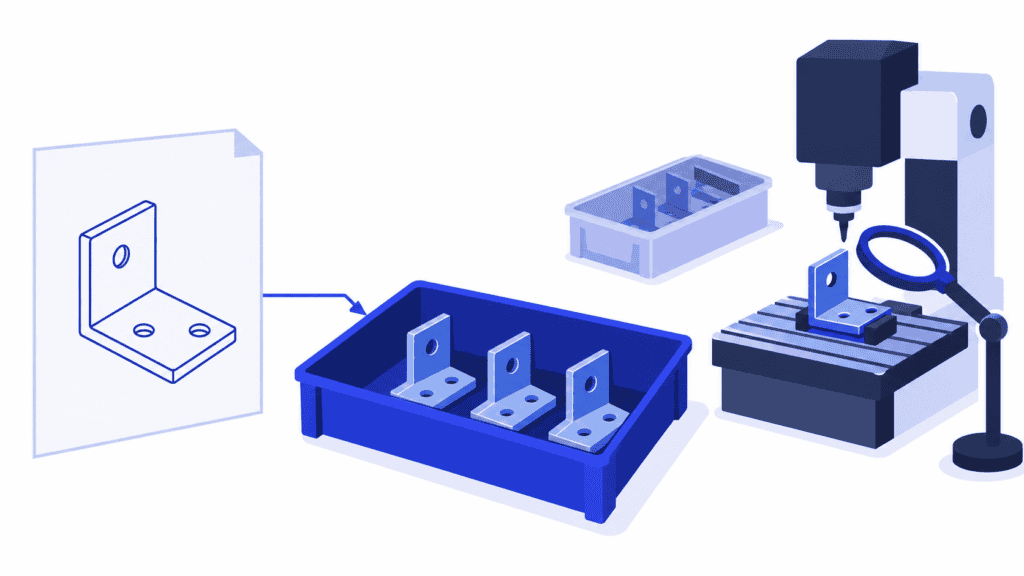
Imagine an approved change to a bracket’s hole pattern, with an additional inspection required before assembly. Some work orders have not started. Other brackets have already been machined, and completed assemblies are waiting for dispatch.
Updating the bracket’s product master does not decide the fate of those physical parts. Give each affected group an explicit disposition: what is allowed to happen next and under whose authority.
Work that has not started
Apply the approved revision to the relevant orders before releasing them. Check the material requirement, operation sequence, setup and processing durations, tooling, instructions and inspection work. Withdraw superseded instructions from the point of use.
Do not assume an existing order inherits later master-data edits. Verify the order’s own manufacturing information and the jobs used by the scheduling system. A revised product record can coexist with an unchanged order route.
Work that has already started
Establish its actual condition before changing the remaining plan. In the bracket example, engineering and quality must decide whether already-machined parts can be reworked, must be replaced, or may continue under an explicitly authorized exception. The planner then schedules that approved decision.
Where continuing could produce unusable or unacceptable work, follow the agreed hold process while the decision is pending. Identify the held quantity and operations so a shift handover does not quietly restart them.
Preserve completed work and actual progress. If rework is required, define the additional operations and any repeat inspection rather than making the records look as though the original operation never happened. Reconcile quantities when part of a batch follows a different route.
Finished stock and delivered products
Decide separately whether completed products remain acceptable, need inspection or modification, or must be prevented from shipment. An ECO for future production does not automatically require every older unit to be changed, and it does not automatically exempt finished stock either.
Use the engineering, quality, customer and safety requirements that apply to the change. Keep any retrofit, field action or customer approval work connected to that decision. Its scope cannot be inferred from the production order’s closed status.
Put the approved change into the live production work
Once the affected population and dispositions are agreed, turn them into a controlled implementation task. Name the people responsible for updating product information, purchasing requirements, order-specific data, production jobs and shop-floor instructions. Keep one implementation owner who can reconcile the handoffs.
For the bracket change, that means more than attaching a new drawing. The affected jobs need the revised manufacturing work, any approved rework, the additional inspection and the correct dependencies before assembly. Material availability and the earliest permitted start must reflect the changeover decision.
Check a representative affected order from end to end before relying on a broad update. Does the order refer to the intended revision? Are its remaining operations correct? Can production see the right instructions? Has the scheduling system received the same work that the floor is expected to perform? Reconcile the full affected list afterwards, including exceptions and update failures.
This is particularly important when information passes between systems. A successful edit in the engineering or order-entry system is not proof that an already-scheduled job changed. Agree which system owns each field, how existing jobs are identified and how an update is checked. In engineer-to-order production, the same discipline applies when customer-specific designs evolve after partial release.
Only then is recalculating the schedule meaningful. Otherwise, a convincing completion date may still describe the old route.
Use SkyPlanner to see what the change means for delivery
An added inspection needs a real place in the queue. Rework can compete with normal production for the same machining centre. A different component can change when assembly is ready. Moving the affected order alone can shift the problem into another customer’s delivery.
SkyPlanner brings workstations, shifts, operators, priorities and materials into one production plan. Its scheduling AI, Arcturus, schedules the defined operations against configured capacity, eligible resources and dependencies. The Gantt timeline shows where those operations run and when the work is expected to finish.
Once the bracket change is reflected in the right production jobs, you can see its machining, inspection and assembly work alongside the other orders using those resources. You spend less time rebuilding separate queues and reconciling delivery dates by hand. The shared schedule gives you a clearer basis for deciding whether to adjust priorities, add available capacity or discuss a revised commitment.
With material-aware scheduling enabled, Arcturus also considers material availability. Keep the approved component and availability information current; a stock quantity alone does not establish that a component is the right revision or released for use.
SkyPlanner integrates with any ERP or MES through its open REST API. Existing production jobs can be updated with changed operation information, including durations, instructions and drawing links. The integration must target the actual production jobs: in SkyPlanner’s order-entry-to-scheduling export workflow, editing the order-entry record after export does not update the scheduling-side jobs.
That distinction protects the value of the calculation. Keep your engineering approval and effectivity decisions in the agreed change process, apply their consequences to the correct production work, and let SkyPlanner handle the scheduling calculation. You decide the priorities and protected scheduling decisions; Arcturus works within them.
Ask your own AI assistant about the affected work
Your own AI assistant, such as Claude, ChatGPT or Microsoft Copilot, offers a conversational way to work with SkyPlanner through an MCP connection. MCP is the connection between the assistant and SkyPlanner’s data and functions. The assistant can use product knowledge alongside the production information it is permitted to access.
For this task, a useful starting request is: “Show the remaining operations and planned completion dates for these affected work orders.” That brings the conversation back to the actual jobs instead of leaving you to collect dates from several queues. Authorized changes can use SkyPlanner’s functions too; the approved ECO and its affected-order list remain the basis for what should change.
Mamec: making repeated manufacturing changes easier to assess
Mamec manufactures industrial mixing equipment and high-tech contract products. Before SkyPlanner, the interdependencies of thousands of work orders were difficult to manage manually, and delivery dates on paper work orders drove shop-floor priorities. The overall load was hard to see.
Mamec integrated SkyPlanner with Oscar ERP and uses it as the master platform for production planning. Its account describes a lighter planning workload and easier change management in demanding customer-driven product development: when manufacturing sequences change repeatedly, the effects can be assessed with less effort and customers can be told what can be promised.
Mamec’s SkyPlanner review illustrates the benefit of a shared production plan when the manufacturing work changes. It is that visibility and reduced replanning burden that matter here, rather than treating an ECO approval as a finished production update.
Confirm implementation, then make the next delivery promise
Close the implementation loop against the affected population. Confirm that the intended orders and physical units followed the approved revision or documented exception, required inspections were completed, superseded instructions were controlled and remaining actions have owners. Record the evidence required by your change process; approval and a rescheduled Gantt are not, by themselves, proof of physical implementation.
The scheduling decision should now rest on the work that actually remains. If the revised route changes a delivery, communicate the new commitment and its basis rather than allowing sales, production and the customer to keep different versions of the date.
Choose SkyPlanner when approved changes leave your team repeatedly rebuilding production queues and delivery promises. It gives the changed work a place in the same capacity plan as everything else you have committed to manufacture.
Book a SkyPlanner demo with one approved change, its affected open orders, their current production states and the intended effectivity rule. We can use that concrete handoff to explore how the updated operations affect capacity and completion dates. Prefer to explore scheduling first? Try SkyPlanner with demo data, or use AI-assisted Getting Started in SkyPlanner Assistant.
Jussi Mäntylä
Production Planning Specialist, SkyPlanner


