





In this article
- What is engineer to order?
- Engineer to order vs. make to order
- When is ETO worth the extra work?
- Connect engineering, purchasing and production before the handover
- Establish the scope and the release assumptions
- Bring long-lead purchasing into the design discussion
- Release defined work with usable manufacturing information
- Check the entire delivery path against the other projects
- A design delay can change more than one project
- Use SkyPlanner to give released work a realistic place
- UTU: clearer scheduling for project deliveries
- Bring your next project into the shared schedule
Home » Resources » Engineer to Order: From Design to a Workable Schedule
Estimated reading time: 10 minutes
The customer needs a machine that does not yet exist in its final form. Your engineers must define it, purchasing must secure the parts, and production must find room to build it alongside the projects already promised.
That is engineer to order. The challenge is not only designing the right product. It is keeping the design decisions, material dates and factory schedule connected as the product takes shape. Finishing a drawing does not make a machining centre available, and receiving a critical component does not create an assembly slot.
SkyPlanner APS helps you turn that manufacturing requirement into a workable plan. Its scheduling AI, Arcturus, calculates where operations fit around your resources, materials and priorities. You can see the result in a Gantt timeline instead of rebuilding every project’s machine queues by hand.
What is engineer to order?
Engineer to order (ETO) is a manufacturing strategy in which a customer order triggers product engineering as well as production. The customer’s requirements must be translated into an approved design before the affected work can be manufactured.
The engineering may involve a new machine, a customer-specific assembly or a substantial adaptation of an existing product. ETO does not require every fastener, component or design element to be invented again. The defining point is that the ordered solution still needs engineering, rather than simply selecting an established product and starting its production route.
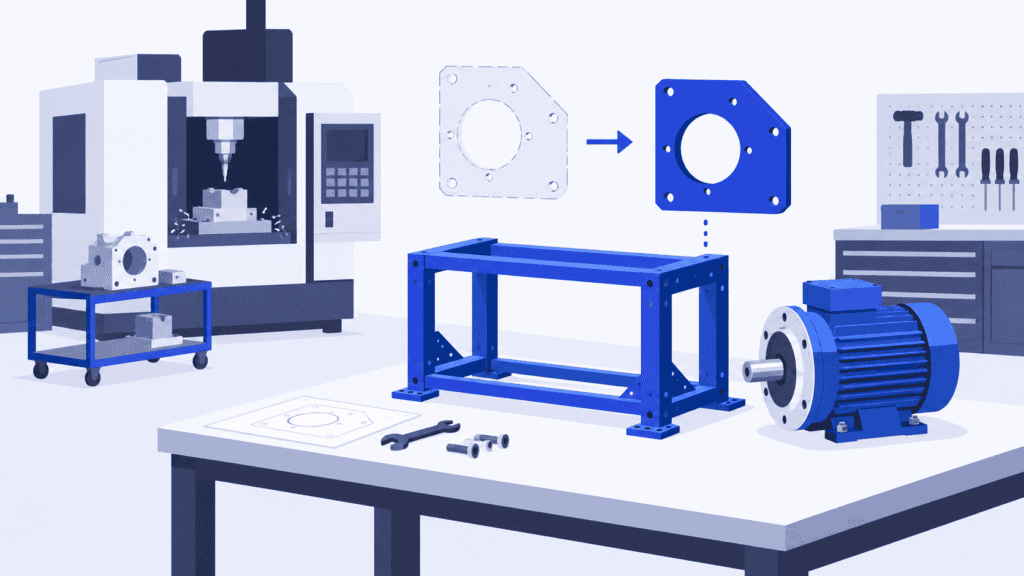
Imagine a manufacturer building a test rig for a customer’s unusual component. The team must design the fixture, choose a suitable drive and define the arrangement around the customer’s testing requirements. Standard motors and controls may be reused, but the finished rig is engineered for that order.
Engineer to order vs. make to order
Both begin with a customer order. The difference is how much of the product is already defined.
| Strategy | What happens after the order? | Main planning question |
|---|---|---|
| Engineer to order (ETO) | Engineer the customer-specific solution, then manufacture the approved work | When will the work be defined and ready, and when can production complete it? |
| Make to order (MTO) | Manufacture an established product or variant for the order | Where can its known operations fit in the production schedule? |
| Configure to order (CTO) | Select from predefined, compatible options | Can the chosen configuration be supplied and built in time? |
| Make to stock (MTS) | Fulfil the order from finished products made for anticipated demand | Is the right finished stock available? |
A special finish or quantity does not automatically make a job ETO. If the approved design and manufacturing method already cover the requirement, make to order may describe it better. If engineering must develop a new solution, ETO is the more useful description.
One factory can use several strategies. Standard items may be stocked, repeat products made to order and new project products engineered to order. Their operations can still compete for the same machines and people.
When is ETO worth the extra work?
ETO makes sense when an established product or predefined configuration cannot meet the customer’s need, and solving that need justifies the engineering effort. Special-purpose machinery, custom test equipment and application-specific industrial assemblies are useful examples.
The commercial advantage is the fit: you can supply a solution the customer cannot simply pick from a catalogue. Reusing proven modules where appropriate helps keep that customization from becoming unnecessary reinvention.
The trade-off is time and uncertainty. Engineering, approvals and procurement add work before manufacturing can finish. An evolving design can change material requirements, processing time and cost. Finished products are not built speculatively for stock, but cash can still be tied up in purchased components and unfinished project work.
Before accepting the order, agree what the customer is buying, which decisions remain open, who approves the design and how later changes affect price and delivery. Check that the customer accepts a lead time that includes engineering and supply, not just machine processing.
If repeat orders keep asking for the same solution, consider whether some of that work can become a standard design or configurable option. Keep ETO for the requirements that actually need engineering.
Connect engineering, purchasing and production before the handover
An ETO plan becomes fragile when each department has a plausible date but nobody checks whether the dates work together. Engineering expects to release a drawing, purchasing expects a component to arrive, and production assumes both will be ready for a slot that another project has already taken.
A more useful workflow keeps readiness and capacity connected from the start.
Establish the scope and the release assumptions
Identify the parts of the design that control the delivery: customer approvals, critical interfaces, bought-in equipment and manufacturing information that others cannot proceed without. Give each open decision an owner and an expected resolution date.
Early plans will contain estimates. Keep those visible as assumptions rather than treating every forecast date as an approved release. A delivery commitment based on an unconfirmed interface needs different attention from one based on a proven repeat assembly.
Bring long-lead purchasing into the design discussion
A critical motor, casting or control component may need ordering before every detail of the product is complete. Engineering and purchasing should agree which specifications are stable enough to buy against and what remains at risk if the design changes.
The decision is not simply “buy early” or “wait for the whole design.” Buying too soon can leave you with unusable parts; buying too late can hold up an otherwise ready project. Connect supplier dates to the operations that need those items, and update the plan when a supplier’s commitment moves.
Release defined work with usable manufacturing information
Where the product allows it, you can release an approved portion without waiting for every unrelated detail. A stable frame may be ready while its customer-specific fixture is still being designed. That can shorten the wait, provided later decisions will not invalidate the released work.
Each release needs the applicable drawing revision, materials, quantity, operations, eligible resources and realistic setup and processing durations. Make clear which work is authorized and which is still provisional. Agree how an engineering change affects work already bought, released or started before sending a revised instruction to the floor.
This is the point where engineering information becomes a scheduling requirement. The manufacturing route describes the work; it does not reserve the capacity to perform it.
Check the entire delivery path against the other projects
Schedule the released operations alongside the rest of the factory’s workload. Include the parts that must meet at assembly, any required inspection or testing, and the time needed after production for dispatch or installation preparation.
Do not give each project its own imaginary copy of the same assembly team. A project plan can show a sensible sequence while the combined factory plan is overloaded. The customer needs a completion date supported by the shared resources, not just a duration added to the engineering release date.
A design delay can change more than one project
Return to the imagined test-rig manufacturer. The frame is approved, a drive is on order and the adapter plate still needs the customer’s interface dimensions. Machining must finish before final assembly, and other projects use the same machining centre and assembly team.
The customer changes the interface. Engineering revises the adapter, and its release moves later. Meanwhile, another project takes the machining opening the adapter was expected to use.
Moving the adapter’s date on its own is not enough. Its next machining opportunity may fall after the intended assembly slot. The drive may arrive on time and the frame may be complete, yet the rig still cannot enter final assembly. Starting more unrelated parts will not solve that missing connection.
The planner needs to review the remaining operations together. Could an approved alternative workstation do the adapter? Would an agreed priority change recover the assembly window, and which other delivery would it affect? Is additional capacity justified, or should the customer receive a revised date?
These are production decisions, not drawing-management decisions. A connected schedule lets you assess them before a missed release becomes a surprise at final assembly.
Use SkyPlanner to give released work a realistic place
SkyPlanner brings workstations, shifts, operators, materials and priorities into one production schedule. The product’s process steps describe the manufacturing work and its durations. Arcturus schedules those operations using the configured capacity, dependencies and rules; the Gantt timeline shows where they run and when they are expected to finish.
For an ETO planner, that means the test rig’s released work appears alongside the other projects using the same resources. You can follow machining into assembly and see the expected completion, rather than maintaining a separate set of dates for each department.
A start eligibility date provides an earliest production start. In this workflow, the planner or connected ERP supplies that date from the agreed readiness information. If the adapter’s expected release changes, update the affected work and recalculate the schedule. You then review the new manufacturing finish before confirming what the change means for delivery.
With material-aware scheduling enabled, Arcturus also considers material availability. Purchase-order delivery dates represent expected availability; confirming a purchase order as delivered updates stock. A supplier’s revised date can therefore be reflected in the scheduling inputs instead of remaining in a purchasing email while production works from the old assumption.
You decide the priorities and use locks to protect scheduling decisions that should stay fixed. Arcturus handles the calculation within those instructions. That reduces manual rescheduling and helps you use available capacity more effectively, without asking you to surrender the commercial judgment about which commitments matter most.
SkyPlanner integrates with any ERP or MES through its open REST API. Connect existing order and production data with the scheduling calculation, while keeping your engineering approval process and ERP responsibilities clear. Better ETO scheduling does not have to begin with replacing the systems that already manage your product information and orders.
Choose SkyPlanner when coordinating the manufacturing work across projects has become a daily manual burden. The benefit is a clearer answer to the question customers keep asking: given what is ready and the work already promised, when can this project finish?
UTU: clearer scheduling for project deliveries
UTU’s Ulvila factory makes electrical switchboards and switchgear, from standard products to large project deliveries. Before SkyPlanner, departments planned with manually updated Excel spreadsheets. Production sequence changes in the ERP did not always reach the shop floor, and realistic capacity was difficult to see.
In its implementation, SkyPlanner connects with Oracle NetSuite and the payroll system, bringing all the factory’s lines and departments into one planning system. UTU highlights the combination of automatic scheduling and the Gantt timeline: the plan, actual progress, capacity and load are visible together. An updated work queue reaches the installers in seconds.
The company describes more precise scheduling of project products such as park transformer substations and medium-voltage switchgear. It can account for capacity changes, including sick leave, in its longer-term plan. UTU also estimates around two hours of working time saved each week because spreadsheets no longer need manual updating.
That experience illustrates the practical value for project manufacturing: a current, shared production plan makes the work easier to coordinate and gives delivery discussions a firmer basis. UTU’s SkyPlanner review shows what changed for its planners and installers.
Bring your next project into the shared schedule
ETO lets you build around a customer’s specific need. Keeping that work profitable and deliverable means connecting the approved design, the parts and the capacity needed to complete it. A release date is only useful when the factory can act on it.
Book a SkyPlanner demo with one customer-specific project, its expected releases and the resource it shares with other orders. Bring a recent design or supplier change too. Those give us a concrete starting point for showing how Arcturus and the Gantt schedule can reduce replanning work and make delivery dates easier to assess.
Prefer to explore first? Try SkyPlanner with demo data and see how orders, operations and capacity come together in one schedule.
Jussi Mäntylä
Production Planning Specialist, SkyPlanner


