





In this article
- What is the difference between discrete and process manufacturing?
- Batch, continuous and make-to-order describe different things
- Can one factory use both manufacturing types?
- Turn the comparison into requirements for your own factory
- Correct production records still need a workable schedule
- Let SkyPlanner calculate the schedule while you set priorities
- What this looks like at Opes Corporation
- Choose the system fit, then remove the scheduling burden
Home » Resources » Discrete vs Process Manufacturing: What Your System Needs
Estimated reading time: 9 minutes
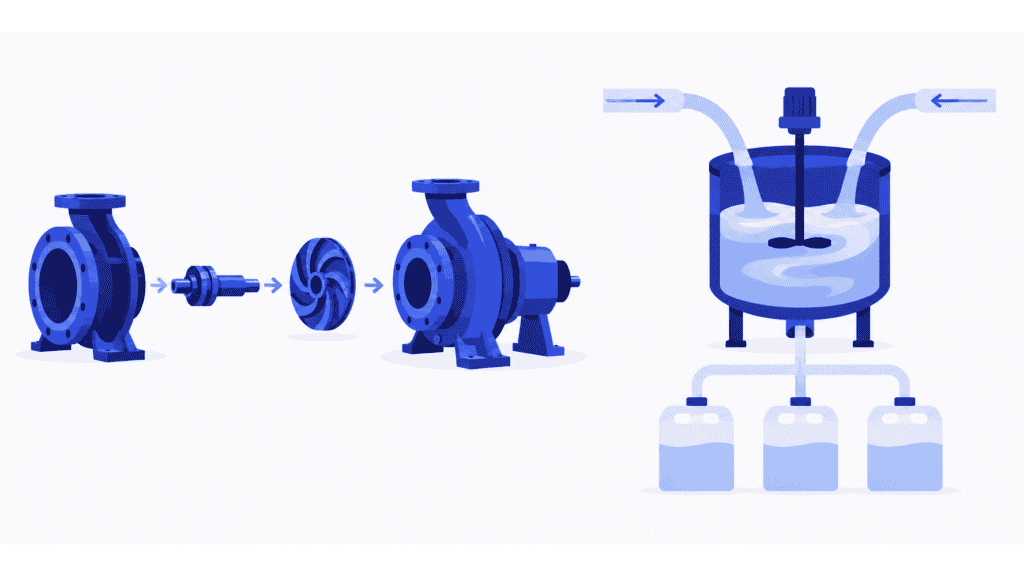
Discrete manufacturing makes identifiable units, such as pumps, circuit boards and machined components. Process manufacturing transforms materials according to a formula or recipe, as in paint, beverages and specialty chemicals. The difference shapes how you define products, record production and control quality.
For a manufacturer choosing software, that is the starting point, not the whole decision. A system can hold the correct bill of materials or recipe and still leave the planner working out which job can run next on shared equipment.
Understand the manufacturing difference first. Then separate the records your business needs from the scheduling work your team needs to stop doing by hand. SkyPlanner APS handles that scheduling calculation, giving you a connected production plan while you retain control of priorities.
What is the difference between discrete and process manufacturing?
In discrete manufacturing, production is organized around individual parts and finished units. A pump contains a housing, impeller, shaft and other components. Its bill of materials defines what goes into it; its production routing defines the operations needed to make and assemble it.
Discrete production includes machining and fabrication, not just assembly. A component cut from metal stock is still an identifiable part, even though you cannot turn it back into the original stock. Being able to take a product apart is a useful illustration, not a reliable classification test.
In process manufacturing, production is organized around transforming materials through activities such as mixing, reacting, heating or blending. A formula defines the material proportions; a recipe can also define the processing instructions and conditions. Output is often managed by weight or volume before being packed into saleable units.
A tablet or a bottle of shampoo can be counted, but that does not make its formulation process discrete manufacturing. Look at how the product is made, not only how it is sold.
| Comparison | Discrete manufacturing | Process manufacturing | What to check in your software |
|---|---|---|---|
| Product definition | Parts, assemblies, variants and revisions | Formulas, ingredient proportions and processing instructions | Can the system maintain the approved definition and carry changes into production correctly? |
| Production quantities | Pieces, assemblies or lots of parts | Bulk quantities, batches and packaged quantities | Can it connect the units you purchase, consume, produce and sell? |
| Production flow | Operations such as machining, fabrication, assembly and testing | Stages such as blending, processing, holding and filling | Can it represent the real sequence, handoffs and resource requirements? |
| Production and quality records | Component or lot usage, inspections, serial records where needed | Ingredient lots, process results, batch status and shelf life where relevant | Can you trace the required inputs and prevent unapproved output from moving forward? |
| Output and losses | Completed units, rejects and rework | Actual yield, losses and sometimes several outputs from one process | Can the system reconcile actual consumption, usable output and production cost? |
These are different emphases, not exclusive feature lists. Process manufacturers can use bills of materials, and discrete manufacturers may need lot traceability, expiry dates or detailed quality records. Your actual product and process determine the requirement.
Batch, continuous and make-to-order describe different things
It is easy to mix three separate decisions into one factory label.
Discrete versus process describes the nature of the manufacturing work. Batch versus continuous describes how that work flows. A machine shop can produce a batch of identical brackets; a paint manufacturer can produce a batch from a formulation. Batch production belongs in both manufacturing types.
A continuous process maintains an ongoing flow rather than completing separate bounded batches. Even then, downstream filling or packing may run in distinct orders. A factory can therefore need continuous-process control upstream and job scheduling downstream.
Make-to-order, make-to-stock and assemble-to-order describe how demand triggers production. A discrete manufacturer can build standard pumps for stock or wait for a customer order. A process manufacturer can make a standard formulation for stock or launch a batch for a particular customer. These strategies do not replace the discrete/process distinction.
That matters when selecting software: “we make to stock” tells a supplier something about your planning policy, but very little about whether you need formula management, component revisions or bulk-to-pack quantity conversion.
Can one factory use both manufacturing types?
Yes. Different products or stages in the same plant can have different manufacturing requirements. A business may formulate a material in one department and manufacture an assembly that uses it in another. Some ERP systems support both modes within the same plant.
Packaging alone is not enough to settle the label. Filling a formulated product into containers introduces packaging components, quantities and line capacity. It does not remove the need to manage the formulation and its production history.
For a mixed operation, follow the handoffs. What quantity leaves the upstream stage? When is it available to the next stage? Which product version, material lot or quality status must travel with it? The software needs to preserve that connection, rather than giving each department a convincing but disconnected screen.
Turn the comparison into requirements for your own factory
Choose a representative product and follow it from its approved definition to finished stock. Include a variation that regularly causes trouble, rather than demonstrating only the easiest repeat order.
Imagine comparing two manufacturers. One makes industrial pumps. The other blends a formulated cleaner and fills it into different pack sizes.
For the pump maker, an important test is a component revision. The system should identify which version belongs in the order, show the required components and route, and retain the production records needed for that unit. If a purchased part is missing, the assembly plan must not assume the pump can simply proceed.
For the cleaner manufacturer, a more revealing test is the connection between the approved formulation, the bulk quantity actually produced and the packaged output. The team may also need ingredient-lot records, quality release, shelf-life handling or yield accounting. Demonstrate the requirements that apply to this process; do not assume that a screen called “batch” covers all of them.
In either case, ask the supplier to show a complete transaction, not just a list of modules:
- Definition to order: Which approved version is used, and what happens when it changes?
- Material to usable output: How are consumption, completed quantities, losses and required traceability recorded?
- Release to next operation: What makes the work genuinely ready, and how does that readiness reach the plan?
- Change to delivery: When material, capacity or priority changes, who calculates the effect on the rest of the orders?
The first three questions establish whether your production information and execution controls fit the work. The fourth reveals a scheduling requirement that the manufacturing label alone cannot answer.
Keep that distinction especially clear in continuous processing. Coordinating separate production operations is not the same task as controlling a continuously connected reactor or tank network. If continuous-flow constraints drive your plant, make those an explicit part of the system assessment.
Correct production records still need a workable schedule
Return to the two factories. The pump maker has the right component revision and complete work orders. The cleaner manufacturer has an approved formulation and the production records it needs. Both can still face the same morning problem: an urgent order needs capacity already assigned to other work.
For the pump maker, moving a machining operation can delay assembly and testing. For the cleaner manufacturer, a change to the planned availability of bulk material can disrupt several filling runs. Looking at the first affected resource is not enough; the planner needs the consequences across the route and the competing orders.
Your ERP or MES may already calculate that schedule well. If it does, use that capability. If the team still exports the work and rebuilds separate queues after every change, the remaining problem is a strong reason to add SkyPlanner rather than replace an otherwise suitable production system.
Let SkyPlanner calculate the schedule while you set priorities
SkyPlanner brings workstations, shifts, operators, materials and priorities into one production schedule. You define the operations, eligible workstations, durations and dependencies. Its scheduling AI, Arcturus, calculates when the work should run against the configured capacity and rules.
The Gantt timeline shows the resulting sequence across resources. Instead of repairing each machine queue separately, you can see which commitments are affected and decide what to do: protect a priority order, use available capacity elsewhere or discuss a different delivery date.
Material-aware scheduling makes recorded material availability part of the calculation, so a free machine slot does not automatically become an impossible start. Required quality-release decisions still need to be reflected in the readiness information used for planning; inventory on hand and material approved for use are not necessarily the same thing.
You steer Arcturus through priorities and locks. When the production situation changes, it recalculates within those instructions. The benefit is less manual coordination and a clearer basis for capacity and delivery decisions, whether the scheduled work makes individual components or forms part of a process-manufacturing operation.
What this looks like at Opes Corporation
Opes Corporation operates at the intersection of chemical and food production. It makes flavor cards to stock, generally against predictable customer commitments. Before SkyPlanner, production planning relied on Excel and a separate warehouse application, with information disconnected from financial administration and purchasing.
When Opes renewed its ERP, it chose SkyPlanner for production planning and integrated it with Visma Nova. The rollout proceeded in phases, allowing staff to learn and test the work. In daily use, workers report produced quantities, raw materials consumed and waste reasons, while the team gains a shared view of capacity.
That visibility matters when product-development runs or urgent small orders arrive. Opes describes the production plan updating automatically and showing the effect on delivery times, so planners can see when jobs will finish and make changes faster.
The useful lesson is not that every process manufacturer needs the same setup. It is that production-specific records and better scheduling can work together with an existing ERP. Opes gained a clearer production picture without making an entire ERP replacement the answer to its planning need.
Read Opes Corporation’s SkyPlanner review for the full account.
Choose the system fit, then remove the scheduling burden
The right comparison ends with requirements, not a label. Your product definition, quantities, traceability and execution controls must fit how you manufacture. Your schedule must then coordinate the real resources needed to deliver that work.
Choose SkyPlanner when that coordination still depends on the planner rebuilding queues by hand. SkyPlanner integrates with any ERP or MES through its open REST API, so you can retain the systems that serve your business and give production a better scheduling engine. Arcturus handles the calculation; you control priorities and review the effects in the Gantt view.
Book a SkyPlanner demo with a representative product flow, its shared bottleneck and a recent change that was difficult to schedule. That gives the discussion a useful focus: what would SkyPlanner take off your team’s hands, and how would you see the consequences before making the next delivery promise? If you prefer to explore first, try SkyPlanner with demo data.
Jussi Mäntylä
Production Planning Specialist, SkyPlanner


