





In this article
- What is the difference between forward and backward scheduling?
- A manufacturing example: the same order, two start dates
- Now put another order on the machine
- When should you use each method?
- What if the required start is already in the past?
- Put the timing decision to work in SkyPlanner
- Better delivery-date decisions in daily production
- Choose the direction, then trust a connected schedule
Home » Resources » Forward vs Backward Scheduling: Choose the Right Direction
Estimated reading time: 8 minutes
An order is due next Friday. Should you start it as soon as the material arrives, or leave it until closer to dispatch? Starting early may protect the delivery, but it also ties up material and floor space. Starting later keeps work out of the shop until it is needed, provided the required capacity will still be there.
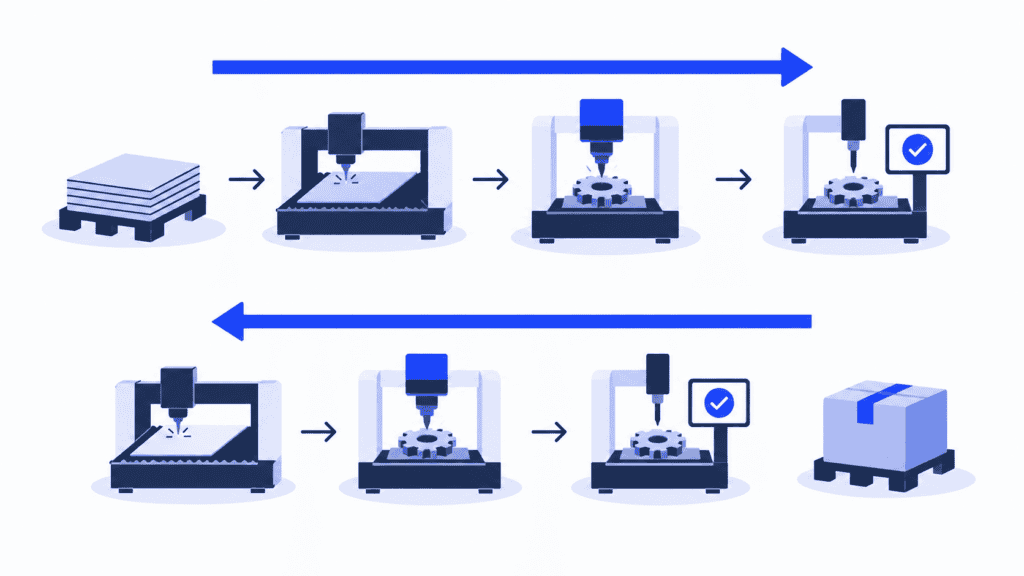
Forward vs backward scheduling is a choice about that timing. Forward scheduling asks when an order can finish if you schedule from its earliest eligible start. Backward scheduling asks when it must start to finish by a target date.
Neither direction creates more machine hours. The useful answer comes from fitting the order around the resources, materials and other commitments in your factory. SkyPlanner supports both directions and calculates the operation schedule, so you can choose when work should happen without rebuilding every machine queue yourself.
What is the difference between forward and backward scheduling?
Forward scheduling works from a start date toward completion. It places the first operation as early as the scheduling constraints allow, then schedules the following operations in route order. The result gives you an earliest planned completion under those assumptions.
Backward scheduling works from a required completion date toward the start. It places the final operation at the latest suitable time, then works back through its predecessors. The result tells you how late the order can start under the same kind of constraints.
The calculation changes direction; the manufacturing route does not. Cutting still comes before machining, and machining still comes before final inspection.
| Decision | Forward scheduling | Backward scheduling |
|---|---|---|
| Starting point | An eligible start date | A required completion date |
| Main question | How soon can this order finish? | How late can this order start? |
| Useful for | Assessing an achievable completion date or scheduling work that should run ASAP | Timing confirmed work close to when it is needed |
| Inventory trade-off | May create work-in-process or finished stock earlier than necessary | Can reduce early production and the time stock waits |
| Delivery protection | An early finish may leave recovery time before dispatch | Protection needs to be allowed for deliberately in the target and schedule |
| Essential check | Does the resulting finish meet the commitment? | Does the required start fit material readiness and available capacity? |
Direction and capacity are separate choices. Either direction can be calculated with finite capacity or with an assumption that capacity is unlimited. A backward plan that puts several orders on the same occupied machine is no more executable than a forward plan that does the same.
A manufacturing example: the same order, two start dates
Imagine a batch that needs three operations on separate resources: cutting, machining and inspection. Material is ready on Monday morning. Each resource works Monday to Friday, 08:00–16:00, and the whole batch must finish one operation before the next begins. The durations below include the time needed for each operation; there are no additional transfers or waits in this first example.
The customer needs Friday dispatch. You set an internal production-completion target of Thursday at 16:00, leaving the agreed allowance for packing and dispatch outside this production route. Initially, all the required resource slots are free.
| Operation | Duration | Forward from Monday 08:00 | Backward from Thursday 16:00 |
|---|---|---|---|
| Cutting | 2 hours | Monday 08:00–10:00 | Thursday 08:00–10:00 |
| Machining | 4 hours | Monday 10:00–14:00 | Thursday 10:00–14:00 |
| Inspection | 2 hours | Monday 14:00–16:00 | Thursday 14:00–16:00 |
Both schedules meet the production target. Forward scheduling finishes on Monday and leaves the batch waiting. Backward scheduling leaves it unstarted until Thursday, avoiding that early finished inventory. Whether the extra waiting time is useful protection or unnecessary stock depends on the order and your production conditions.
Now put another order on the machine
Suppose the machining resource is already fully booked on Thursday. Its latest available four-hour slot before the target is Wednesday, 10:00–14:00.
A capacity-aware backward schedule must move this batch’s machining into that Wednesday slot and place cutting before it. Inspection can still take place on Thursday, 14:00–16:00, if that slot remains free. The order now starts earlier and waits between machining and inspection.
That is why subtracting eight processing hours from a due date is not enough. Existing queues and working calendars determine where those hours can actually go. If the material cannot arrive before the required cutting slot, you have a conflict to resolve, not a start date you can release to the floor.
SkyPlanner brings that scheduling work into one connected plan. Arcturus, its scheduling AI, calculates job placement against configured capacity, dependencies and priorities. The Gantt shows the resulting timing across resources, making it easier to see whether your intended release timing still works.
When should you use each method?
Choose the direction according to the question you need answered, rather than assigning one method to your entire business.
Use forward scheduling when the start is known and the finish is the question. A customer wants the earliest delivery you can offer, material becomes available on a particular date, or delayed work needs a new completion estimate. Schedule from the eligible start, include the existing load, and check the resulting finish before making the promise.
Use backward scheduling when the finish is known and the release timing is the question. You have an agreed production target and want to avoid starting far earlier than necessary. Work backward through the route, while keeping material availability and resource capacity in the calculation.
Make-to-order and make-to-stock production can both need either perspective. A make-to-order shop may calculate forward to establish a credible promise, then use backward timing to avoid releasing the confirmed order too early. A stock replenishment order may also have a firm date when the inventory is needed.
The point is not to make every job finish at the last possible moment. Set the production target before dispatch where packing, transport or recovery time requires it. Backward scheduling can work with a protected target; it does not require you to remove every buffer.
What if the required start is already in the past?
A past required start is a warning that the current assumptions do not support the target. Check whether the work has actually started, whether durations and calendars are correct, and whether material is available. Then evaluate a real change: an eligible alternative resource, additional approved capacity, a revised priority or a different commitment.
Moving the target date on screen does not solve the shortage. Recalculate after the change and check the effect on other orders before confirming the new promise.
Put the timing decision to work in SkyPlanner
SkyPlanner lets you schedule work as soon as possible or closer to its due date. Its default forward-scheduling rule controls the general direction; an order-item-level rule also allows JIT timing within a mixed ASAP/JIT workflow.
For a planner, that means you do not have to choose between starting everything immediately and delaying everything until the last moment. An urgent order can need ASAP treatment while another confirmed order is better timed close to its due date. Priorities and scheduling direction do different jobs: priority expresses which work takes precedence, while direction influences where it is placed in time.
The calculation also needs the production facts. Set up workstations, shifts, operators, operation dependencies and priorities. With material-aware scheduling enabled, Arcturus considers available stock and incoming shipments when calculating start times. A purchase-order delivery date represents expected availability; stock is updated when arrival is confirmed as delivered.
When the situation changes, update those facts and recalculate. You can review the resulting schedule instead of manually moving every affected operation. You decide the priorities; Arcturus calculates within your instructions.
SkyPlanner integrates with any ERP or MES through its open REST API. You can keep the system that manages your orders and connect its production data to a schedule built around how work should actually run.
Better delivery-date decisions in daily production
Eskomatic, a Finnish contract machining company, previously organised work queues largely by hand in an ageing ERP and production-control system. Limited visibility into material status made shortages harder to anticipate.
With SkyPlanner, its team gained a clearer visual work queue and automatic load scheduling. Eskomatic reports that realistic delivery times became easier to see, helping the company give customers more accurate delivery dates. Better visibility into material shortages also reduced production stoppages caused by missing material.
That experience illustrates what makes a timing policy useful: a delivery date connected to the load and material situation, rather than a date considered on its own.
Choose the direction, then trust a connected schedule
Use forward scheduling to establish how soon work can finish. Use backward scheduling to decide how late it can start against a known target. In both cases, judge the result against the whole production situation, not just the order’s own processing time.
For a busy factory, SkyPlanner is the practical next step: both timing approaches, automatic scheduling and a Gantt view of what the decisions mean for production. You keep control of the commitments without maintaining every queue by hand.
Book a SkyPlanner demo and bring a typical order route, its due date and the resource that is hardest to schedule. See how its timing fits around the rest of your work. If you prefer to explore first, try SkyPlanner with demo data.
Jussi Mäntylä
Production Planning Specialist, SkyPlanner


