





In this article
- The takt time formula
- Choose inputs that describe the work you need to deliver
- Define the product family and output boundary
- Match demand to the planning period
- Make the available-time budget explicit
- Takt time vs. cycle time: required pace and actual performance
- Check whether the required pace fits the available capacity
- Does takt time work in high-mix production?
- Turn the demand target into a usable schedule with SkyPlanner
- What shift-level visibility changed at Fredman Operations
- See what your required production pace means in practice
Home » Resources » Takt Time: Calculate the Pace Your Production Needs
Estimated reading time: 9 minutes
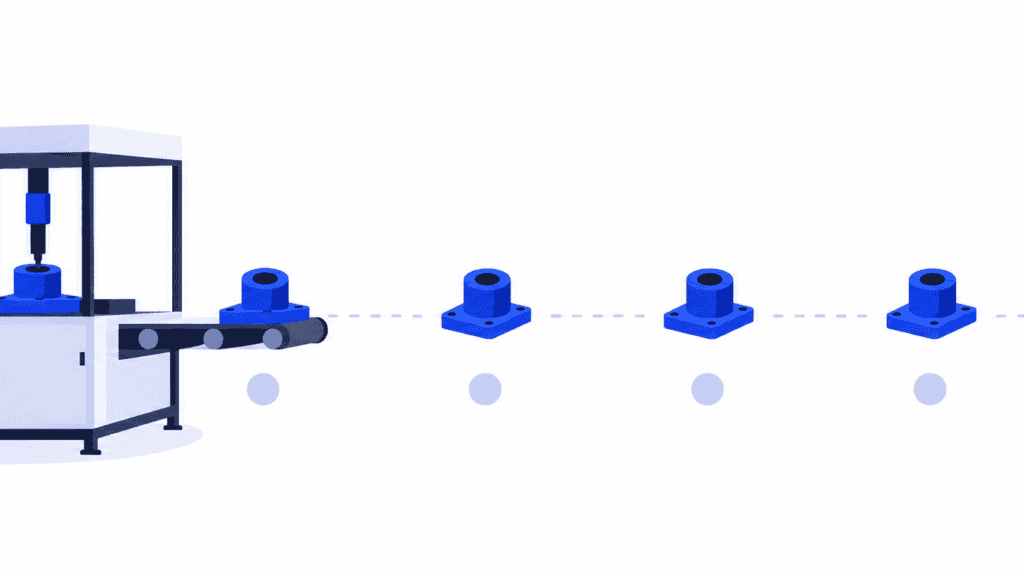
Takt time is the production pace required to meet customer demand, expressed as available production time per required unit. A takt time of two minutes means your process needs to deliver one good unit every two minutes, on average, during that available time.
The calculation is simple. The important question comes next: can your machines, people and production route support that pace?
A demand target does not reserve a machine or make a changeover disappear. SkyPlanner APS connects the required quantities with a detailed production schedule, so you can see what the work needs from your resources and respond when demand or availability changes.
The takt time formula
Takt time = available production time ÷ customer demand
Use the same period for both inputs. Divide minutes available per shift by units required per shift, or hours available per week by units required per week. The result is time per unit, not units per hour.
Imagine a production cell with an eight-hour shift. Breaks and other agreed nonworking periods total 60 minutes, leaving 420 minutes available. Customers require 210 good units from that cell each shift.
420 minutes ÷ 210 units = 2 minutes per unit
That is 120 seconds per unit, equivalent to a required average output rate of 30 units per available production hour. It is not the average over the full eight-hour shift, which also contains the nonworking periods.
The two-minute figure describes what demand requires. It does not tell you how quickly the cell currently runs, or how long one product spends travelling through every operation.
Choose inputs that describe the work you need to deliver
Before using a takt time target, agree what the quantity and available time refer to. A precise answer to the wrong question will still produce a poor production plan.
Define the product family and output boundary
Start with a product or recurring family that shares a meaningful production flow. State where output is counted: finished assemblies leaving a cell, for example, rather than the sum of parts completed at several operations.
Do not count the same unit again each time it passes another station. Equally, do not treat a simple component and a complex assembly as interchangeable units merely because both appear in the order book.
Match demand to the planning period
Use the quantity customers need within the period you are planning. If you are replenishing stock, relate that requirement to the replenishment policy rather than producing a large speculative quantity to keep equipment busy.
A weekly average can be useful for setting a recurring rhythm, but check the delivery dates within that week. Producing the right total on Friday does not satisfy an order due on Tuesday.
When demand rises and available time stays the same, takt time becomes shorter: each required unit has less time available. When demand falls, takt becomes longer. If there is no demand in the period, there is no meaningful takt time to calculate; dividing by zero does not create a production target.
Make the available-time budget explicit
Use the time actually assigned to that production flow, net of planned nonworking periods such as breaks when production stops. Do not use a whole shift for a family that can occupy the shared resource for only part of it.
Keep the treatment of setups and losses consistent. In this guide, changeovers remain work that must fit inside the available production time; they are not also deducted from that time. Other calculation conventions exclude planned changeovers first. Either way, count the same time once, not twice.
Unexpected breakdowns, slow running and rejected parts do not reduce customer demand. They reduce your ability to meet it. Keep those losses visible when checking capacity instead of allowing an optimistic time budget to hide them.
Takt time vs. cycle time: required pace and actual performance
Takt time comes from demand. Cycle time comes from measuring the process: how long a repeatable operation or production cycle actually takes. Production lead time is different again; it is the elapsed time through the defined route, including waiting between operations.
A product can spend hours passing through a line that delivers a finished unit every two minutes. Several units are moving through different stages at the same time. Takt is therefore not a requirement to complete the entire route in two minutes.
When comparing cycle time with takt, check the measurement boundary. A machine’s automatic cutting cycle may exclude loading and unloading. A running-cycle measurement may exclude stoppages. Neither, by itself, proves the sustainable rate of good finished output.
For a single station producing one unit at a time, a cycle longer than takt indicates a capacity gap before you even add separate setups or losses. A cycle below takt gives you room to work with, not proof that the whole flow can meet demand. Our guide to measuring manufacturing cycle time explains how to collect a useful operation-time input.
Check whether the required pace fits the available capacity
Return to the cell that needs 210 good units in 420 available minutes. Imagine its limiting operation runs at 1.8 minutes per unit and needs 30 minutes of setup during the shift. Processing and setup use the same resource without overlap. For this simplified example, there are no rejects or unplanned stops.
| Capacity check | Calculation | Time required |
|---|---|---|
| Repeated production | 210 units × 1.8 minutes | 378 minutes |
| Setups | Recorded separately | 30 minutes |
| Total work | 378 + 30 | 408 minutes |
| Remaining time | 420 − 408 | 12 minutes |
The work fits this resource’s time budget, but the margin is only 12 minutes. A 1.8-minute cycle looks comfortably faster than the two-minute takt until you account for setup. An interruption or additional rework can consume the remaining room quickly.
Now imagine demand rises to 240 units with no change to the shift. The new takt time is 420 ÷ 240 = 1.75 minutes per unit. Yet the operation still takes 1.8 minutes per unit, and the setup still takes 30 minutes.
The required work becomes 240 × 1.8 + 30 = 462 minutes. That is 42 minutes more than the available 420. A shorter target on the production board cannot close that gap.
You need a practical response: reduce the operation or setup time, provide suitable additional capacity, move eligible work to another resource, or agree a different requirement or delivery date. Check quality, staffing and safe working methods before treating any proposed increase in speed as usable capacity.
This is also where production scheduling matters. The calculation above checks one resource’s total load. A schedule checks when that work can happen, whether preceding operations finish in time, and what other orders need the same resource. A total that fits can still finish too late if the necessary capacity is available after the delivery deadline.
Does takt time work in high-mix production?
Takt is easiest to interpret where products follow a repeatable flow and have reasonably comparable work content. In high-mix production, it can still help you understand recurring demand for a suitable family, but one factory-wide takt may conceal the very constraint you need to see.
Ten units of one product can take more machine time than fifty units of another. Different products may also need different routes, fixtures or skills. Averaging them into a single unit count does not make their capacity requirements equal.
Keep the demand target, then translate each product’s quantity into its actual operation and setup requirements. Evaluate the combined workload on the resources they share. For one-off work with widely varying routes and durations, detailed order scheduling is more useful than trying to make every job follow the same beat.
Turn the demand target into a usable schedule with SkyPlanner
The reason to use SkyPlanner is not to replace a simple division. It is to keep the resulting production requirement connected to the work that must deliver it.
In SkyPlanner, you define a product’s process steps, durations and eligible workstations once. New order items inherit that route; their quantities and delivery dates tell the scheduling system what is required. You can represent per-piece processing, a production rate or a fixed-duration operation, with setup time recorded separately.
Arcturus, SkyPlanner’s scheduling AI, schedules the work together against configured capacity, shifts, operation dependencies and the priorities you set. The Gantt view shows the resulting work queues and timing across resources. You can see when the required work is planned to finish instead of assuming that a satisfactory average pace guarantees an on-time order.
When a quantity increases or a shift loses available time, update that information and let Arcturus recalculate the schedule. Review the effect on the affected orders and decide whether the response should be a changed priority, an approved capacity adjustment or a revised commitment. You spend less time repairing individual machine queues by hand and get a clearer basis for the production decision.
SkyPlanner schedules the production resources you define; physical line balancing and changes to working methods remain production-engineering decisions. Better scheduling helps you see where action is needed and what the revised plan means for delivery.
What shift-level visibility changed at Fredman Operations
Fredman Operations, a Finnish manufacturer of food-safe kitchen and packaging solutions, previously transferred work cards manually between its L7 ERP and LTR production management software. Jobs were prioritized by hand, with limited visibility into machine release times and shift-by-shift capacity.
With SkyPlanner, the shared Gantt view and shift scheduling brought that capacity into the production plan. Staff could see planned job starts and finishes, and the company reports faster responses to schedule changes and a reduced need for overtime.
Fredman’s experience illustrates why a volume requirement needs a usable capacity plan behind it: the team can judge commitments against available production time instead of repeatedly rebuilding the answer manually. Read Fredman Operations’ SkyPlanner review for the full story.
See what your required production pace means in practice
Calculate takt time to make the customer requirement clear. Then use SkyPlanner to schedule the actual work, see where the resource load fits and understand what changes when the requirement moves.
SkyPlanner integrates with any ERP or MES through its open REST API, so you can connect your existing order and production data with its scheduling capabilities.
To explore it with your own production, book a SkyPlanner demo. Bring a recurring product family, its demand, operation times and shift calendar. Those inputs make the discussion concrete: what must be produced, where the capacity is needed and how the schedule responds to a change. If you prefer to explore first, try SkyPlanner with demo data.
Jussi Mäntylä
Production Planning Specialist, SkyPlanner


