





In this article
- What is manufacturing process mapping?
- Choose the map that answers your question
- How to map a manufacturing process
- 1. Set a boundary around a real problem
- 2. Follow the work with the people who do it
- 3. Draw activities, decisions and waiting separately
- 4. Give each handoff an owner and a completion condition
- 5. Walk through both the normal and exception paths
- Example: a batch that is finished but not released
- Turn the approved improvement into a shared production plan
- Why getting the change to the floor matters
- Pilot the new process and keep it current
Home » Resources » Manufacturing Process Mapping: Fix the Handoffs
Estimated reading time: 11 minutes
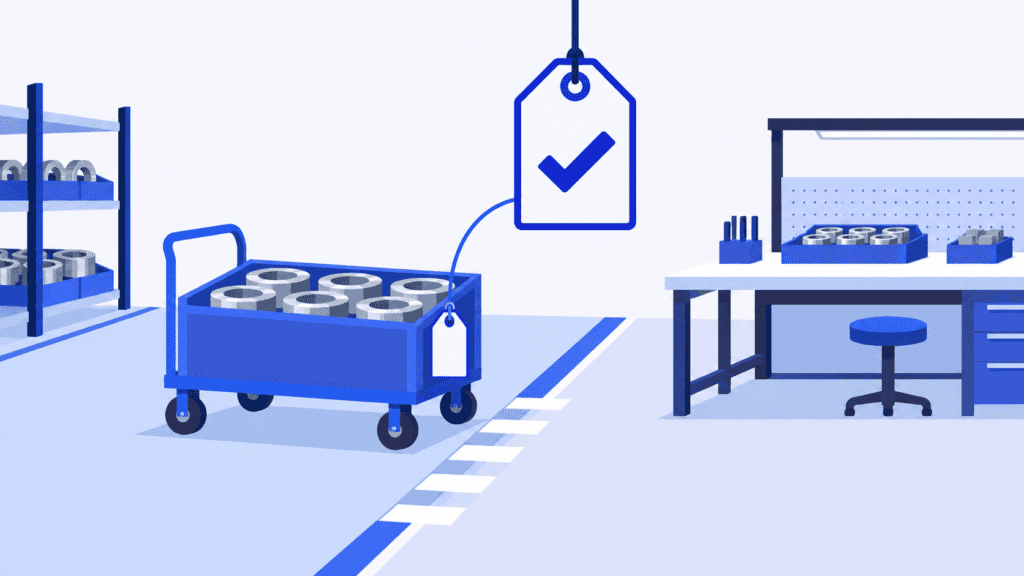
A batch is machined, the parts are on a trolley, and assembly has capacity. Yet nobody starts. Inspection believes production must request release; production believes the inspection result is already enough. The route says “machine, inspect, assemble.” The missing step is the agreement between people.
Manufacturing process mapping makes that agreement visible. It shows how work actually moves through your factory, including the decisions, information and responsibilities that let the next team proceed. Done well, it helps you remove avoidable waiting instead of simply drawing a tidier sequence of machines.
The improvement also needs to reach the daily plan. When your agreed change affects production steps, durations or eligible resources, SkyPlanner fits those changes into the same schedule as your other orders. Your team defines the better process; Arcturus, SkyPlanner’s scheduling AI, handles the calculation that turns defined production work into a coordinated plan.
What is manufacturing process mapping?
Manufacturing process mapping is the visual description of how a defined manufacturing process works from its starting trigger to its finished output. A useful map includes activities, their sequence, decisions, responsible roles, and the movement of materials and information between them.
It can cover order clarification, material preparation, manufacturing, inspection or dispatch. The boundary depends on the problem you want to solve. You do not have to map the entire factory to understand why inspected parts keep waiting for assembly.
The map answers questions that a list of operations can leave open: Who requests the inspection? What happens if it fails? Who authorizes rework? How does the receiving team know that the batch is ready?
Those answers make process mapping valuable for reducing coordination work, clarifying ownership and identifying interruptions. The drawing is the means. A more dependable flow of work is the result you are trying to achieve.
Choose the map that answers your question
Start with a simple flowchart when you need to understand activities and decision paths. If the problem crosses departments, a swimlane map is often more useful: each lane represents a role or team, so an arrow crossing between lanes exposes a handoff.
A high-level SIPOC view can help when the scope is unclear. SIPOC stands for suppliers, inputs, process, outputs and customers. Here, a customer can be the internal team receiving the work. Use it to agree what enters the process and what the next team expects to receive, then add the detailed flow where the problem occurs.
Two related manufacturing descriptions have different purposes:
- A manufacturing routing defines the operations and resources needed to make a product. It is essential for planning production, but a route alone may not explain the decision or communication between departments.
- Value stream mapping examines material and information flow with particular attention to waiting, inventory and lead time across a value stream. Choose it when the main question is where time and flow are being lost across that wider system.
A process map can lead you to update a routing or investigate the value stream. It should not become a duplicate of either. Likewise, keep detailed machine settings and assembly instructions in the relevant work instruction; the map should show when that instruction is used, not reproduce every action inside it.
How to map a manufacturing process
1. Set a boundary around a real problem
Choose a recurring interruption that people recognize. “Improve production” is too broad. “Explain why machined batches wait between inspection and assembly” gives the team something observable to investigate.
Define an unmistakable start and finish. For example: start when machining reports a batch complete; finish when assembly accepts the released batch and its required information. Name the product family and any variants included. Otherwise, one person may describe standard production while another describes a special-order exception.
Agree who owns the mapping exercise and which outcome matters. For this handoff, time spent waiting for release and the number of batches needing clarification are more informative than the number of boxes removed from the diagram.
2. Follow the work with the people who do it
Walk the current process with operators, inspection, material handling and the receiving supervisor. Ask each person to show what they receive, what they do, what they record and what they pass on. Include planning or engineering where they make decisions that affect the flow.
Use an actual recent job to check the account. Look at its traveler, inspection record, system status and any messages needed to move it forward. Ask what happened when someone was absent or the first inspection failed. These are often the moments when an unofficial process becomes visible.
Record the current state before proposing a better one. A map of the procedure everyone wishes they followed will hide the workarounds you need to understand. If people describe different versions, mark the difference and investigate it rather than quietly choosing the neatest explanation.
3. Draw activities, decisions and waiting separately
Use short action labels such as “Request inspection,” “Record result” and “Accept batch.” Keep the level of detail consistent: do not place an entire assembly department beside a single mouse click.
For a straightforward flowchart, a small set of symbols is enough:
- Ovals mark the start and end.
- Rectangles show activities.
- Diamonds show decisions with labeled outcomes.
- Arrows show the direction of flow.
Add a simple legend for waits, records or other symbols you use. Label decision branches “accepted” and “rejected,” for example, rather than drawing an unlabeled arrow that leaves the outcome to interpretation.
Show waiting where it actually occurs. “Inspect batch” should not conceal a queue before inspection, an inspection activity, and a separate wait for someone to communicate the result. Distinguishing them helps you decide whether to change capacity, a decision rule or the handoff itself.
4. Give each handoff an owner and a completion condition
For every transfer, ask four questions: Who sends the work? Who receives it? What must accompany it? What confirms that the receiving team can proceed?
Place activities and decisions in the lane of the role responsible for them. Name the role that can resolve an exception, not just the department that sees it. If production can request rework but only quality can approve the disposition, the map should make that distinction clear.
Track material and information together. Moving a trolley does not necessarily release the batch. Equally, an accepted inspection record is not useful if assembly cannot identify which batch it belongs to. Show where those two flows reconnect.
5. Walk through both the normal and exception paths
Ask the participants to trace a normal job through the map from start to finish. Then test a rejected batch, missing information and an unavailable decision-maker. Every branch should end in a clear action or resolution, not a box labeled “resolve issue” with no responsible role.
Check the map with people from the receiving side of each handoff. The sender may consider a task finished while the receiver still lacks the information needed to begin. That mismatch is precisely what the exercise should expose.
Only after the current-state map is agreed should you draw the future state. Keep the versions separate so that a proposed improvement does not get mistaken for the way production already works.
Example: a batch that is finished but not released
Imagine a factory where machined components go through inspection before assembly. Operators place completed batches in an inspection area. Inspectors record results, but assembly receives no consistent release signal. Rejected parts sometimes return to machining through an informal conversation, leaving planning uncertain about the extra work.
The current-state map reveals two gaps: nobody owns the notification to assembly, and the rework path has no agreed authorization point. A future-state handoff could make the following responsibilities explicit:
| Point in the process | Responsible role | Evidence or information passed on | Next action |
|---|---|---|---|
| Machining complete | Machining operator | Batch identity and inspection request | Inspection team checks the batch |
| Inspection accepted | Quality inspector | Accepted result linked to the batch | Assembly supervisor confirms the batch is ready to enter its queue |
| Inspection rejected | Quality inspector | Recorded nonconformance and affected quantity | Authorized quality role decides the disposition |
| Rework approved | Production planner, following the approved disposition | Defined rework operation and required resource | Rework is scheduled, completed and returned for inspection |
| Batch accepted by assembly | Assembly supervisor | Released batch and required assembly information | Assembly follows the current production sequence |
These are illustrative roles, not a universal approval structure. Your team must agree the authority and evidence appropriate to its work.
The important change is that “inspection complete” no longer means several different things. An accepted batch has a defined path forward. A rejected one has a decision owner and a return path. The planner can identify additional production work instead of discovering an unexpected job at a machine.
Do not treat a scheduled inspection duration as proof of quality release. Time allocated to an activity and permission to use its output are different things. Keep the release decision explicit in your process.
Turn the approved improvement into a shared production plan
Some mapping improvements are organizational: clarify a notification, remove duplicate entry or name a decision owner. Others change the production work itself. You may need a separate inspection operation, a more realistic duration, or a different approved workstation.
That second group is where SkyPlanner APS makes the improvement easier to operate. You define production steps with durations, dependencies and the workstations allowed to perform them. The Process Steps graph helps you see the defined manufacturing sequence. Setup time and the interval after an operation before the next step can begin can also be represented in process-step configuration.
If the investigation shows that a repeat operation’s duration is unrealistic, SkyPlanner’s time-estimation Graph function uses historical order data to help estimate it. It needs past order data; your team still decides what process and assumptions the plan should represent.
Once the approved production changes are configured, Arcturus schedules the defined work alongside other orders using the available capacity and your priorities and rules. The Gantt view shows the resulting sequence. You spend less time reconciling separate machine queues and can see how the change affects other work competing for the same resources.
Return to the inspection example. Making inspection a distinct planned operation does not create more inspection capacity. If it shares a workstation with other orders, that competition now needs to be included in the plan. SkyPlanner makes the scheduling consequence visible instead of leaving the planner to discover it after promising assembly a start time.
People decide the process, resource eligibility and quality authority. SkyPlanner coordinates the production work you define. That division lets the improvement team focus on a sound operating method while the planner gets a workable sequence rather than another diagram to reconcile by hand.
Why getting the change to the floor matters
UTU’s experience shows the practical importance of that last connection. Before SkyPlanner, the Finnish switchboard and switchgear manufacturer planned with department-specific Excel spreadsheets. Sequence changes in its ERP did not always reach the shop floor, so production could follow an unfavorable order.
UTU connected SkyPlanner with Oracle NetSuite and brought its Ulvila factory’s lines and departments into one planning system. In its customer account, UTU reports that an updated work queue reaches installers on the line in seconds. Capacity, load and the work sequence are visible together instead of depending on separate manual updates.
A clearer process needs that same operational follow-through: the people doing the work must receive the current plan. Fixing the handoff on paper is valuable; ensuring the approved production sequence reaches the floor makes it useful every day.
Pilot the new process and keep it current
Choose a manageable set of jobs to test the future state. Brief everyone involved, agree where the release evidence lives and explain how exceptions are escalated. Update the relevant work instructions and production-planning data before starting the pilot.
Review the outcome against the problem you began with. Did batches spend less time waiting for clarification? Could assembly identify which work was released? Did rework enter the plan, or did it still arrive as an unannounced interruption? Check the effect on neighboring orders as well as the pilot jobs.
Keep a named process owner, revision date and review trigger with the map. A new resource, changed inspection responsibility or recurring workaround is a reason to check whether it still reflects reality. A map that no longer matches daily work soon loses the trust that made it useful.
For a factory where improvements change routes, durations or resource assignments, use SkyPlanner to carry those decisions into a shared production schedule. It reduces the manual queue work between agreeing a better process and getting people to follow the resulting plan.
Book a SkyPlanner demo with one real handoff problem, the production change you are considering and the other orders sharing that resource. You will have a concrete starting point for seeing how the improved process fits your production. If you prefer to explore first, try SkyPlanner with demo data.
Jussi Mäntylä
Production Planning Specialist, SkyPlanner


