





In this article
- What is a machine hour rate?
- Build the machine’s cost basis without charging anything twice
- Choose hours that match how you will cost the work
- Machine hour rate calculation: one machining centre
- Apply the machine rate and operator cost separately
- Use a full cost rate for the right decision
- Use SkyPlanner to improve the hours behind the rate
- Check planned time against the work recorded
- Give recoverable machine time useful work to do
- Bring one machine’s rate into a SkyPlanner demo
Home » Resources » Machine Hour Rate: Calculate the Cost Behind the Quote
Estimated reading time: 11 minutes
A machine can cost more per hour because it became more expensive to operate, or because the same annual costs are spread over fewer hours. Those are different problems. Buying cheaper consumables will not solve a shortage of suitable work, and filling a machine with low-value orders will not necessarily improve profit.
A useful machine hour rate makes that difference visible. It gives you a consistent cost basis for estimating jobs, comparing production options and deciding where better use of capacity would matter. The calculation starts with two choices: which costs belong to this machine, and which hours will carry them.
SkyPlanner APS helps you replace rough time assumptions with production records and a clearer view of capacity. Its Job Reports help you examine planned and recorded durations; its AI scheduling connects the work competing for the available hours. That means a stronger basis for the next quote and less manual work keeping machine queues aligned.
What is a machine hour rate?
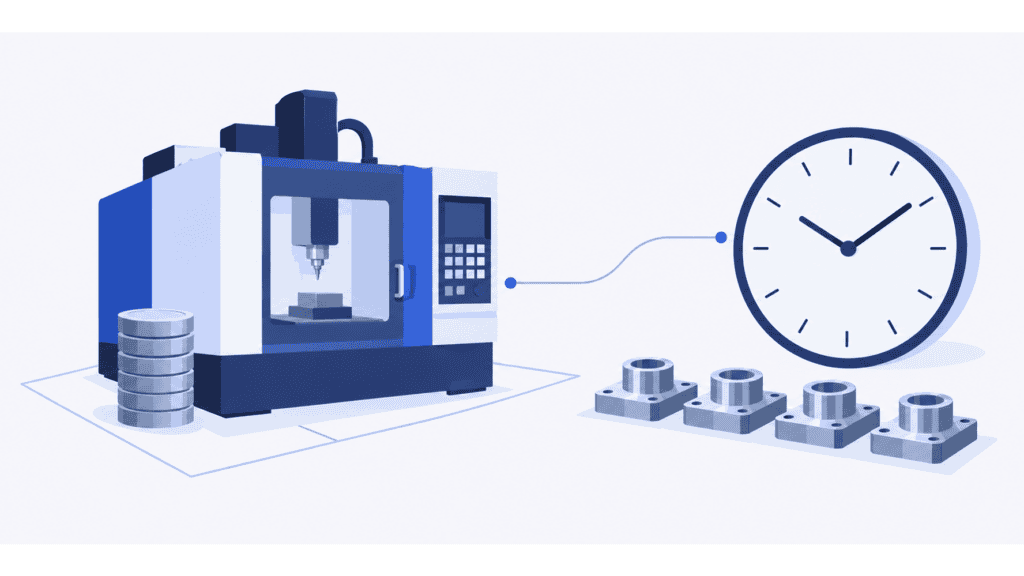
A machine hour rate is the cost assigned to one hour of a machine’s use. For a machine-only cost rate, it covers the agreed equipment and operating costs. Direct operator labor is separate unless your costing method explicitly includes it.
For the same period and scope:
Machine hour rate = Total machine-related cost ÷ Machine hours used as the costing basis
When separating standing costs from usage-dependent costs, a practical planning formula is:
Machine hour rate = Annual standing machine costs ÷ Budgeted costed machine hours + Variable machine cost per hour
Standing costs are costs you expect to carry over the period within the planned operating range, such as depreciation, insurance or a fixed service agreement. Variable costs change with use, such as operating electricity or usage-related consumables. Some bills contain both components.
This is a cost-recovery calculation, not automatically the price to charge a customer. An all-in shop rate may also contain operator labor, shared factory support, business expenses and profit. Before comparing two hourly rates, find out what each one includes and what kind of hour it multiplies.
Build the machine’s cost basis without charging anything twice
Start with one machine or a genuinely comparable machine group. Choose a period, usually a budget year, and map the relevant costs with finance. A small manual machine and an expensive automated cell should not share one rate merely because both are available for the same number of shifts.
Your machine cost basis may include:
- Ownership or access: an agreed depreciation charge for owned equipment, or the appropriate lease/rental cost basis. Do not add the full purchase price and annual depreciation for the same period.
- Capital cost: financing or an agreed management charge for capital tied up in the machine. Keep the chosen basis consistent; do not add overlapping financing and capital charges blindly.
- Space and fixed support: the machine’s share of floor-space costs, insurance, fixed maintenance and other support assigned to it.
- Usage-dependent costs: production energy, lubricants, normal tool wear and other consumption that follows machine activity.
Separate fixed and variable elements where the distinction changes a decision. A service contract may be a standing annual cost while replacement parts vary with use. Electricity can include a standing charge and running consumption. Use a credible consumption estimate rather than assuming the machine draws its full rated power during every occupied hour.
Decide where shared factory overhead belongs. If premises and maintenance are already recovered through this machine rate, charging the same amounts again through another overhead surcharge inflates the job cost. Equally, leaving supervision or other production support out of every rate understates it. Keep an account-to-rate mapping so each cost enters the estimate once.
For internal management decisions, finance may use a depreciation or capital basis different from tax allowances. Agree the purpose before selecting the figures. A fully depreciated machine can still have maintenance, space and operating costs; a zero book depreciation charge does not make its use free. Statutory inventory valuation and tax calculations require their own accounting treatment.
Choose hours that match how you will cost the work
The denominator is often the most consequential assumption. A year of calendar time is not a year of usable production, and usable capacity is not automatically occupied by customer work.
Start from the machine’s scheduled shifts. Deduct periods when it is not available, such as planned maintenance and closures. Then assess the job hours you can realistically expect from the demand, staffing and production conditions you plan to support.
Imagine a machine has 2,000 scheduled shift hours in a year. Planned unavailable periods remove 200 hours, leaving 1,800 available hours. You budget 1,500 hours occupied by production jobs. That last figure, not 2,000 or 1,800 automatically, is the proposed cost-recovery denominator.
Make the meaning of those 1,500 hours explicit:
- Setup and run time: if the rate will be applied to both, include both in the costed-hour basis. If setup is costed separately, keep the two calculations consistent.
- Waiting and interruptions: identify how they are treated. Do not call a queue delay productive machine use, or subtract the same loss twice through overlapping availability and utilization adjustments.
- Operator time: count it separately. A machine running unattended does not consume continuous operator attention; two people setting up one machine create more person-hours than machine hours.
- Billable time: keep it distinct from physical use. A fixed-price part order may have no separately invoiced machine-hour line at all.
Use history to challenge the budget, not to copy last month’s downtime into every future quote. A very quiet month can produce a high retrospective cost per hour without showing what a normal year should cost. Compare that result with your approved planning basis and investigate the unused capacity separately. Otherwise, fewer orders can push the quoted rate up, making it still harder to win suitable work.
With zero costed hours, the hourly division is undefined. Report the standing cost and unused capacity rather than inventing an hourly figure.
Machine hour rate calculation: one machining centre
Imagine a machining centre with the following annual management-cost budget. These illustrative figures are in US dollars, not recommended market rates. Direct operator labor, material and other job-specific charges are excluded.
| Standing machine cost | Annual amount |
|---|---|
| Agreed depreciation charge | $24,000 |
| Capital charge | $6,000 |
| Allocated floor-space cost | $12,000 |
| Insurance | $4,000 |
| Fixed service and support | $14,000 |
| Total standing machine costs | $60,000 |
The shop budgets 1,500 machine-occupied job hours, including setup, and $10 of variable machine cost per occupied hour. The variable amount is a blended allowance for this example’s mix of setup and running activity.
$60,000 ÷ 1,500 hours + $10 = $50 per machine hour
At that activity level, the included annual cost is $75,000: $60,000 standing costs plus $15,000 variable costs. Dividing $75,000 by 1,500 hours gives the same $50 rate. Do not divide that full annual total and then add the variable allowance again.
Now change only the annual costed hours, keeping the same standing cost and variable allowance:
| Costed machine hours per year | Standing cost per hour | Variable cost per hour | Machine cost rate |
|---|---|---|---|
| 1,000 | $60 | $10 | $70/hour |
| 1,500 | $40 | $10 | $50/hour |
| 2,000 | $30 | $10 | $40/hour |
The table is a sensitivity test, not a promise that the extra hours exist. In the earlier availability example, 2,000 occupied hours would require a change to the available capacity. If achieving them needs another shift, more personnel or a different maintenance arrangement, revise those costs too.
At 2,000 hours, the included annual cost rises to $80,000 because variable consumption rises. The standing cost remains $60,000. The lower hourly figure spreads that standing cost over more work; it does not remove $10 from the bank payments associated with every hour.
Apply the machine rate and operator cost separately
Suppose a job needs two hours of setup and eight hours of running on this machine. Under the example’s blended policy, both carry the $50 machine rate:
10 machine hours × $50 = $500 of assigned machine cost
The operator spends two hours on setup and three hours attending the run. At a loaded labor cost of $30 per person-hour:
5 person-hours × $30 = $150 of direct labor
Together, the listed machine and labor components are $650, before material, outside processing and any other costs not already included. Charging ten operator hours simply because the machine runs for ten hours would misstate this job’s attendance requirement. If the operator tends several machines, do not assign the same full hour of attendance to each one.
The single blended machine rate is useful only while it represents the work reasonably. If setup consumes little energy and cutting uses expensive tools or substantially more power, separate setup and running rates may improve the estimate. Offline programming may need its own labor and workstation basis rather than a charge for a machining centre it does not occupy.
The customer’s selling price is a further decision. It must cover the remaining costs and your chosen profit requirement while making sense for the market and the work you want. A $50 machine cost rate is neither a $50 selling-price recommendation nor evidence that a higher-priced job is necessarily better business.
Use a full cost rate for the right decision
A consistent recovery rate helps you build sustainable quotes and assess whether the expected workload supports the machine’s cost structure. It is not always the right measure for a short-term decision about one additional job.
If the machine and its staff would otherwise be idle, examine the extra cash costs the job causes and the contribution it can make. If capacity is constrained, also consider the work it would displace. Overtime, additional tooling or a new shift can change the answer. Do not treat an allocated depreciation charge as an avoidable cash payment, or use a temporary incremental-cost decision as the permanent price policy.
The same distinction matters when improving production. Freeing an hour has value when it enables needed work, avoids overtime or removes a real expense. If no suitable work uses it and no expenditure changes, multiplying that hour by the full machine rate does not prove a cash saving. Running unwanted stock merely to lower the rate can tie up money instead of improving profitability.
Use SkyPlanner to improve the hours behind the rate
A precise-looking hourly figure built on weak time estimates gives you weak quotes. SkyPlanner connects the production evidence and the plan, so you can improve the assumptions and act on what the review reveals.
Check planned time against the work recorded
SkyPlanner’s Timer records work against production jobs. The Job Report shows logged time, the person and workstation, helping you compare planned and recorded durations at process-step level. All Timelogs provides the underlying events, while the Order Item Report gives the order-line view.
Start with the ten-hour machining estimate above. Suppose a review of the records confirms twelve comparable machine-occupied hours for the same scope. At the unchanged $50 rate, the assigned machine cost becomes $600 rather than $500. The $100 difference is a costing signal, not proof of an extra $100 cash payment.
Find out where the two hours went. Was setup underestimated? Did a repeated setup consume time? Was there rework, an interruption or a logging error? Correct the next estimate where the allowance was wrong, and address avoidable losses rather than quietly building all of them into the standard.
Agree what the logs represent before totaling them into a machine-hour denominator. Job duration, recorded person-time and unique machine occupancy can differ. SkyPlanner gives the review a job, person and workstation context; consistent recording rules make those records useful costing inputs.
Give recoverable machine time useful work to do
SkyPlanner’s capacity views help you examine load against availability for the relevant resources. That makes it easier to challenge an ambitious annual-hour assumption and see whether spare time is on the machine that actually needs work.
Arcturus, SkyPlanner’s scheduling AI, calculates the production schedule around configured workstations, shifts, operators, operation durations, dependencies and priorities. With material-aware scheduling enabled, material availability also affects the calculation. You steer priorities and protect decisions with locks; the Gantt timeline shows the resulting shared plan.
If an improvement releases machining time, the next question is which needed job can use it and what happens to its later operations. SkyPlanner coordinates that work with the existing load instead of leaving you to rebuild separate machine queues. You get a practical way to turn better duration assumptions and available capacity into a more workable production day.
Bring one machine’s rate into a SkyPlanner demo
Choose a machine whose rate is difficult to defend or whose jobs repeatedly overrun their estimates. Confirm the cost boundary and hourly basis with finance, then bring a recent planned-versus-actual example and the other work competing for that resource.
Choose SkyPlanner when you need both better production-time evidence and a connected schedule for using the capacity behind the rate. SkyPlanner integrates with any ERP or MES through its open REST API, so you can improve production scheduling alongside your existing order and finance systems.
Book a SkyPlanner demo to explore that machine, its time assumptions and its place in the wider production plan. If you prefer to explore first, try SkyPlanner with demo data. The aim is not just a more convincing hourly number: it is better-informed quotes and a more profitable use of the production capacity you support.
Jussi Mäntylä
Production Planning Specialist, SkyPlanner


