





In this article
- Cost the customer job, not an average month
- Build a job cost sheet that preserves the original promise
- Capture the inputs that explain the result
- Materials: follow consumption, returns and losses
- Time: separate labor, machine use and waiting
- Overhead: apply a defined rate without double counting
- Job order costing example: 100 brackets, less margin
- Close the job before closing the lesson
- Turn the next quote into a job production can deliver
- What that changed at Eskomatic
- Bring one job’s overrun into a SkyPlanner demo
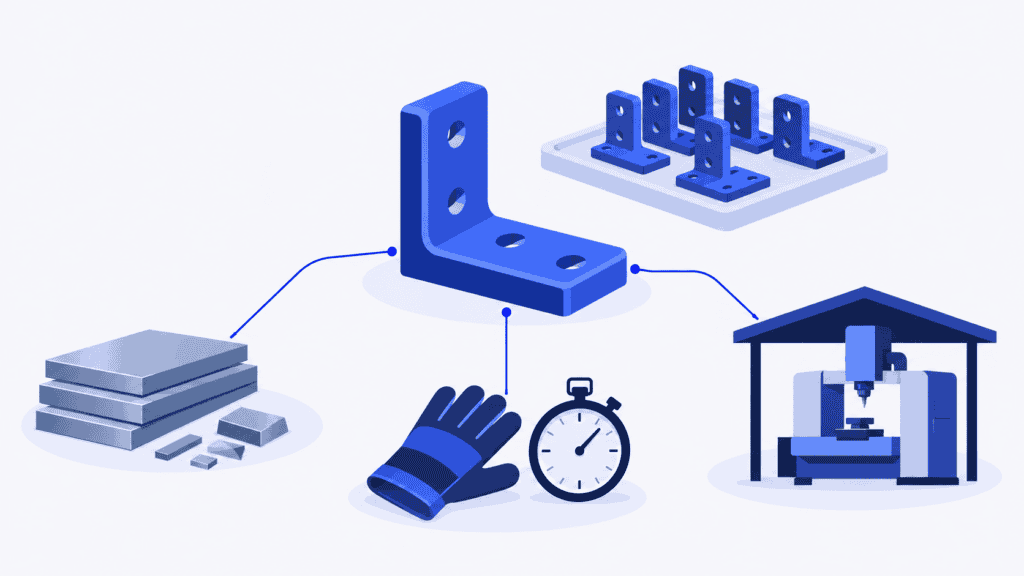
Job order costing tracks the manufacturing cost of an individual customer job or production order: its direct materials, direct labor and assigned manufacturing overhead. It lets you compare what you expected a job to cost with what the work actually consumed, rather than hiding different orders inside a factory average.
For a make-to-order manufacturer, that comparison should answer a practical question: where did this job’s margin go, and what needs to change before you accept similar work again?
The answer is rarely another total on its own. You need a cost record that follows the job, preserves the original quote and connects an overrun to a decision. SkyPlanner helps make that connection through production time records, planned-versus-actual reporting and a shared AI schedule. You get better evidence for the next quote and a way to tackle coordination losses before they repeat on the shop floor.
Cost the customer job, not an average month
A factory can have a reasonable monthly cost per unit while losing money on particular orders. One customer needs an extra setup, another specifies expensive material, and a third requires a route through your busiest machine. Dividing the month’s expenditure by total output does not explain those differences.
Job order costing keeps the costs with a defined piece of work. That might be a batch of 100 machined brackets, a custom cabinet or a complete equipment assembly. A job can contain many units and run across more than one accounting period. Its identity, specification and agreed scope determine what belongs in the record.
Process costing, by contrast, averages costs across comparable output within a process. It suits relatively uniform production. Some factories combine approaches: common processing costs can be averaged while order-specific materials or finishing are traced separately. Choose the detail that explains meaningful differences between the work you sell.
Keep the job total distinct from total manufacturing cost for a period. Unfinished jobs still carry work-in-process costs; shipping a finished order does not mean every related supplier charge has arrived. Production progress and financial completeness need separate attention.
Build a job cost sheet that preserves the original promise
A job cost sheet is the running record of costs assigned to one job. It can be a job record in your existing business system rather than a separate document. What matters is that production, purchasing and finance refer to the same work and can compare the estimate with the result.
Start before releasing the job. Keep the accepted quote and its assumptions as a fixed baseline; do not overwrite them when the route or material requirement changes.
| Part of the record | What to keep | Why it matters at closeout |
|---|---|---|
| Job identity and scope | Customer, job number, order line, drawing revision, quantity and accepted specification | Prevents costs from different jobs or versions being mixed |
| Original estimate | Material quantities and values, setup and run-time allowances, cost rates and overhead basis | Shows what the price was built on |
| Approved changes | Revised scope, authorization, additional price and date | Separates customer changes from production overruns |
| Production actuals | Material issues and returns, good and faulty output, time by operation and relevant resource | Explains what the work consumed |
| Cost assignments | Labor valuation, applied overhead, traceable outside processing and supporting documents | Connects physical activity with money without charging the same cost twice |
| Closeout decision | Outstanding costs, variance cause, corrective action, owner and next review | Makes the result useful for the next order |
Use the job number through the supporting records, not just on the final report. A purchase invoice, time entry or material return without the right reference can make one job look cheap and another expensive.
Also distinguish the customer job from its individual operations. In SkyPlanner, orders and order items connect with production jobs at process-step level. Keep that relationship clear when combining production records with your costing job: a machining operation is not necessarily the whole customer order.
Capture the inputs that explain the result
Materials: follow consumption, returns and losses
Charge the material the job uses, at the valuation agreed with finance. A purchase made for a job is not automatically all consumed by it: usable stock may be returned, shared with another order or remain unissued.
Record extra issues and returns as they happen. If rejected blanks consume material, that consumption must remain visible even though the blanks never become saleable parts. Keep the good quantity and the rejected quantity alongside the material record so you can distinguish a higher input price from lower yield.
Directly traceable outside processing, such as a job-specific heat-treatment service, also needs a place in the cost record. Agree its classification and include it once. If the invoice arrives after dispatch, identify the expected charge rather than treating the missing invoice as a saving.
Time: separate labor, machine use and waiting
Person-hours, machine hours and elapsed lead time answer different questions. Two people working together for one hour create two person-hours. An unattended machine can run without continuous operator attendance. An order waiting two days for inspection has not necessarily consumed two days of direct labor.
For useful job costing, separate setup from recurring run time where that distinction changes the decision. Record rework and exceptional interruptions with enough context to explain them. Then value the direct person-hours using the applicable labor cost, including the employer costs assigned to direct labor under your costing policy.
This is where SkyPlanner’s production records help. Its Timer and Job Report connect logged work with the production job, person and workstation. The Order Item Report gives the order-line view, while predicted-versus-realized reporting lets you compare planned durations with recorded production times. Instead of asking someone to remember why an order ran long last month, you can start with the operation that exceeded its allowance.
Agree what each time entry represents before using it as a costing input. Do not automatically treat a logged production duration as both direct labor and machine hours. The meaning of the recorded hour must match the rate applied to it.
Overhead: apply a defined rate without double counting
A job also uses factory support: premises, equipment depreciation, maintenance and other indirect production costs. A practical job-costing approach is normal costing, which combines actual direct costs with overhead applied at a predetermined rate.
For example, a machine-hour overhead rate is applied to the job’s relevant machine hours. Its cost pool should exclude direct operator labor if you are charging that labor separately. An all-in shop rate that already contains labor needs a different treatment; adding direct wages again would inflate the job cost.
Keep the pool, allocation base and rate version with the job’s estimate and closeout. The manufacturing overhead guide covers how to calculate and review that rate. Here, the important point is consistency: an overhead charge based on actual activity is still an applied cost, not a measurement of the exact utility, rent and maintenance expense caused by that one order.
Job order costing example: 100 brackets, less margin
Imagine a machine shop accepts an order for 100 finished brackets at $8,000. The drawing, quantity and agreed scope remain unchanged. All 100 acceptable brackets are completed and sold, and the following amounts cover the whole job. The figures are illustrative, in US dollars.
The shop values direct labor at $35 per person-hour. Its machining overhead rate is $30 per machine hour and excludes the direct labor charged separately below. Those rates stay unchanged for this comparison.
| Cost element | Original estimate | Closeout: actual direct costs plus applied overhead | Overrun |
|---|---|---|---|
| Direct materials consumed | $2,400 | $2,700 | $300 |
| Setup labor | 8 hours × $35 = $280 | 12 hours × $35 = $420 | $140 |
| Run and finishing labor | 32 hours × $35 = $1,120 | 38 hours × $35 = $1,330 | $210 |
| Applied machining overhead | 60 machine hours × $30 = $1,800 | 72 machine hours × $30 = $2,160 | $360 |
| Total manufacturing job cost | $5,600 | $6,610 | $1,010 |
The labor and machine-hour totals differ because machine use is recorded separately from direct person-hours. Neither is the order’s calendar lead time.
The original estimate left $2,400, or 30% of revenue, after manufacturing job cost. The closeout leaves $1,390, approximately 17.4%. These are margins after the manufacturing costs shown, before selling, general administration and other business expenses. They are not net profit, and the applied overhead remains subject to the factory’s overhead reconciliation.
The completed job cost is $66.10 per good bracket, compared with the estimated $56. But simply putting $66.10 into the next quote would miss the more valuable explanation.
Suppose the review finds three causes. Rejected blanks account for the extra $300 of material. An interruption forced a repeated fixture setup, adding four person-hours. The original run-time allowance omitted a finishing task, accounting for another six person-hours. The additional 12 machine hours explain the $360 increase in applied overhead; the team must examine the operation records to understand where that machine time went.
Those findings lead to different actions. The finishing task belongs in the next routing and estimate. The rejected blanks need a process investigation. The repeated setup needs a scheduling or release decision, not an assumption that every future order should pay for the same avoidable interruption.
The larger overhead assignment also does not mean the factory paid an extra $360 in cash. It shows the job used more of the activity carrying the overhead pool. Keep the resource consequence and the spending consequence distinct.
Close the job before closing the lesson
Dispatch is a good trigger for a review, not proof that the cost record is final. Give one person responsibility for bringing production and finance together while the work is still fresh.
First, confirm the scope and output. Was the accepted quantity completed? Did a drawing change, extra inspection or customer request alter the work? Compare like with like, and show approved scope changes and their revenue separately from an overrun on the original promise.
Next, check completeness. Review unposted time, unreturned material, outside-processing charges and other expected costs. Mark the result provisional if meaningful charges are still missing, and give them an owner and review date. Keep unfinished work identified rather than loading all its costs onto the units already shipped.
Then explain the important differences. Start with the material or operation that changed, not a general conclusion that the job was inefficient. Missing records, a poor estimate, a new requirement, rework and a readiness conflict call for different responses. A longer duration shows where to investigate; it does not prove the operator worked poorly.
Finish with a change that has an owner:
- A quoting assumption was wrong. Update the material allowance, setup or run time, relevant rate, or required outside service for future comparable work. Preserve the old estimate so the original difference remains explainable.
- The customer’s requirement changed. Improve change approval and pricing before releasing the additional work.
- Production lost time unnecessarily. Correct the process or the conditions that caused the loss, then check the next comparable job to see whether the action worked.
Do not turn every overrun into a higher standard allowance. That can make the next quote cover an inefficient process without improving it. Equally, do not keep quoting an ideal time that the work cannot achieve. Use a realistic estimate while making the improvement visible and testable.
Turn the next quote into a job production can deliver
A better cost allowance still needs a workable production plan. If the job repeats its extra setup because it is interrupted by competing orders, or waits because the required material and preceding operation are not ready, the costing review has identified a coordination problem.
Choose SkyPlanner to connect that production evidence with the work coming next. Its scheduling AI, Arcturus, calculates the timing of operations against defined workstations, shifts, operators, durations, dependencies and priorities. With material-aware scheduling enabled, material availability also affects the calculation. The Gantt timeline shows the resulting shared schedule.
For the bracket order, that means planning its route alongside the other work competing for machining and finishing, rather than giving each department an isolated queue to repair. You set priorities and protect decisions with locks; Arcturus handles the scheduling calculation. When the load or availability changes, recalculating the connected plan makes the downstream effect visible without rebuilding every assignment by hand.
That combination is the reason to use SkyPlanner here: production actuals give you a stronger explanation of the last job, and connected scheduling helps prevent avoidable coordination losses on the next. It improves both the basis for your quote and the use of the capacity behind it. SkyPlanner integrates with any ERP or MES through its open REST API, so you can connect production scheduling with the systems you already use for orders and costing.
What that changed at Eskomatic
Contract machining company Eskomatic previously organized work queues largely by hand in an ageing ERP and production-control system. Limited material visibility made it harder to anticipate shortages before they interrupted the work.
With SkyPlanner connected to its existing ERP, the company gained a visual work queue and automatic load scheduling. Its account describes fewer production stoppages caused by material shortages and more accurate delivery-date setting. The team could see the upcoming load more clearly and respond earlier.
That is a useful operational lesson for a job-cost review: knowing a job ran over is only the beginning. Improving readiness and the shared work sequence gives the team a way to address a recurring cause. Read Eskomatic’s SkyPlanner review for the full experience.
Bring one job’s overrun into a SkyPlanner demo
Choose a recently completed order whose margin disappointed you. Bring its original estimate, material consumption, planned and recorded times, and the route through your shared resources. Include the other orders or shortages that affected it.
Book a SkyPlanner demo to explore how production reporting and a connected schedule could improve that job’s next run. You will have a concrete starting point: which allowance needs correcting, where coordination consumes capacity, and what a better plan should change. If you prefer to explore first, try SkyPlanner with demo data.
Jussi Mäntylä
Production Planning Specialist, SkyPlanner


