





In this article
- One piece at a time does not mean one piece in the whole line
- Example: the same processing work, much less waiting
- Why manufacturers pursue one-piece flow
- When does one-piece flow work well?
- Where a small batch or buffer is the better choice
- Pilot the handoff, not just the label
- Connect the chosen flow to the factory schedule with SkyPlanner
- Plan an overlap where the process permits it
- Keep the connected plan useful when priorities change
- What a common work sequence changed at UTU
- Make the next operation part of the decision
Home » Resources » One-Piece Flow: When It Works in Manufacturing
Estimated reading time: 10 minutes
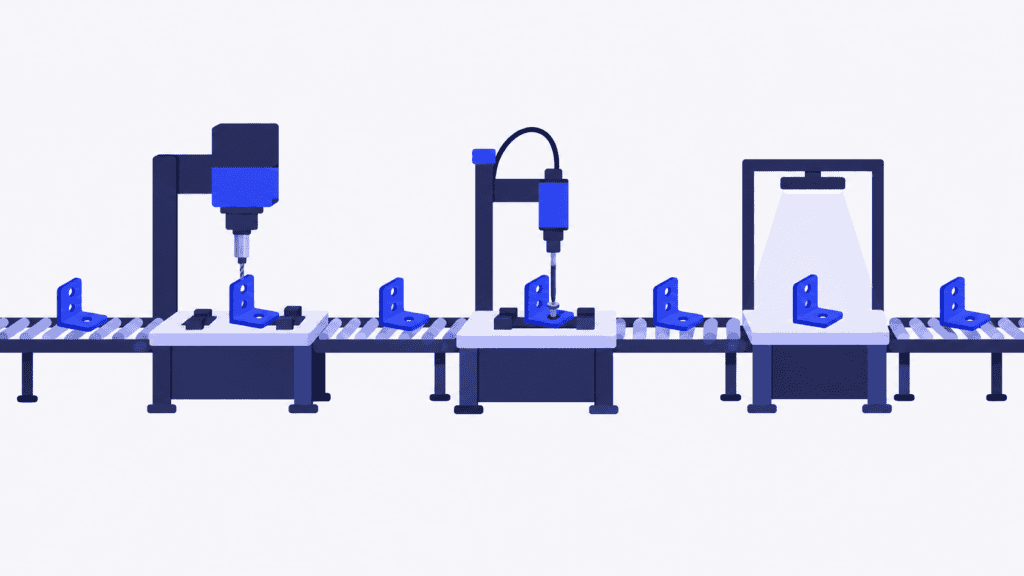
One-piece flow means passing each finished piece directly to the next operation instead of waiting to collect a transfer batch. The receiving operation is ready to work on it, so the part keeps moving through the sequence rather than joining another queue.
The attraction is straightforward: customers do not benefit when an almost-finished order waits for a pallet to fill. Smaller, more frequent handoffs can shorten that wait and bring quality problems to light sooner. But moving one piece at a time only works when the next operation can receive it.
For a production manager, that makes one-piece flow both a process-design question and a scheduling question. Your team establishes a workable flow; SkyPlanner APS connects the operations to the capacity and priorities of the wider factory. That is how an earlier handoff becomes an opportunity to finish sooner, rather than simply an earlier arrival at a busy machine.
One piece at a time does not mean one piece in the whole line
Several parts can be in production simultaneously. One may be at assembly, another at test and another at packing. Each moves onward individually when its operation is complete and the next step is ready.
Keep three quantities separate:
| Quantity | What it describes | What one-piece flow changes |
|---|---|---|
| Transfer batch | How many pieces move to the next operation together | The target is one piece per handoff |
| Production batch | How many pieces you make in a run before changing product or setup | It can remain larger than one |
| Total work in progress (WIP) | All unfinished units inside the chosen production boundary, including those being processed and waiting | Less waiting can reduce WIP, but the whole line is not restricted to one unit |
You could machine a run of identical brackets under one setup and pass each completed bracket directly to deburring. That is different from changing the machining setup after every bracket. Reducing the transfer batch does not automatically require reducing the production batch to the same size.
The ideal linked sequence has no queue between operations. A practical route may include such a sequence alongside a controlled buffer or a process that must run in batches. Be clear about where direct flow starts and ends; calling the whole factory one-piece flow will not make every handoff immediate.
Example: the same processing work, much less waiting
Imagine an order for ten identical units passing through preparation, assembly and testing. Each operation takes two minutes per unit. Each has its own staffed station, all three stations are available, and a unit can move immediately after processing. There are no setups, travel delays, failures or release checks in this simplified example.
With whole-batch transfers, preparation completes all ten units before assembly starts. Assembly does the same before passing the batch to test. With one-piece transfers, assembly starts as soon as the first prepared unit arrives, and testing starts as soon as that unit has been assembled.
| Result | Transfer all ten together | Transfer one at a time |
|---|---|---|
| First unit finishes testing | After 42 minutes | After 6 minutes |
| All ten units finish | After 60 minutes | After 24 minutes |
| Processing time per unit across the three operations | 6 minutes | 6 minutes |
Nothing has made a machine faster. The gain comes from overlapping the operations on different units instead of making each station wait for the whole batch. Once the one-piece sequence fills, the example produces a finished unit every two minutes, while several units are being processed at once.
Now suppose the test station is occupied by another order. The first assembled unit cannot immediately enter testing. Passing it forward sooner does not remove that reservation. You need to coordinate the receiving capacity, not just reduce the number of parts on the transfer trolley.
Why manufacturers pursue one-piece flow
The most immediate benefit is a shorter path to the first finished piece. When handoffs do not wait for a batch to accumulate, downstream work can begin earlier. Less interoperation waiting also means less unfinished stock occupying space and tying up money.
Quality feedback travels faster too. If testing identifies an assembly problem after the first piece, the team can investigate before continuing a large run under the same conditions. That reduces the amount of work exposed to a repeating defect; it does not replace inspection or a capable process.
Smaller handoffs can also make the work easier to understand. A queue that previously hid a slow operation becomes a visible interruption. That gives the team a specific improvement problem: an unreliable fixture, uneven work content or a material shortage.
There is a trade-off. Removing the buffer makes operations more dependent on one another. A stoppage can starve the next station or block the previous one. More frequent transfers can also add handling effort if the layout is unsuitable. The objective is a shorter, more reliable route to a good finished product, not more trips across the factory carrying single parts.
When does one-piece flow work well?
Choose a product family and examine its actual sequence. Similar routes help, but the decisive test is whether the operations can repeatedly hand good work to one another at a usable pace.
| Check | A promising condition | What to resolve before tightening the flow |
|---|---|---|
| Processing times | Work content is repeatable and the sequence can meet customer demand | A much slower operation or frequent variation causes blocking and starvation |
| Quality | Each operation reliably passes acceptable work onward | Defects and rework repeatedly interrupt the sequence |
| Equipment and staffing | Machines and the required people are available when the sequence needs them | Breakdowns, missing skills or competing assignments stop the handoff |
| Handling and supply | Safe, short transfers and dependable point-of-use materials | Long travel, awkward loads or missing components make single-piece movement impractical |
| Changeovers and release rules | The chosen product mix can run without disruptive setups or mandatory batch holds | Cleaning, curing, testing or release requirements prevent immediate onward movement |
Use takt time, the available production time per required unit, to understand the pace demand requires. Compare it with repeatable operation times and the resources actually available. Do not balance a line around the fastest cycle anyone has ever achieved.
If one operation takes substantially longer, investigate the work content, staffing or suitable additional capacity. Moving parts more frequently will not remove a genuine bottleneck. Nor should an upstream station keep producing merely to look busy when the receiving operation cannot use its output.
Where a small batch or buffer is the better choice
A furnace load, a batch mixer or a mandatory quality-release hold may create a necessary batch boundary. You can still improve the flow before and after it. There is no need to force the entire route into the same transfer pattern.
A shared resource serving several product families creates a different constraint. It may not be economical to dedicate it to one sequence. A small, defined FIFO buffer can preserve order and absorb some variation while you coordinate access to the resource. Set a clear limit and replenishment rule rather than letting the buffer become an unexamined stockpile.
A transfer batch of several pieces is not literally one-piece flow, but it may be a worthwhile improvement over moving a full production lot. Choose the smallest practical handoff that improves the whole route, then work on the reasons you cannot yet make it smaller.
Pilot the handoff, not just the label
Start with a bounded sequence and a representative product mix. Include the slower variants and the receiving resource that most often delays the work.
1. Record the current flow. Measure the time to the first finished unit, the time to complete the order, waiting between operations, WIP and quality results. Use the same start and finish points throughout the comparison.
2. Agree the working method. Define who transfers the piece, when the next operation may accept it, how material is replenished and what happens when a station stops. Preserve safety, traceability and required release checks.
3. Test realistic availability. Include shifts, operator coverage, changeovers and other orders using the receiving equipment. An empty downstream station during a demonstration is not evidence that normal production will work the same way.
4. Review the complete outcome. Check whether orders finish sooner without shifting the queue outside the pilot boundary or creating more handling and rework. Investigate interruptions before reducing another buffer.
The pilot should tell you which operations can be directly connected, which need a controlled decoupling point and what must change to sustain the improvement.
Connect the chosen flow to the factory schedule with SkyPlanner
Once you have agreed how the work should move, put that sequence into a connected production plan. SkyPlanner lets you define product process steps, eligible workstations, durations and dependencies. Arcturus, its scheduling AI, schedules the work against configured capacity and priorities; the Gantt view shows when the operations are planned across resources.
That is especially useful when the receiving station also serves other orders. Instead of maintaining a separate flow-pilot list and manually fitting it around the test department’s queue, you can coordinate the operations in the same resource schedule. The benefit is less list reconciliation and a clearer view of whether the earlier handoff has usable capacity waiting for it.
Plan an overlap where the process permits it
SkyPlanner’s minimum degree of manufacture allows a downstream operation to start before the preceding operation has fully finished. It gives the schedule a way to represent permitted overlap rather than assuming that every operation must wait for the entire upstream run.
The completion threshold is based on elapsed work time. Treat it as a scheduling model of the agreed process, not as a physical signal confirming that a particular counted piece has arrived. Validate the timing against actual output, handling and quality-release requirements. A planned overlap alone does not establish a zero-buffer line.
For the ten-unit example, the important question is whether the schedule can overlap preparation, assembly and testing while preserving their real resource requirements. If testing has another commitment, that competition belongs in the same plan.
Keep the connected plan useful when priorities change
An urgent order, a lost shift or a delayed material delivery can change the opportunity for overlap. Update the relevant priorities or availability and let Arcturus recalculate the schedule. With material-aware scheduling enabled, material availability also affects the calculation.
You retain the production decisions and priorities; SkyPlanner handles the scheduling calculation around them. SkyPlanner integrates with any ERP or MES through its open REST API, so better coordination can build on the order and production data you already use.
What a common work sequence changed at UTU
At UTU’s Ulvila factory, production planning previously relied on department-specific Excel spreadsheets. Changes in the ERP’s work sequence did not always reach the shop floor, and the team spent time confirming what to do and in what order.
UTU’s SkyPlanner implementation brought all the factory’s lines and departments into one system, integrated with Oracle NetSuite and its payroll system. The company highlights the combination of automatic scheduling and the visual Gantt timeline. When the sequence changes, the revised work queue reaches the installers in seconds. UTU also reports around two hours saved each week from no longer updating spreadsheets by hand.
That experience illustrates the coordination you need when changing a transfer pattern: the people sending and receiving work need a common, current sequence, not two local lists that drift apart.
Make the next operation part of the decision
One-piece flow is worth pursuing where good parts can move directly between reliable, suitably balanced operations. Keep production-run size, transfer quantity and total WIP separate, and retain justified batch boundaries where the process needs them.
Choose SkyPlanner when coordinating those operations with the rest of the factory is consuming too much planning time. You get a connected schedule for the agreed flow and the competing work, so your team can focus on resolving constraints rather than repairing separate queues.
Book a SkyPlanner demo with one product family’s route, its current transfer quantities and the shared resource most likely to delay it. Ask to see how permitted overlap and a competing order fit into the same schedule. If you prefer to explore the scheduling view first, try SkyPlanner with demo data.
Jussi Mäntylä
Production Planning Specialist, SkyPlanner


