





In this article
- What is a production dashboard?
- Start with the person making the decision
- Which production dashboard metrics are useful?
- Example: a green output total, a delivery at risk
- Connect the overview to action with SkyPlanner
- Make the information trustworthy enough to act on
- A shared production picture at UTU
- Build your next daily review around a real exception
Home » Resources » Production Dashboard: See What Needs Action Today
Estimated reading time: 9 minutes
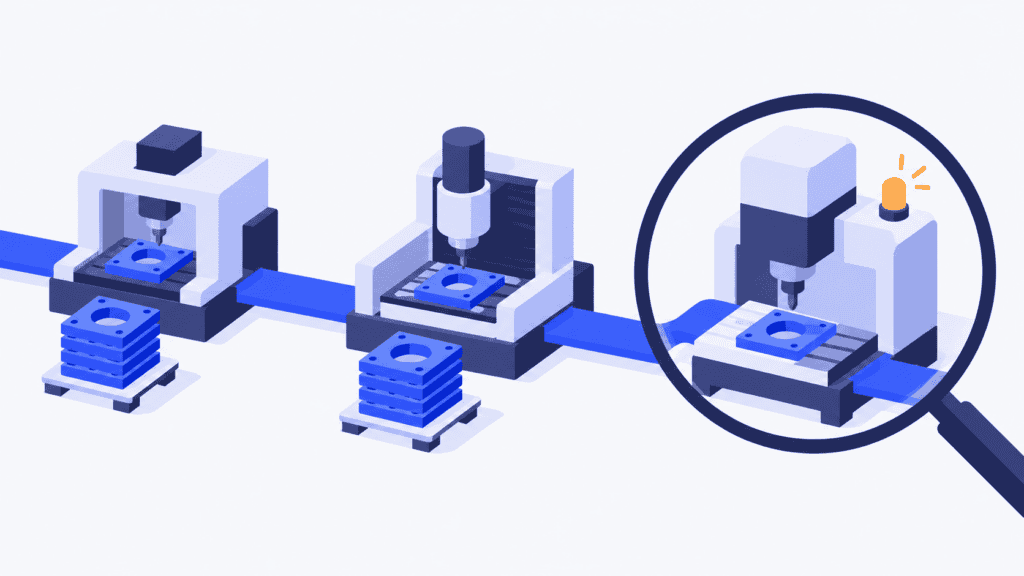
The factory’s output is ahead of target, yet an order due tomorrow is waiting at a stopped machine. A green total tells the morning meeting that production is doing well. The customer is about to hear something different.
A useful production dashboard brings that mismatch into view while you can still do something about it. It helps the team see which work needs attention, understand why and decide what should change next.
SkyPlanner APS connects that visibility with finite production scheduling. You can bring relevant production information together in a customizable dashboard, then use Arcturus and the Gantt schedule to work through the consequences of a change. Instead of rebuilding a report and rearranging separate machine queues, you manage the issue and the plan in the same environment.
What is a production dashboard?
A production dashboard is a visual overview of selected manufacturing information, refreshed often enough to support the decisions its users need to make. It can show production progress, capacity, delays and performance against a target, using charts, indicators and tables rather than a long list of records.
The same idea is often called a manufacturing dashboard. Its purpose is not to display everything the factory measures. It is to make the relevant condition easy to recognize: work is falling behind, a resource has lost capacity, or an order needs a different plan.
A dashboard, report and schedule support different parts of that decision:
- The dashboard directs attention. What needs a closer look now? Historical trends can add context, but the daily view should make today’s exceptions clear.
- A manufacturing production report records the result for a defined period. What happened during the shift or day, and what explains the difference from the issued plan?
- The schedule directs the work. Which operation should run next, on which eligible resource, and when can it finish?
A refreshed chart is not a revised schedule. Once an exception matters, production scheduling must account for the other jobs competing for the same time.
Start with the person making the decision
Choose the audience before choosing the charts. A screen that tries to serve operators, planners and senior management equally can leave everyone searching for the information they need.
A shift supervisor needs to know whether the team can finish its assigned work and what is preventing progress. Current jobs, interruptions and usable output matter more than a plant-wide monthly average. The useful detail is close to the operation and the current shift.
A production manager or planner needs to see which commitments are at risk and where the plan no longer fits available capacity. Workstation load, delayed operations and the remaining route help decide whether to change a priority, adjust capacity or revise a completion date. The horizon extends beyond the shift because today’s delay can block tomorrow’s work.
Plant management needs trends that support resource and improvement decisions: recurring bottlenecks, delivery performance and losses that persist across comparable periods. Those trends deserve their own view rather than crowding the daily exception screen.
Start with the decisions your own review must produce. If the meeting is about protecting this week’s deliveries, build the overview around those commitments and the resources they depend on. Add a metric only when it helps the team choose or check an action.
Which production dashboard metrics are useful?
For a manager’s daily review, the following signals are a practical starting point. Choose the measures that help your team make its production decisions.
| Signal | Read it in context | Decision it can support |
|---|---|---|
| Progress against the plan | Which operations should have started or finished by now, and what remains? | Investigate an interruption or update the remaining work |
| Load against available capacity | Which workstation and time window have more required work than available time? | Change allocation, capacity or priorities |
| Delayed operations and due orders | Which affected jobs sit on the route to a customer commitment? | Protect a delivery or give the customer a credible revised date |
| Usable output and quality losses | Are completed quantities ready for the next step, or do scrap and unresolved quality issues leave a shortfall? | Confirm replacement work and its capacity requirement |
| Repeated time or performance losses | Is the same operation repeatedly taking longer than expected? | Investigate the cause and improve the estimate or process |
Keep measures with different meanings distinct. Historical on-time delivery tells you how completed deliveries performed. It does not, by itself, tell you whether the open orders due this week will finish on time. Use the current schedule to examine that forward-looking question.
Likewise, a high piece count can reflect a run of simple products rather than improved performance across the factory. Compare like work, and do not count the same component at several operations as several finished products.
Load and running time also answer different questions. Planned load describes work assigned to capacity; recorded running time describes what happened. An idle machine is not necessarily the next place to send a job: it must be able to perform the operation, with the people and inputs the work requires.
Overall equipment effectiveness, or OEE, can help investigate equipment losses where it is measured consistently. But improving a machine’s local efficiency is not a substitute for deciding which orders should use it. A busy machine making the wrong work can leave an urgent delivery waiting.
Example: a green output total, a delivery at risk
Imagine a machine shop whose daily output looks healthy because it has finished a large batch of straightforward parts. An urgent customer order, however, still needs an operation on a machining centre that has stopped. Inspection and dispatch must follow before the order can leave.
The overall total is reassuring; the order’s remaining route is not. The manager’s dashboard needs to direct attention to the delayed work and affected resource, not just celebrate the number of pieces produced.
First confirm the situation. Is the operation genuinely unfinished, or has completion not been recorded? How long is the machine expected to be unavailable? A missing update needs a different response from a breakdown.
If the interruption is confirmed, planning can compare workable responses. Another machine may be eligible, but moving the urgent operation there will use time already assigned to other orders. Restoring the original machine may be preferable, but only if the remaining operations still fit before dispatch. Giving the job a higher priority changes the sequence; it does not create extra capacity.
This is where the schedule earns its place beside the dashboard. Review the affected work together, choose the priority and check the resulting completion dates before giving production a new sequence. If the delivery cannot be protected, sales needs a credible revised date rather than another optimistic promise.
The dashboard has done its job when the exception leads to a clear decision and a shared plan, not merely a red indicator everyone has seen.
Connect the overview to action with SkyPlanner
SkyPlanner’s Reporting dashboards let you arrange widgets by drag and drop, choose date ranges and create different views for different users. You can also display a dashboard on a production screen. That makes it easier to give the daily review a relevant shared picture without preparing a separate presentation each morning.
For a planner, capacity, load and delayed work are useful starting points. Keep detailed records available for the questions behind the overview. SkyPlanner’s job and order-item reports provide work-level context, while Timer records production time and produced or faulty quantities. You can investigate the affected operation rather than chase an unexplained total across departmental sheets.
Then use the production schedule to act. Arcturus, SkyPlanner’s scheduling AI, calculates work against your configured workstations, shifts, operators, operation dependencies and priorities. Gantt shows the resulting sequence. When capacity or priorities change, rescheduling calculates their effects across the connected work instead of leaving you to rebuild each queue by hand.
You decide the priorities and protected scheduling choices; Arcturus works within your rules and locks. In the machining example, that means accounting for the unavailable workstation and checking what the revised schedule means for the urgent order and the jobs around it.
SkyPlanner integrates with any ERP or MES through its open REST API. Orders and production updates from your existing systems can therefore connect with scheduling rather than becoming another disconnected reporting exercise. Explore SkyPlanner’s reporting and scheduling features to see how the overview, production records and plan work together.
Make the information trustworthy enough to act on
A live-looking screen is useful only if the information arrives in time for the decision. Agree where each important signal comes from, who records a change and how often the source is updated. Refreshing the display more often will not reveal a completion that nobody has recorded.
Make the view’s scope easy to understand: the factory or department, reporting window, target and age of the underlying data. An hourly production decision may need frequent progress updates; a recurring weekly capacity review has a different requirement. Choose freshness around the response time you need, not around the appeal of the words “real time.”
Keep the reference plan clear, too. The current schedule should adapt to production changes, while a performance comparison needs an identifiable target. Otherwise, changing today’s plan can make yesterday’s miss appear to disappear.
During the review, give each significant exception an action, an owner and a next check. Set attention thresholds around the consequences that matter in your factory, such as a delayed operation threatening a due order. A warning should tell the team what to investigate, not automatically condemn the operator or demand a rushed change.
A shared production picture at UTU
Electrical switchboard and switchgear manufacturer UTU previously planned with department-specific Excel sheets. When the sequence changed in the ERP, the update did not always reach the shop floor. Realistic capacity was difficult to see, and the team spent time each morning confirming what to do and in what order.
With SkyPlanner integrated with Oracle NetSuite and its payroll system, UTU brought the Ulvila factory’s lines and departments into one environment. Its capacity and load graphs support daily control alongside the Gantt timeline and AI-powered scheduling. UTU reports that a revised work queue reaches the installers on the line in seconds.
The relevant improvement is the connection: people can see the production situation and work from the updated sequence. UTU’s SkyPlanner review shows why a shared view becomes more valuable when it is connected to the plan people actually follow.
Build your next daily review around a real exception
Take an issue from your latest production meeting. Could the team identify the affected work, confirm the cause and see what a change would mean for other deliveries? If the answer required another report and several separate queue updates, better charts alone will leave much of the work untouched.
Book a SkyPlanner demo and bring that exception, the affected orders and the resource they share. See how a focused production overview and finite scheduling can help you respond with less manual coordination. To explore the environment first, try SkyPlanner with demo data.
Jussi Mäntylä
Production Planning Specialist, SkyPlanner


