





In this article
- What makes production repetitive?
- When is repetitive manufacturing a good fit?
- The benefits and trade-offs of repeating the work
- How to put repetitive manufacturing into practice
- 1. Define the family and the allowed differences
- 2. Establish the route and credible operation times
- 3. Set a production and replenishment policy
- 4. Give variants and exceptions a place in the plan
- 5. Use actual production to improve the next run
- An example: the regular product and the unusual order
- Keep the repeat work and the exceptions in one SkyPlanner schedule
- UTU: standard products and project deliveries in one plan
- Make the next repeat order easier to deliver
Home » Resources » Repetitive Manufacturing: Make Repeat Work Flow
Estimated reading time: 12 minutes
Repetitive manufacturing means producing the same product or a related family repeatedly through a standardized sequence of operations. The work is familiar, the route is established, and demand recurs often enough to make a repeatable production flow worthwhile.
That can make manufacturing faster and less expensive: the team reuses proven methods instead of preparing each order as a new project. But a familiar product does not automatically have a place in tomorrow’s schedule. Another order may need the same machine, a variant may take longer to test, or a missing component may hold up assembly.
The practical approach is to standardize what repeats and schedule everything that competes with it. SkyPlanner APS helps you do both together: use defined product routes and resource requirements, then let its scheduling AI, Arcturus, calculate how the work fits alongside other commitments. You keep the efficiency of repetition without rebuilding separate machine queues whenever the plan changes.
What makes production repetitive?
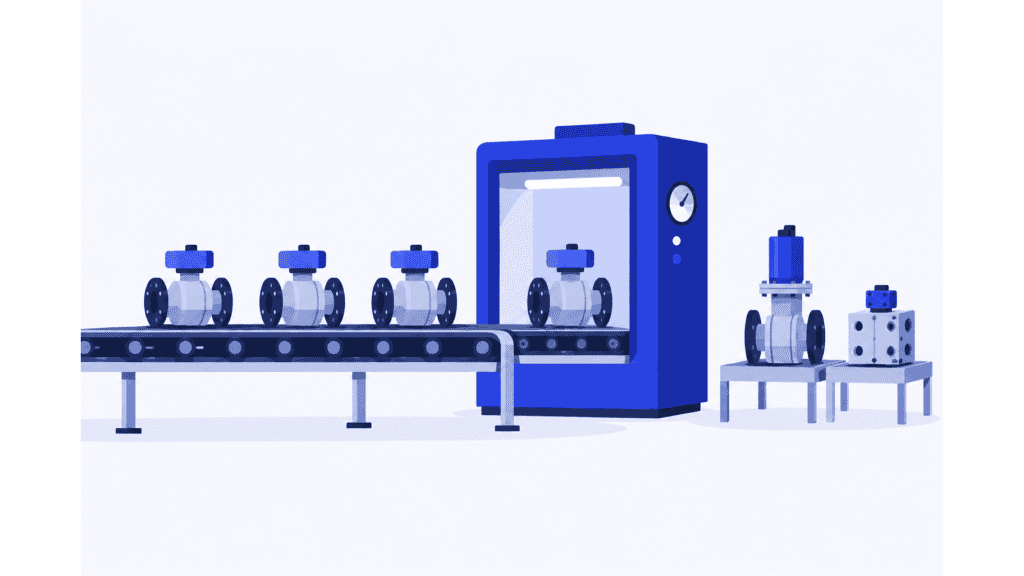
The defining feature is recurring work through a stable process. An assembly line repeatedly builds a standard electrical component. A machining cell regularly makes the same family of parts. A manufacturer produces familiar valve units with a controlled range of sizes and options.
The products need not be identical in every detail. Variants can share most operations while differing in a component, setup or test. What matters is whether enough of the work stays consistent to organize and improve it as a repeatable flow.
Nor does repetitive mean running continuously, around the clock. A repetitive line can operate one shift, stop for maintenance or change between related models. The term describes the production pattern, not an obligation to keep equipment moving regardless of demand.
Several other manufacturing terms answer different questions:
| Term | What it describes | How it can relate to repetitive manufacturing |
|---|---|---|
| Discrete manufacturing | Making identifiable parts or assemblies | A discrete product can follow a repetitive manufacturing process. The terms are not opposites. |
| Batch production | Making a defined quantity together before switching | A recurring product family can be produced in repeated batches. Batch size and sequence remain separate decisions. |
| Mass production | Standardized output at high volume, often using dedicated equipment | It commonly uses repetitive methods, but not every repetitive operation needs mass-production scale. |
| Make to stock or make to order | Whether anticipated demand or a customer order triggers production | Either can use an established, repeating route. Repetition alone does not determine the stock policy. |
In ERP documentation, “repetitive manufacturing” can also name a specific planning and production-recording method. If you are choosing an ERP process, check that system’s requirements separately. Here, the focus is the manufacturing method: when repeatable work makes sense and how to organize it reliably.
When is repetitive manufacturing a good fit?
Start with a product family, not a label for the entire factory. A business can have a stable recurring range and a separate stream of engineered or unusual orders.
The following conditions make repetition more useful:
| What to examine | A strong starting point | A warning to investigate |
|---|---|---|
| Demand | The family is needed regularly enough to sustain repeat work | Long runs are justified mainly by keeping machines busy, not by likely sales |
| Product definition | Designs and components are stable, with controlled variants | Frequent revisions change what must be made or how it is inspected |
| Routing | Most units pass through a familiar sequence | Each order needs substantial engineering or a different route |
| Preparation | Tools, instructions and material supply can be reused or prepared predictably | Every small change requires extensive new programming, tooling or approvals |
| Capacity | The required machines, people and downstream operations can support the expected mix | The main line has room, but a shared finishing or test operation is already overloaded |
There is no universal quantity at which a factory becomes repetitive. The economics depend on the product, preparation effort, equipment and recurrence of demand. A steady family can justify a repeatable cell without justifying a dedicated automated line.
If variation dominates preparation and resource requirements, a high-mix, low-volume approach may fit better. If a standard family is growing within an otherwise varied factory, apply repetitive methods to that family rather than forcing every order into the same model.
The benefits and trade-offs of repeating the work
Repetition reduces the amount of production work you must solve again. Operators become familiar with the sequence, preparation can be organized in advance, and improvements to a common method benefit many subsequent units. That can lower labor and setup effort per unit and make output easier to plan.
Stable methods also make deviations easier to notice. When a familiar operation takes longer or produces more rejects, the team has a more useful comparison than it would for a one-off job. Consistent work instructions and checks support consistent quality; repetition itself does not prevent a faulty process from repeating a defect.
The trade-off is commitment. Dedicated equipment and specialized tooling make sense only if the demand and product life justify them. Producing ahead can shorten customer response time, but it also ties money up in stock that may not sell or may be superseded by a design change.
Long runs can create another problem: they make one resource look efficient while other orders wait. If upstream production keeps making parts faster than assembly or testing can consume them, work in progress grows without increasing finished deliveries.
Judge the method by the flow of saleable products, not just the output of the fastest machine. The useful gain is repeatable work delivered at a sustainable cost, in the quantities customers need.
How to put repetitive manufacturing into practice
1. Define the family and the allowed differences
Group products because they share meaningful production work: a common route, tooling, assembly method or test arrangement. Identify which differences are routine and which require a separate decision.
For example, a size option might change material quantity but leave the route intact. Another option may add a specialist inspection. Treating both as “the same product with a different code” hides a real capacity requirement.
Keep the approved product definitions and instructions current. Repeatability depends on knowing which method to repeat, not on asking the operator to remember what was different last time.
2. Establish the route and credible operation times
Define the sequence, eligible resources, processing time and preparation needed for the family. Include required handoffs and waiting periods before the next operation can begin. Do not assume that a machine’s best demonstrated speed is the rate the whole route can sustain.
For a paced line, distinguish takt time from cycle time. Takt time expresses the pace needed to meet demand from the available production time. Cycle time describes how long an operation actually takes. Compare the required pace with the work content and staffing at each stage, and investigate stages that cannot keep up.
On shared equipment, the question is broader: how much of that resource’s time is genuinely available to this family after other commitments? A line can be well balanced in isolation and still miss deliveries because its parts wait for a shared process elsewhere.
3. Set a production and replenishment policy
Decide what triggers the next quantity: a customer order, a replenishment requirement or another agreed planning signal. Match that quantity to the demand window, preparation effort and acceptable stock exposure.
Do not launch another run simply because the first machine is free. Check component readiness and the capacity of later operations. Making more unfinished units is not the same as creating more deliverable output.
The policy should also say how you respond to a demand change. A repeatable method is valuable precisely because you can reuse it; it should not become a reason to keep manufacturing a quantity nobody needs.
4. Give variants and exceptions a place in the plan
Record the extra time, operation or resource a variant needs. Decide which commitments have priority and which work needs a protected position. When other products use the same resources, include them in the same capacity calculation.
This is where separate repeat-production and special-order spreadsheets become expensive to maintain. Each can look sensible on its own while both allocate the same test rig or specialist. SkyPlanner removes that reconciliation work by scheduling the defined operations together against the resources they share.
5. Use actual production to improve the next run
Compare planned and actual operation times, setup effort, rejected quantities and delivery performance. Review the results by family and variant where the difference affects a decision.
A recurring overrun may mean the standard time needs updating, the setup needs improvement or a variant needs its own planning assumption. Check waiting between stages as well as processing speed. The next improvement may be a better handoff rather than a faster machine.
An example: the regular product and the unusual order
Imagine a manufacturer making a recurring family of valve units. Most products follow assembly, leak testing and packing. The team knows the route and has stable work instructions.
A customer orders a variant that needs a longer pressure test. It uses the same test rig as the regular units. A separate project order also needs that rig before dispatch.
Nothing fundamental has changed about the recurring family. Its manufacturing method is still repeatable. What has changed is the load at a shared operation.
If assembly keeps following its usual output target, completed assemblies accumulate in front of testing. If the planner inserts the variant into the test queue without reviewing the project order, a different customer commitment can become late. Moving only the visible exception does not resolve the competition for capacity.
The better response is to give the variant its real test duration, include the project work, check the required components and calculate the sequence across assembly, testing and packing. The planner can then judge whether the existing operated capacity is sufficient, suitable alternative capacity is available or a delivery commitment needs to change.
Repetitive manufacturing has made the work easier to define. Connected scheduling makes the definition usable when the week is not perfectly repetitive.
Keep the repeat work and the exceptions in one SkyPlanner schedule
In SkyPlanner, you define products with their process steps, durations and eligible workstations. A recurring product carries an established sequence into subsequent work instead of requiring the planner to reconstruct its route for every order. Setup time and required time after an operation can also be represented.
Arcturus schedules those operations alongside other orders using the configured capacity, dependencies and priorities. Workstations, shifts and operators belong in the same plan. With material-aware scheduling enabled, recorded material availability also affects the calculation, so a free resource does not automatically become a start for work whose components are missing.
For the imagined valve manufacturer, that means the regular family, the longer-test variant and the project order compete for the same defined test capacity. Their requirements are no longer hidden in different lists. The Gantt timeline shows the resulting work sequence and expected timing across resources.
You steer the schedule through priorities and locks; Arcturus handles the calculation within those instructions. When production changes, it can recalculate the plan without leaving you to repair each resource queue separately. That saves planning effort and gives you a clearer basis for deciding which delivery promise the factory can support.
The repeated work also provides useful feedback. SkyPlanner’s planned-versus-realized reporting compares planned durations with actual production times. Its history-based process-step estimates help assess recurring work once past order data is available. You can improve the planning assumptions using the work your factory has actually performed.
SkyPlanner integrates with any ERP or MES through its open REST API. You can keep the order and production systems that serve the business while giving repeat work and exceptional orders a common scheduling engine.
UTU: standard products and project deliveries in one plan
UTU’s Ulvila factory makes electrical distribution products ranging from standard boards to larger project deliveries, including park transformer substations and medium-voltage switchgear. That combination makes it a useful example of why a familiar product range still needs connected planning.
Before SkyPlanner, departments used manually updated Excel spreadsheets. Changes to the production sequence in the ERP did not always reach the floor, and realistic capacity was difficult to see.
UTU connected SkyPlanner with Oracle NetSuite and its payroll system, bringing all the factory’s lines and departments into one system. The team uses AI-powered automatic scheduling, the Gantt timeline, and capacity and load graphs to see the work and its timing together.
UTU reports more precise scheduling of project deliveries and says an updated work queue reaches the installers in seconds. Standard products and project commitments are now visible in a shared plan, rather than coordinated through disconnected departmental spreadsheets.
Read UTU’s SkyPlanner review for the full customer experience.
Make the next repeat order easier to deliver
Repetitive manufacturing is a strong choice when recurring demand, stable product definitions and familiar operations let you reuse and improve the production method. It does not require every order to be identical, every resource to be dedicated or every week to follow the same pattern.
Choose SkyPlanner when those repeatable routes still leave your team manually coordinating shared capacity and exceptions. Arcturus does the scheduling calculation, and the Gantt view makes the consequences visible while you retain control of priorities.
Book a SkyPlanner demo with a regular product, a variant that takes extra work and another order using the same resource. Bring their routes, material requirements and delivery commitments. That is a practical way to see how SkyPlanner can take the daily coordination off your team’s hands. If you prefer to explore first, try SkyPlanner with demo data.
Jussi Mäntylä
Production Planning Specialist, SkyPlanner


