





In this article
- What is poka-yoke in manufacturing?
- Prevention, detection and inspection are not the same
- Match the poka-yoke method to the error
- How to choose a practical countermeasure
- Observe the exact failure, not just the rejected product
- Decide what should happen when the condition is wrong
- Check whether the solution will survive everyday production
- Example: prevent a missing seal before the housing closes
- Put the approved change into standard work
- Schedule the rollout without hiding its delivery impact
- Make the changed plan reach production
- Turn a recurring mistake into an approved production change
Home » Resources » Poka-Yoke in Manufacturing: Choose What Stops the Error
Estimated reading time: 10 minutes
A missing seal reaches final testing again. The team knows the assembly instruction, the operator has been trained, and the reminder above the bench is still there. Another reminder will leave the same opportunity for the same mistake.
Poka-yoke changes that opportunity. A fixture can prevent incorrect loading; a check at the point of assembly can catch an omission before the housing closes. The important choice is not which device looks most advanced. It is which change reliably addresses the error your process actually allows.
This guide helps you make that choice, test it and bring it into production. Once the change is approved, SkyPlanner APS helps you fit its implementation and revised operations around customer orders, with the delivery impact visible in the production schedule.
What is poka-yoke in manufacturing?
Poka-yoke means mistake-proofing. In manufacturing, it uses process design or a device to prevent an unintended error or make it immediately apparent so it can be corrected before it travels further.
An error is the wrong action or omission: selecting the wrong component, reversing a part or missing a step. The resulting defect is the product’s failure to meet a requirement. Catching an omitted seal before closing a housing is a different intervention from finding a leaking finished assembly at final test.
A good poka-yoke reduces dependence on attention and memory. It helps an experienced operator on a busy shift as well as someone learning the job. Instructions and training still matter, but the process should not depend on everyone remembering everything, every time.
Prevention, detection and inspection are not the same
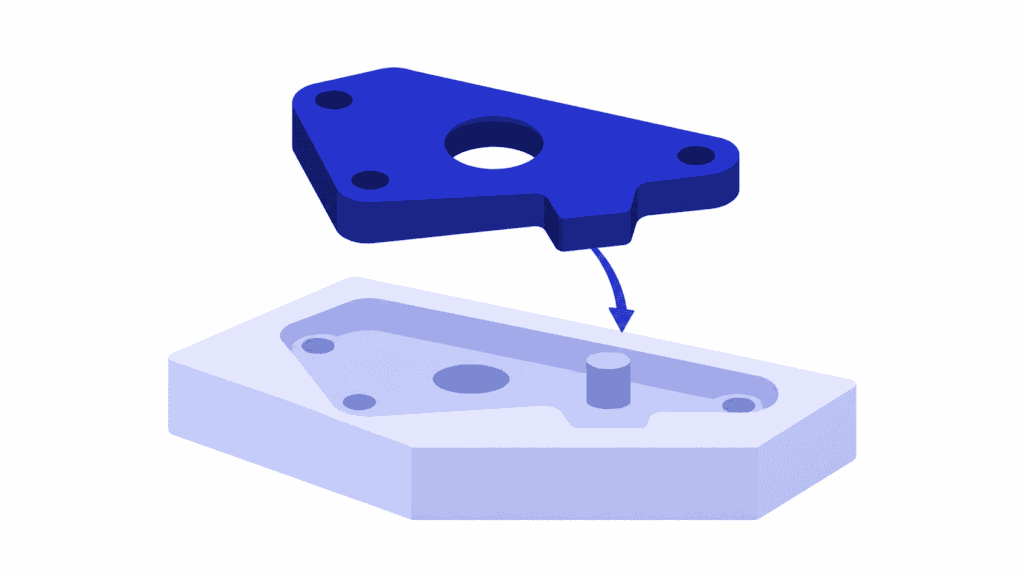
Prevention removes the opportunity for a particular mistake. An asymmetric locating feature, for example, allows a part to seat only in the intended orientation.
Detection identifies a wrong condition. A presence sensor can reveal a missing component, but the response determines what happens next. A warning asks someone to act; a control prevents continuation until the required condition is satisfied.
These are separate design choices. A sensor is not automatically a control, and a control can stop a defect from moving onward without preventing the original mistake. Final inspection remains useful where required, but finding the problem after more work has been added is not equivalent to preventing it at the source.
Match the poka-yoke method to the error
Three common method families help organize the choice. The contact method checks a physical characteristic or fit. The fixed-value method checks a required number or quantity. The motion-step method checks that required actions occur in the intended sequence.
Start with what distinguishes an acceptable condition from an unacceptable one:
| Error pattern | Candidate approach | What you must prove |
|---|---|---|
| A part is loaded backwards | Keyed fixture or locating feature; contact method | The wrong orientation cannot seat, while every approved variant fits correctly |
| A component is omitted | Presence check at assembly; contact method | The check distinguishes the actual installed component from an empty or obstructed location |
| Too few parts are included | Count, weight or a fixed-quantity presentation; fixed-value method | The selected measure detects the omission across permitted part variation |
| An operation is skipped | Verification of the required sequence; motion-step method | The next operation cannot be accepted using an old, duplicated or irrelevant completion signal |
| A similar but incorrect component is selected | Variant identification checked against the required component | The check verifies the part actually being used, not merely a nearby label |
These are starting points, not ready-to-install engineering designs. A counting system can confirm that four items are present without confirming that they are the correct four. A scan can verify a code while the wrong physical part remains on the bench. Ask what the chosen signal really proves.
Often the simplest effective change is best. If a locating feature removes the mistake entirely, you may not need a camera, extra handling and a new decision at every cycle.
How to choose a practical countermeasure
Observe the exact failure, not just the rejected product
Watch the work where the error can happen, together with the people doing it. Record the relevant product variant, changeover condition and point at which the mistake becomes difficult to see or expensive to correct.
“Assembly errors” is too broad to design against. “The seal can be omitted before the cover hides its groove” gives you a condition and a place to intervene. Root cause analysis can help explain why that opportunity exists; poka-yoke is the countermeasure you select and validate against it.
Look upstream before adding another check. Could the separate component be eliminated through an approved product change? Could the part be presented in the correct orientation? Could a fixture make incorrect assembly impossible? A new inspection should not be the automatic answer to every defect.
Decide what should happen when the condition is wrong
Write the required response in plain language: what must stop, who responds, and how the affected part is identified and corrected.
A visible warning may be useful when a person can respond before the error causes further harm. If an unnoticed warning would allow an unacceptable defect to continue, choose a stronger response rather than assuming the operator will always notice it. The decision should follow your quality requirements and risk assessment, not the price of the alarm alone.
Quality mistake-proofing is not a substitute for machinery safeguarding. Any change affecting machine operation or personnel protection needs the appropriate engineering and safety review.
Check whether the solution will survive everyday production
A countermeasure that works on one demonstration part may fail on a different variant, a dirty fixture or the first job after a changeover. Include those conditions in the choice, not as an afterthought.
Also consider the work it creates. Can operators load and unload comfortably? Will normal cleaning move the sensor? Does changing products require a different fixture or reference setting? Is the error message clear enough to guide recovery rather than encourage repeated resets?
Compare the whole operating burden: purchase, installation, cycle time, maintenance, false rejects and rework avoided. The cheapest device is not the cheapest solution if it repeatedly stops good production. Nor is a slower operation necessarily worse overall if it prevents substantial downstream repair.
Example: prevent a missing seal before the housing closes
Imagine a manufacturer assembling a housing with a seal placed in a groove before the cover is fitted. The omission is discovered at final leak testing, after fastening and handling have already added work.
A marked parts tray makes the seal easier to remember, but it does not prove installation. An empty tray position could mean the seal is on the bench. The team therefore trials a presence check at the groove before cover fitting, with continuation blocked when the required condition is not confirmed.
The acceptance question is specific: can a housing without its correctly positioned seal pass this point? The device choice must answer that question for the real component, groove and production conditions.
Before release, the team challenges the proposed solution with known conditions:
- A correctly installed seal on each approved housing variant.
- No seal, and a seal present but outside the required position.
- The wrong seal where it could otherwise produce an acceptable-looking signal.
- Expected dirt, lighting or positioning variation relevant to the chosen check.
- Restart and changeover conditions, including whether the previous unit’s result can be reused incorrectly.
The test should show both that unacceptable conditions are caught and that good assemblies can proceed consistently. If a missing seal is detected but a misplaced one is not, the team has learned the protection’s boundary. It must improve the method or retain a separate control for the unresolved failure mode before approving the change.
This is why “the sensor turns green” is not an adequate acceptance criterion. You are validating a production outcome, not an indicator.
Put the approved change into standard work
Once the pilot works, define who owns the device, its checks and the response to a failure. Update the work instruction with the correct loading, changeover, abnormal-condition and recovery method. Train the people on all affected shifts, not just the pilot team.
Set a verification routine appropriate to the risk and equipment. For example, the team may need an approved challenge piece or a defined functional test after a relevant setup change. Quality and engineering should decide the test and frequency; there is no universal interval suitable for every poka-yoke.
Keep known nonconforming test items controlled so they cannot enter customer shipments. Define how production is held or routed through an approved alternative when the countermeasure is unavailable. An informal bypass should not become the easiest way to hit the output target.
Then check whether the improvement lasts. Follow the targeted defect against the relevant production quantity, alongside false rejects, interruptions and time per operation. Keep the product mix and observation basis comparable. Fewer defects in a week with far fewer assemblies do not, by themselves, demonstrate improvement.
Watch downstream rework as well as the new station time. The benefit is more good output with less avoidable work, not simply fewer seconds at one bench.
Schedule the rollout without hiding its delivery impact
Even a small fixture change needs time for installation, testing, operator familiarization and release. If those activities make the workstation unavailable, that capacity cannot also be promised to customer orders.
The seal example also changes the work after installation. The new check may add handling time, while preventing the omission can reduce later rework. Measure the revised operation and update the work that is actually planned; do not book an assumed saving before the process demonstrates it.
SkyPlanner APS brings those changes into the same capacity plan as the rest of production:
- Represent the period when the workstation is unavailable with a workstation exception, then recalculate the schedule.
- Use the approved operation durations, setup requirements, eligible workstations and process dependencies for the affected work.
- Review the resulting sequence and completion dates in the Gantt timeline alongside other orders competing for that capacity.
That gives the planner a clearer basis for deciding when to implement the change and which delivery commitments need attention. Arcturus calculates the schedule within your configured constraints and priorities, reducing the need to rebuild each machine queue by hand.
The quality control and the schedule have different jobs. The physical check must establish that the seal is installed correctly. A process dependency in SkyPlanner establishes the planned work sequence; it does not establish that a physical component passed inspection. Quality release remains your team’s decision, and affected open orders must reflect the approved change.
SkyPlanner integrates with any ERP or MES system through its open REST API, so the scheduling plan can connect with the systems holding your order and production data.
Make the changed plan reach production
A revised schedule helps only when the shop floor works from it. Before SkyPlanner, switchboard and switchgear manufacturer UTU used departmental spreadsheets, and sequence changes in its ERP did not always reach production. With SkyPlanner integrated with Oracle NetSuite, UTU brings its lines and departments into one system and reports that updated work queues reach installers in seconds.
That experience shows the value of communicating changing production priorities. For your rollout, the aim is equally practical: the installation window and the jobs around it should be part of one current plan, not separate instructions competing for the same workstation.
Turn a recurring mistake into an approved production change
Choose one clearly defined error. Find the earliest useful point to prevent or detect it, select the response the risk requires, and challenge the solution with both good and bad conditions. Then give the approved change an owner, a maintenance routine and time in the production plan.
Use SkyPlanner APS to turn that last step into a workable schedule. Book a demo with your proposed implementation window, affected operations and competing orders. See how the change fits your capacity and what it means for delivery dates. To explore the scheduling workflow first, start a SkyPlanner trial with demo data.
Jussi Mäntylä
Production Planning Specialist, SkyPlanner


