In this article
- How a manufacturing cell changes the flow
- Does the cell have to be U-shaped?
- Benefits and disadvantages: what are you trading?
- When is cellular manufacturing a good fit?
- Example: the cell improves, but inspection still has a queue
- Pilot one family before moving the whole factory
- Give the cell a connected schedule with SkyPlanner
- Preserve the cell’s real capacity
- Recalculate when the factory changes
- A scheduling lesson from Eskomatic
- Test your cell and its shared constraint together
Home » Resources » Cellular Manufacturing: When a Production Cell Fits
Estimated reading time: 10 minutes
Cellular manufacturing groups the equipment and workstations needed by a product family close together, in the order the work flows. Instead of sending parts between separate functional departments, a production cell brings different operations into a compact sequence. The aim is less movement, less waiting and a shorter path to a finished product.
The important question is not whether you can draw a neat U-shape on the floor plan. It is whether a family of products can move through those operations reliably, with the people, materials and capacity available.
A good cell removes unnecessary handoffs. It does not remove competition for a shared inspection machine, finishing process or upstream resource. SkyPlanner APS helps connect those two realities: its scheduling AI, Arcturus, coordinates the cell’s order operations with the rest of the factory, so you spend less time reconciling separate work lists.
How a manufacturing cell changes the flow
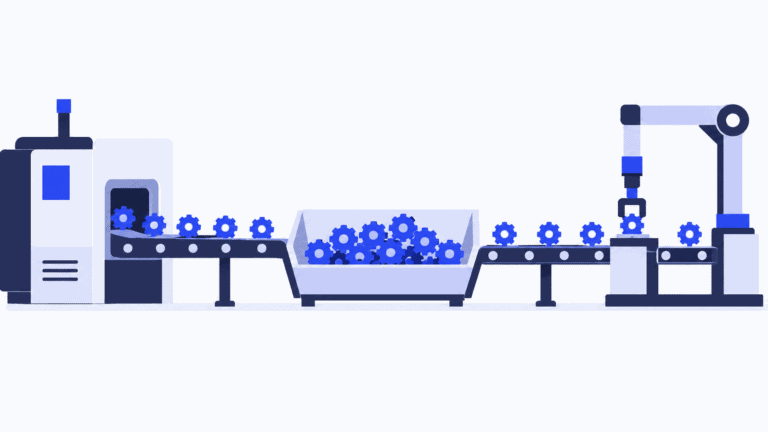
In a functional layout, similar equipment sits together: lathes in one area, mills in another, assembly elsewhere. Each department serves products following different routes. Parts travel between those departments and can wait for the next resource to become available.
A cell organizes around a product family instead. That family needs a sufficiently similar sequence of operations to make the grouping useful. Physical resemblance alone is not enough: two similar-looking housings may require different processes, while different-looking components may follow almost the same route.
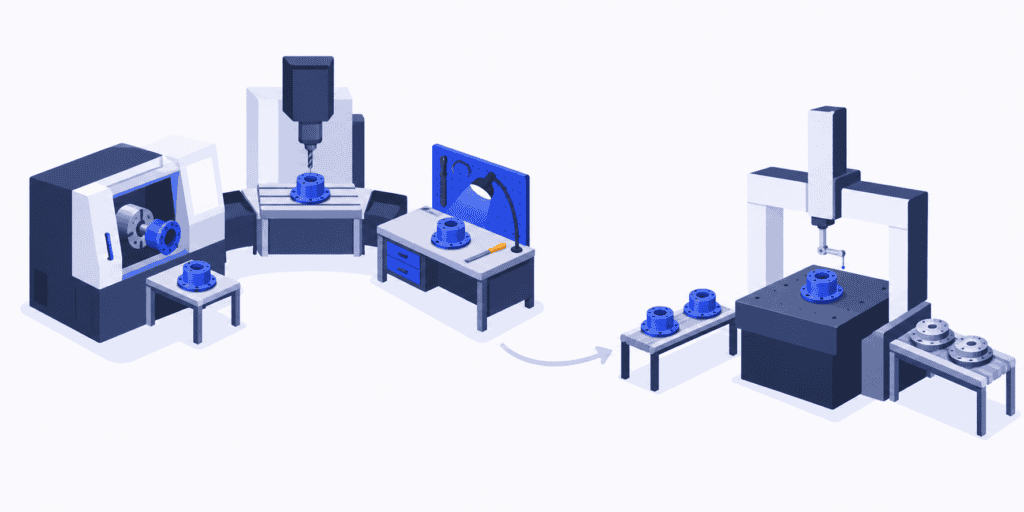
Imagine a family that needs turning, drilling and deburring. Placing those operations together lets the team pass work forward without repeatedly transporting it across the factory or handing it to another department’s queue.
The goal is continuous flow where practical, either one piece at a time or in small transfer batches. A cell does not have to process exactly one piece at every step to count as cellular manufacturing. What matters is how well the sequence works as a whole, rather than how large a batch each machine can finish independently.
Does the cell have to be U-shaped?
No. A U-shaped arrangement can shorten walking distances and bring the beginning and end of the sequence closer together. A straight or other compact arrangement may suit the equipment, access and work better. The shape serves the process; it does not define the method.
Cellular manufacturing also overlaps with line production. A cell commonly serves a family with some variation, while a dedicated line is organized around a more standardized flow at the required volume. There is no universal volume boundary between them. Choose the arrangement that supports your mix and work content, not the label that sounds leanest.
Benefits and disadvantages: what are you trading?
The main opportunity is to remove time that adds nothing to the product. Shorter transfers and fewer handoffs reduce the distance between useful operations. Smaller queues mean less unfinished work on the floor and less time spent locating or moving it.
Closer operations can also make problems easier to see. If drilling produces a defect that deburring immediately discovers, the feedback reaches the previous step sooner than it would after a large batch has crossed the factory. That gives the team an earlier chance to contain the issue; the layout alone does not make the process capable.
The trade-offs matter just as much. Moving or duplicating equipment costs money. A machine dedicated to one family may lose the utilization it had when serving the whole factory. Operators need the skills and coverage to keep the sequence working, and a change in demand can leave one cell overloaded while another has spare time.
A cell is therefore not a promise that every machine will stay busy. Its value is better flow for the family at an acceptable total cost. If keeping one station busy produces a pile of parts that the next station cannot use, you have recreated a departmental queue inside a smaller space.
When is cellular manufacturing a good fit?
Start with the products and their actual routes, not with the equipment you would like to move. Use a representative mix of orders, including the slower variants and the work that regularly leaves the proposed cell.
| Question | A promising starting point | A reason to investigate further |
|---|---|---|
| Do the products share a route? | Most work follows a common sequence | Frequent bypasses, returns or unrelated routes |
| Is there recurring demand? | Enough repeat work to justify the resources | Sporadic work or a mix that changes radically |
| Can the operations work together? | Compatible processing times, manageable setups and usable staffing | One long operation or frequent changeovers dominate the flow |
| What must remain shared? | Outside operations have visible, usable capacity | A shared specialist process already has an unreliable queue |
These are decision prompts, not a requirement for identical products or perfectly steady demand. A mixed factory can use a cell for a repeatable family and retain a job-shop arrangement for work with less predictable routes.
Check the work content as well as the route. Separate manual handling, machine running and operator movement. A machine that runs unattended for part of its cycle creates a different staffing problem from one requiring continuous attention. Adding machine times together will not tell you whether one operator can safely cover the sequence.
Also examine the changeovers between the family’s variants. If every small batch requires a lengthy setup, putting the machines closer together will not create frequent, economical flow. Setup reduction or a different batch pattern may be needed before the cell delivers its intended benefit.
Some processes are sensible to keep outside the cell. Expensive test equipment, heat treatment or a shared finishing process may serve many families. You do not need to duplicate everything. You do need to include those operations when judging the family’s lead time and delivery performance.
Example: the cell improves, but inspection still has a queue
Imagine that turning, drilling and deburring now sit in a compact cell. The team can move a housing between them with fewer handoffs. Final inspection, however, uses a coordinate measuring machine shared with the rest of the factory.
Assume the housing order needs two hours of inspection before dispatch. Only three staffed inspection hours remain before the deadline, and another committed order needs two of them. Processing, setup and all required inspection work are included in those durations; the jobs cannot overlap on that machine.
The combined requirement is four hours in a three-hour window. Even perfect flow inside the cell leaves a one-hour shortage at shared inspection.
Speeding up deburring will not create that missing hour. The planner needs to review the competing commitments and consider a real response: more staffed inspection time, another qualified resource, or a revised delivery promise. Changing the sequence may protect one order, but it does not make both fit into insufficient capacity.
This is why you should measure the route through acceptance, not stop the clock at the cell’s exit. A shorter internal lead time is useful. It becomes a customer benefit when the remaining operations can complete the work in time.
It is also why the cell should not have an independent schedule that treats inspection as someone else’s problem. Both the cell’s work and the other order need to appear in the same resource plan.
Pilot one family before moving the whole factory
Choose a family with a clear route and a meaningful flow problem. Record its current elapsed lead time, waiting between operations, work in progress and delivery performance. Include the shared processes outside the proposed boundary so the comparison does not hide a queue by moving it elsewhere.
Walk through the proposed sequence with the people doing the work. Test access, handling, material replenishment, operator coverage and how a stopped operation will affect the rest of the cell. A mock-up or limited pilot can expose problems before you commit to moving equipment.
Run a realistic product mix rather than only the easiest variant. Compare the new flow with the baseline and investigate where the time went. Has work in progress fallen? Does the whole order finish sooner? Are changeovers or staffing gaps stopping the sequence? Has the outside resource received a new surge of work?
Use the findings to improve the arrangement, work method and schedule together. You are looking for a repeatable way to deliver the family, not a successful demonstration on an unusually quiet day.
Give the cell a connected schedule with SkyPlanner
Once you have agreed the production method, SkyPlanner turns the routes into scheduled work. Define the product’s process steps, durations, eligible workstations and material requirements once. New order items inherit that route; the order supplies the product, quantity and delivery date.
Arcturus schedules the orders together against the configured workstation capacity, shifts, dependencies and priorities. With material-aware scheduling enabled, material availability also affects the calculation. The Gantt view shows the resulting sequence across workstations, including shared resources outside the cell.
For the housing example, the useful view includes both the cell’s route and the other order competing for inspection. The planner can see when the operations are scheduled and judge the completion dates without rebuilding a separate cell list and inspection queue by hand.
Preserve the cell’s real capacity
Represent the resources that actually constrain the work. If turning, drilling and deburring can run concurrently on different parts, treating the entire cell as one serial workstation can hide that capacity. Equally, a plan should not assume simultaneous manual operations that the available team cannot perform.
SkyPlanner supports workstations representing machines, people or teams, as well as shifts and employee-group assignments. Validate the model against your actual operator coverage: assigning the same person to two machine workstations does not by itself create a shared-operator capacity constraint between them. Bring that staffing pattern into the demo rather than assuming every overlap will be prevented automatically.
Recalculate when the factory changes
An urgent order or a lost inspection shift affects more than the cell’s next job. Update the relevant priorities or available capacity, then let Arcturus recalculate the connected schedule. Review the affected completion dates before confirming what production can deliver.
The benefit is less time repairing individual queues and earlier visibility of the commitments competing for the same resources. Your team decides the production method and priorities; SkyPlanner handles the scheduling calculation around them.
You can keep the systems already running your business. SkyPlanner integrates with any ERP or MES through its open REST API, connecting existing order and production data with detailed scheduling.
A scheduling lesson from Eskomatic
Eskomatic, a Finnish contract machining company, previously organized work queues largely by hand and struggled to see material shortages early enough. Its SkyPlanner implementation connected existing ERP data with a visual Gantt queue and automatic load scheduling.
The company reports more accurate delivery-date setting and fewer production stoppages caused by missing materials. That experience highlights a useful lesson for a factory introducing cells: bring readiness and the wider load into the plan, so a well-organized production area receives work it can actually carry through to delivery.
Test your cell and its shared constraint together
Choose cellular manufacturing when a product family’s route, work content and demand justify bringing the operations together. Judge the result through the last required operation, including the resources the family shares with other work.
Choose SkyPlanner when keeping that connected plan current is consuming the time you need for production decisions. You gain a common schedule for the cell and the wider factory instead of another local list to reconcile.
Book a SkyPlanner demo with one proposed cell route, its staffing pattern and the outside resource most likely to delay it. Ask to examine a recent priority or capacity change and its effect on the other orders. If you prefer to explore the scheduling view first, try SkyPlanner with demo data.
Jussi Mäntylä
Production Planning Specialist, SkyPlanner