





In this article
- What belongs in a manufacturing work instruction?
- Start with the task at the workstation
- Write actions, checks and responses together
- Use visuals to answer a specific question
- Example: turn “pack and check” into a usable instruction
- Use a repeatable outline, not a blank page
- Test understanding and instruction selection before release
- Connect the instruction to the actual job with SkyPlanner
Home » Resources » Manufacturing Work Instructions Operators Can Use
Estimated reading time: 11 minutes
Manufacturing work instructions explain how to perform a specific production task: what to prepare, what actions to take, what a correct result looks like and what to do when something is wrong. A useful instruction lets a suitably trained operator complete the task without relying on the author’s memory or a colleague’s interpretation.
But clear writing solves only part of the problem. The operator must also know that the instruction belongs to this product variant, this operation and this order. A perfect packing instruction is no help if it describes yesterday’s label requirement.
Build your instructions around those two needs: doing the work correctly and identifying the guidance that applies. SkyPlanner helps you connect instruction files and production notes to orders, order items and process steps, so the information stays with the work instead of in a separate folder someone must search and match by hand.
What belongs in a manufacturing work instruction?
Choose one operation or a coherent task within it. Give the operator enough information to start in the right conditions, perform the work and hand over an acceptable result.
A production route says that a part moves through cutting, bending, assembly and packing. A work instruction explains how to carry out a task at one of those stages. A standard operating procedure may set the broader rules and responsibilities; the instruction makes the task-specific actions explicit. Names differ between factories, so judge the document by what it enables the operator to do.
Standardized work and work instructions also serve different purposes. The agreed method organizes the operator’s sequence and repeatable work. The instruction communicates how to perform it. If the method itself is unsettled, resolve that with the people responsible before turning one person’s workaround into an instruction for everyone.
For each instruction, make the following information easy to find:
| Part of the instruction | What the operator needs to know |
|---|---|
| Identity and applicability | Task, instruction ID, revision, applicable product or variant, operation and any order-specific conditions |
| Starting conditions | Required competence, equipment, tools, materials and relevant safety preparations |
| Ordered actions | What to do, in what sequence and with which identified components or settings |
| Checks and decisions | How to recognize an acceptable result, when to check it and what to do if it fails |
| Completion and handover | What counts as finished, what to record and where accepted or suspect items go |
| Release information | Who owns the instruction, its approved status and when it takes effect |
Keep the document focused. Link or refer to the applicable drawing or specification where the operator needs it, but do not leave the reader to discover which requirement matters by browsing an entire technical file.
Start with the task at the workstation
Watch a trained operator perform the operation and ask them to explain the decisions that are easy to miss. Where do similar parts differ? Which orientation matters? What makes them stop and ask a supervisor? A short demonstration often reveals information that an office-written description leaves out.
Compare the observed work with the approved product requirements, method and safety arrangements. Resolve disagreements with production engineering, quality and the relevant safety specialist rather than choosing whichever version is easiest to describe. Work instructions support training and established safeguards; they do not replace the qualifications or equipment procedures the task requires.
Define the boundaries before writing. Does this instruction cover initial setup, repeating production, a changeover or the final check? These may need separate sections or separate instructions if different people perform them or the conditions differ. Include necessary preparation and handover rather than starting after the difficult decisions have already been made.
For high-mix production, identify what changes between variants. If only a label differs, a clearly identified order-specific requirement may be enough. If the assembly sequence or inspection method changes, a separate instruction may be clearer than a page full of exceptions. The test is whether the operator can select the right path without guessing.
Write actions, checks and responses together
Start each step with the action the operator must take. Name the object and the important condition. Replace vague verbs such as “process,” “handle” or “check as required” with the actual action or comparison.
“Check the label” leaves several decisions unstated. “Compare the product code on the label with the product code on the order item before applying the label” identifies the objects, the check and its timing. If other label fields matter, name those too. The approved requirement determines the detail; the writer should not invent it.
Put the acceptance condition beside the action. “Fit the cover correctly” does not explain what correctly means. A suitable view of the finished position, the relevant drawing reference or a defined inspection criterion can make the result observable. Use approved values with their units where a setting or tolerance is necessary, and keep them consistent with the controlling specification.
Then explain the response to a mismatch. Does the operator stop the task, identify and segregate the affected item, or request a decision from a named role? State the authorized response. Do not expect the operator to improvise a repair, substitute material or continue with an uncertain requirement.
Keep warnings where they affect the next decision, before the action concerned. Keep the full safety procedure available where required. Reducing visual clutter is useful; removing an essential precaution to make a page shorter is not.
Use visuals to answer a specific question
Choose a photograph, diagram or short video because it clarifies something the operator must recognize or do. Show the relevant product variant and viewing angle. Crop unnecessary background, identify the feature being discussed and use the same part names in the caption and step text.
An overall assembly photograph may not show which face must point outward. A close-up with a labelled reference feature can. Where accepted and rejected conditions look similar, show the difference explicitly rather than relying on a green tick or red cross alone.
Check the visual at the actual point of use. Small drawing text that is readable on an engineer’s monitor may disappear on the workstation display. If a video demonstrates a movement, keep the critical acceptance condition available without requiring the operator to replay the whole clip for every part.
Example: turn “pack and check” into a usable instruction
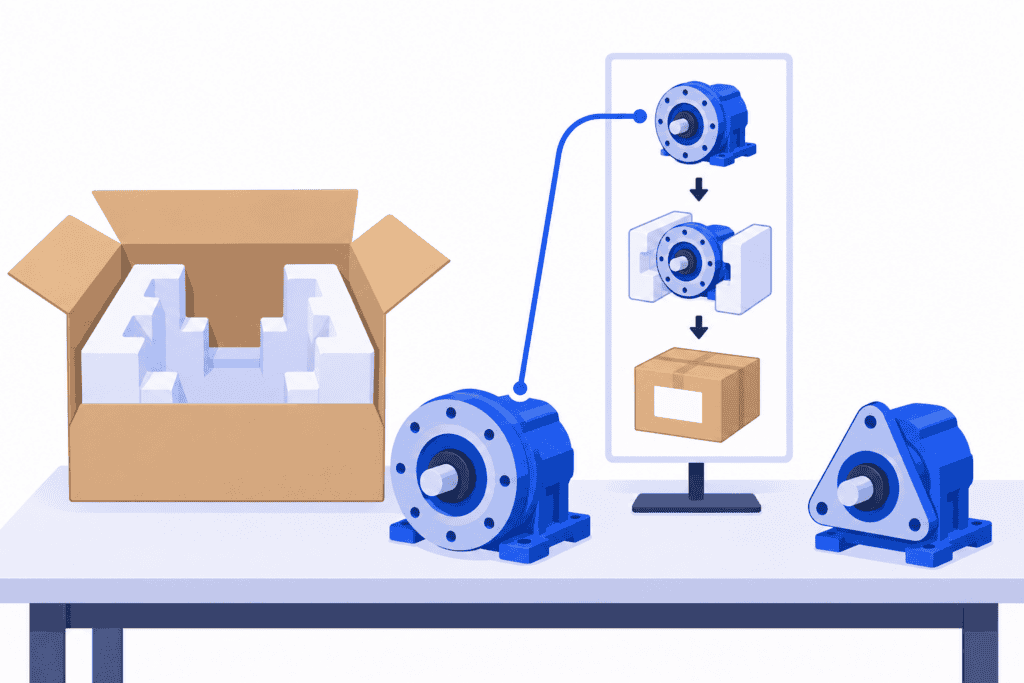
Imagine a packing station handling two similar product variants. Both fit the same carton, but the order item determines the product code and label requirement. The existing instruction says: “Pack the unit, apply the correct label and check before dispatch.”
That sentence hides the decisions most likely to go wrong. The following fragment shows how to make them visible. A released instruction would also identify the actual products, approved packing specification, images and responsibilities for your operation.
| Step | Action and check | If the requirement is not met |
|---|---|---|
| Identify the job | Compare the unit’s product identification with the order item. Confirm that this instruction’s applicability covers the variant being packed. | Stop packing that unit and ask the supervisor to resolve the mismatch. |
| Prepare the packaging | Select the carton and protective inserts identified in the applicable packing specification. Compare them with the instruction’s labelled reference image. | Keep the unit unpacked until the specified packaging is available or an authorized alternative is approved. |
| Pack the unit | Position the unit and inserts as shown in the reference image. Confirm that the specified protective features are in place before closing. | Correct the arrangement using the approved method; escalate damage or a condition the instruction does not cover. |
| Apply and verify the label | Before application, compare the label’s product code and the other required fields with the order item’s label requirement. Apply it at the specified location and check readability. | Keep mismatched labels and affected units out of the accepted flow; request the authorized correction. |
| Hand over | Complete the required packing record and move accepted units to the identified dispatch location. | Keep unresolved units identified and separate from dispatch-ready units. |
The improvement is not simply more words. The operator now knows which items to compare, when to compare them and what happens if they disagree. The same approach works for an assembly position, a material selection or an inspection result: make the decision explicit at the step where it matters.
Use a repeatable outline, not a blank page
For your next instruction, begin with this compact structure and fill it with the approved details of one real task:
1. Header: task name, instruction ID and revision, product and variant coverage, operation, owner and effective date.
2. Before starting: required competence, applicable safety procedures, equipment, tools, materials and starting condition.
3. Steps: numbered action, supporting visual or reference, acceptance condition and response to a problem.
4. Completion: final checks, required record, product status and handover location.
5. Release record: reviewer and approval information, change summary and treatment of affected work already in progress.
Repeat the format where it helps people find information quickly, not where it forces unrelated tasks into identical page lengths. Split a long operation at meaningful task boundaries. Avoid a universal sentence-length or step-duration limit: some actions need a short phrase; a decision with several conditions needs more explanation.
Give the instruction a descriptive name. “Packing: variant identification and label verification” is easier to distinguish from another task than “Production instruction 7.” Keep a stable identifier as well, so references remain unambiguous when a title changes.
Test understanding and instruction selection before release
Ask another appropriately trained operator to use the draft at the workstation under supervised, representative conditions. Let the instruction do the explaining. Observe where the person pauses, searches, interprets an image differently or asks a question. Do not allow the trial to proceed into unsafe or unapproved work merely to test the document.
Check more than successful completion. Ask the operator to explain how they know the result is acceptable and what they would do with an unexpected condition. If the author has to supply a missing acceptance criterion, the draft still depends on unwritten knowledge.
Test selection separately. Present a normal job and a similar variant that the instruction does not cover. Can the operator identify which instruction applies from the work information available? A good usability trial can still miss a distribution problem if the engineer hands the operator the correct document at the start.
Revise the confusing points and repeat the relevant parts of the trial. Include another shift or language version where that changes how the instruction will be used. Record the findings so approval rests on demonstrated usability, not just a tidy layout.
Before release, decide when the new revision takes effect and what happens to work already started. Identify affected products, orders, copies and related specifications. Remove superseded copies from active use while retaining the history your process requires. An updated file in the engineering folder does not by itself tell the packing operator which revision applies to a half-completed order.
After release, watch for recurring questions, defects and workarounds. Review the instruction when the design, equipment, material, method or acceptance requirement changes. Give operators a straightforward way to raise a problem with a specific step.
Connect the instruction to the actual job with SkyPlanner
Once the instruction is usable, make it available where production identifies and manages the work. Asking an operator to copy a product code from a work queue, search a document folder and decide which similarly named file applies adds an avoidable task before the real task even begins.
SkyPlanner lets you add production notes and attachment files to orders, order items and process steps. Use that job context deliberately. An order-wide requirement belongs with the order; a variant-specific file belongs with the relevant order item; an instruction or warning for one operation belongs with that process step.
In the packing example, attach the applicable packing instruction to the relevant work context and place the specific label warning where it applies. The operator has the instruction alongside the identified job, rather than having to reconstruct the connection between a separate list and a document library. That saves searching and makes the correct instruction easier to find.
SkyPlanner also brings the work into a shared production schedule. Process steps describe the route, durations, eligible workstations and dependencies; the Gantt view shows the resulting plan. You can coordinate what runs next while keeping the supporting information connected to the orders and operations being planned.
Keep the scope of a note clear. A quick note on one order’s process step is useful for a local issue; a change intended for future orders also needs to go through your instruction-release process. Decide where the approved master lives and how applicable files and notes are assigned when work is prepared. That keeps a temporary clarification from becoming an invisible permanent rule.
Choose SkyPlanner when the problem is not only writing better instructions, but getting them to the right production work without manually matching documents to separate queues. It integrates with any ERP or MES through its open REST API, so you can connect existing order information with production scheduling while retaining your current systems.
Book a SkyPlanner demo with one work instruction, a real order and a look-alike variant that must use different guidance. See how to connect the instruction and production notes to the relevant work and keep the job sequence visible in the same planning system. If you prefer to explore first, try SkyPlanner with demo data.
Jussi Mäntylä
Production Planning Specialist, SkyPlanner


